> ## Documentation Index
> Fetch the complete documentation index at: https://docs.envzero.com/llms.txt
> Use this file to discover all available pages before exploring further.
# env zero Workflows
> Orchestrate multi-environment deployments with dependency ordering using env zero Workflows, defined in a YAML file and visualized as a deployment graph.
A production app's infrastructure consists of many different resources. As those resources grow, managing and deploying them requires more thought and effort. We tend to look at managing resources as we do with code - split them into smaller manageable pieces ([env zero Environments](/guides/admin-guide/environments)) where each piece is cohesive and loosely coupled. In theory, this textbook solution sounds great because each environment is independent and can be deployed at any time, *but* in the real world, we have dependencies - deploying all those env zero Environments simultaneously is impractical.
**Basic Dependency Example**
Environment "**Network and VPC**" manages all necessary network configuration.\\
> Environment "**DB**" manages a database that multiple services use.
> Environment "**EKS**" manages the Elastic Kubernetes Service onto which pods of services will be deployed.
> Environments "**Billing Service**", "**Configuration Service**" and "**Notification Service**" all manage the deployments of services on EKS. Those services need access to the database.
>
> For this use case:\
> Environment "**DB**" depends on the VPC from the "**Network and VPC**" IaC stack.
> Environment "**EKS**" also depends on the VPC from the "**Network and VPC**" IaC stack.
> All service environments depend on **DB**, and **EKS**.
>
> As can be seen, the dependencies make it impossible for all the Environments to be deployed simultaneously.
>
> And of course, as the resources and environments grow the complexity of the dependencies will increase.
### Here come env zero Workflows to the rescue!
env zero Workflows allow deploying many env zero Environments with complex dependencies between them as a single unit.
> **env zero Workflow benefits**
>
> 1. Manage your entire infrastructure with complex dependencies between Environments
> 2. Visual presentation of the complex deployment
> 3. Each environment can use a different IaC tool - one environment can be managed by Terraform while another is managed by Kubernetes
> 4. Enhanced experience from all surrounding env zero features such as [Policies](/guides/policies-governance/policies), [Custom flows](/guides/admin-guide/custom-flows), [Drift Detection](/guides/admin-guide/environments/drift-detection) and [Continuous Deployment](/guides/admin-guide/environments/continuous-deployment)
To set up an env zero Workflow follow this simple guide:
env zero relies on a file named **env0.workflow\.yml** which describes the dependencies and configuration of the sub environments in your workflow, create this file with your specific definitions, each environment should define:
1. *name*: Will be displayed in the workflow graph
2. *templateName*: A name of a pre-defined [Template](/guides/admin-guide/templates) to deploy
3. *needs* (optional): An array of sub environments which all must be successfully deployed before this sub environment can start deploying
```yaml theme={null}
environments:
vpc:
name: 'VPC and Network'
templateName: 'VPC'
db:
name: DB
templateName: 'DB'
needs:
- vpc
eks:
name: EKS
templateName: 'EKS'
needs:
- vpc
service1:
name: 'Billing Service'
templateName: 'Billing Service'
needs:
- db
- eks
service2:
name: 'Configuration Service'
templateName: 'Configuration Service'
needs:
- db
- eks
service3:
name: 'Notification Service'
templateName: 'Notification Service'
needs:
- db
- eks
```
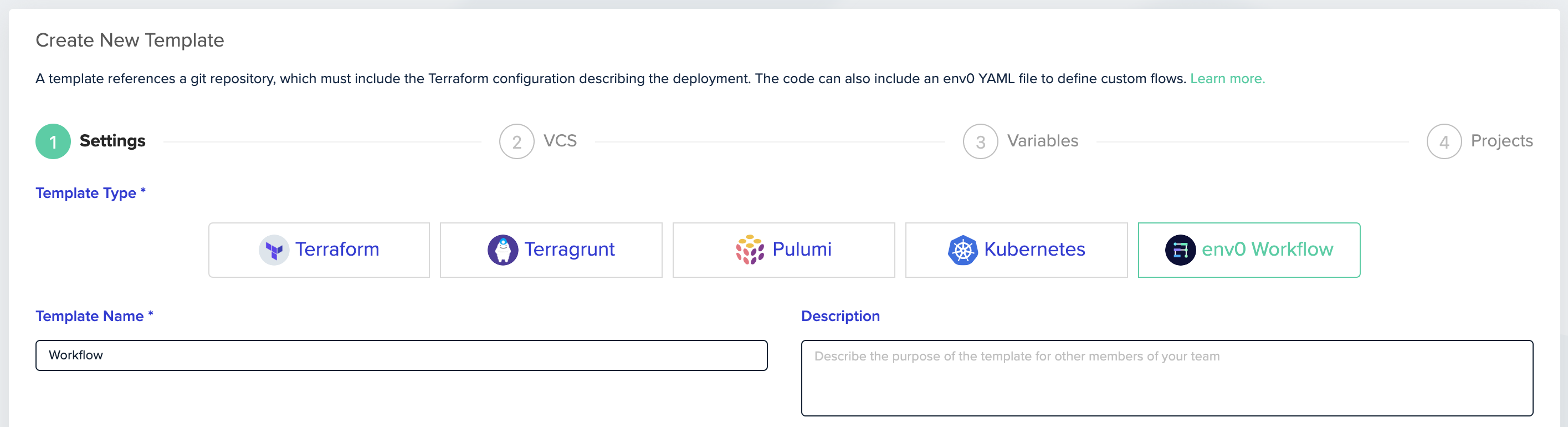
2. Create a [new Template](/guides/admin-guide/templates) and select **env zero Workflow** as the Template Type
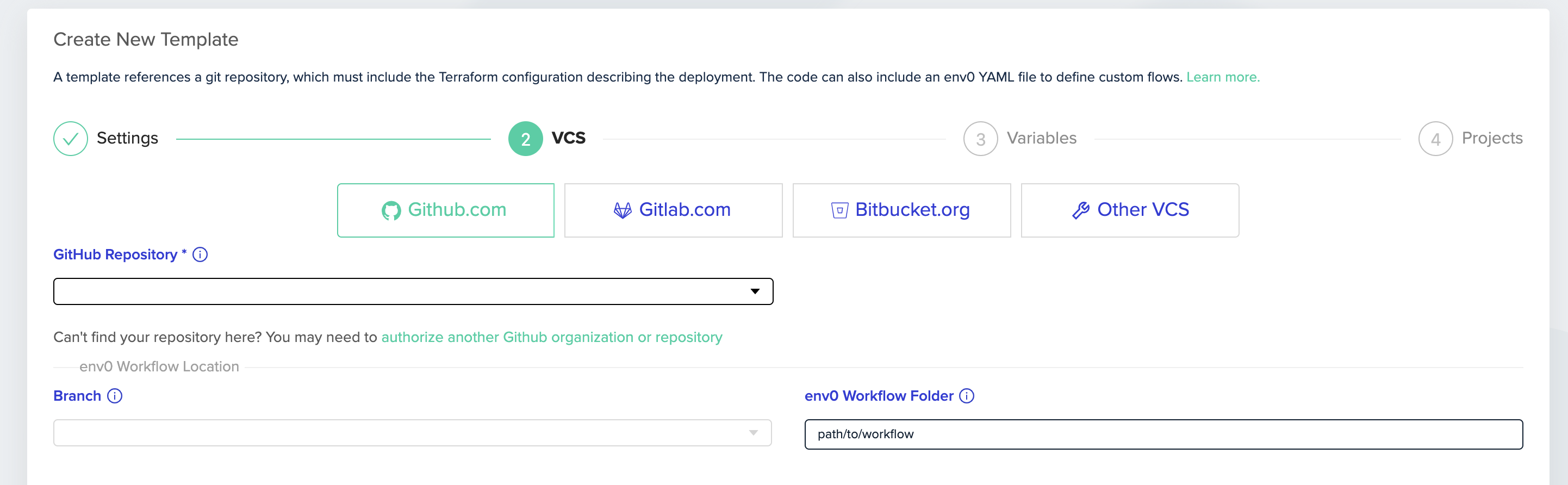
 In the VCS step fill in your VCS details and fill in the directory that contains your **env0.workflow\.yml** file.
 3. Create an [Environment](/guides/admin-guide/environments/setting-up-a-new-environment) based on the Workflow template
4. Deploy
3. Create an [Environment](/guides/admin-guide/environments/setting-up-a-new-environment) based on the Workflow template
4. Deploy
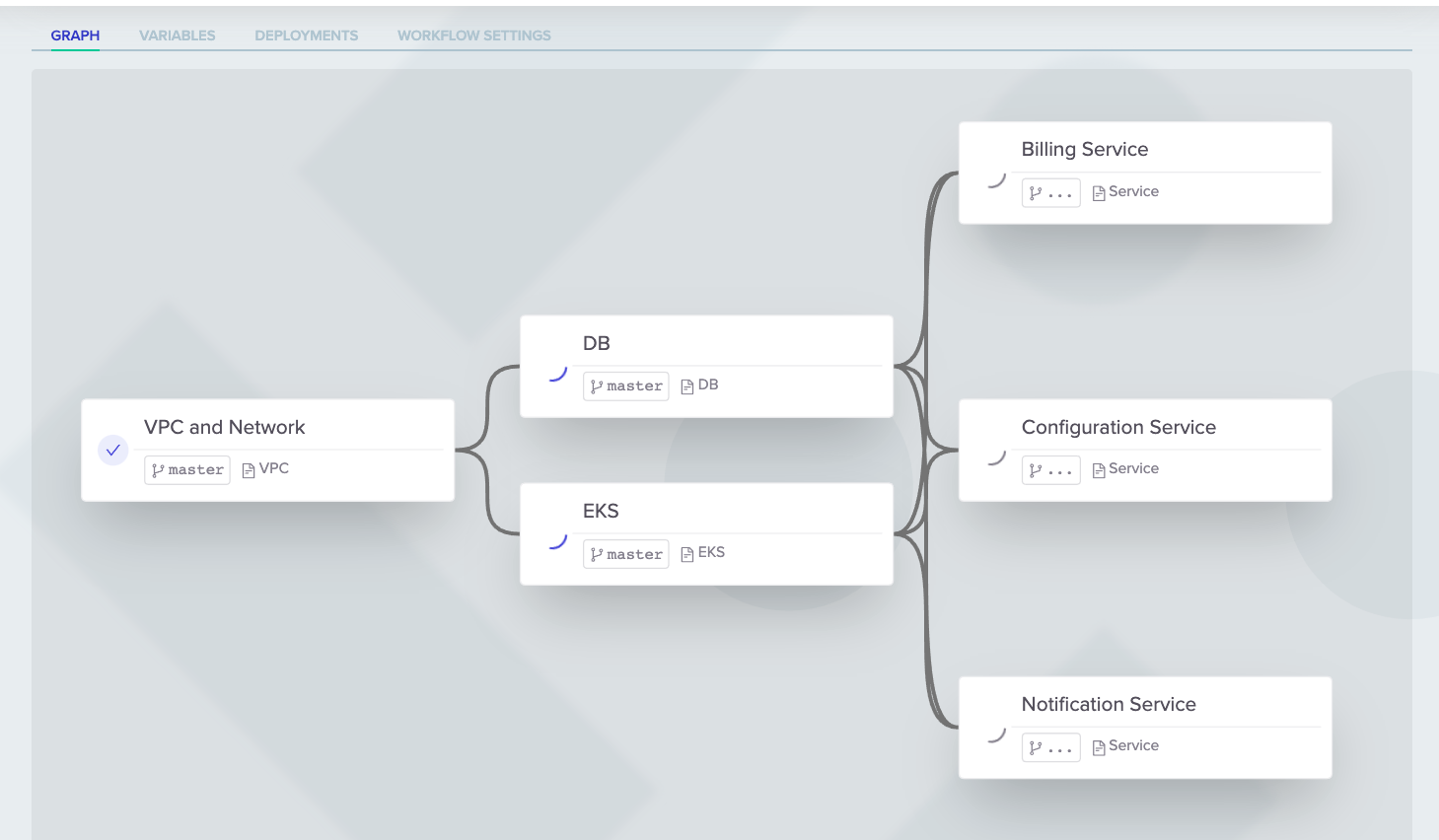 You can view your Workflow progress in the **GRAPH** tab.