> ## Documentation Index
> Fetch the complete documentation index at: https://docs.envzero.com/llms.txt
> Use this file to discover all available pages before exploring further.
# PR Comments With Role Based Access
> Map VCS users to env zero custom roles so PR comment-triggered plan and apply enforce env zero RBAC, not just VCS repository commenter permissions.
With env0, you can restrict the permissions of your organization's users through role-based access controls. You also have the ability to trigger Plan and Apply directly from your PR, however, one drawback is that the VCS provider sets your user's permissions. By default, anyone with comment permission on your repository can run a Plan or an Apply on your environments.
Using our new Role Based Access feature for PR comment plan and apply, you can map your VCS provider user to your env0's custom roles, and enforce their permissions while using the PR comment flow. That way, having comment permission on your VCS provider won't be enough to deploy an env0 environment.
## Enforce PR Commenter Permissions
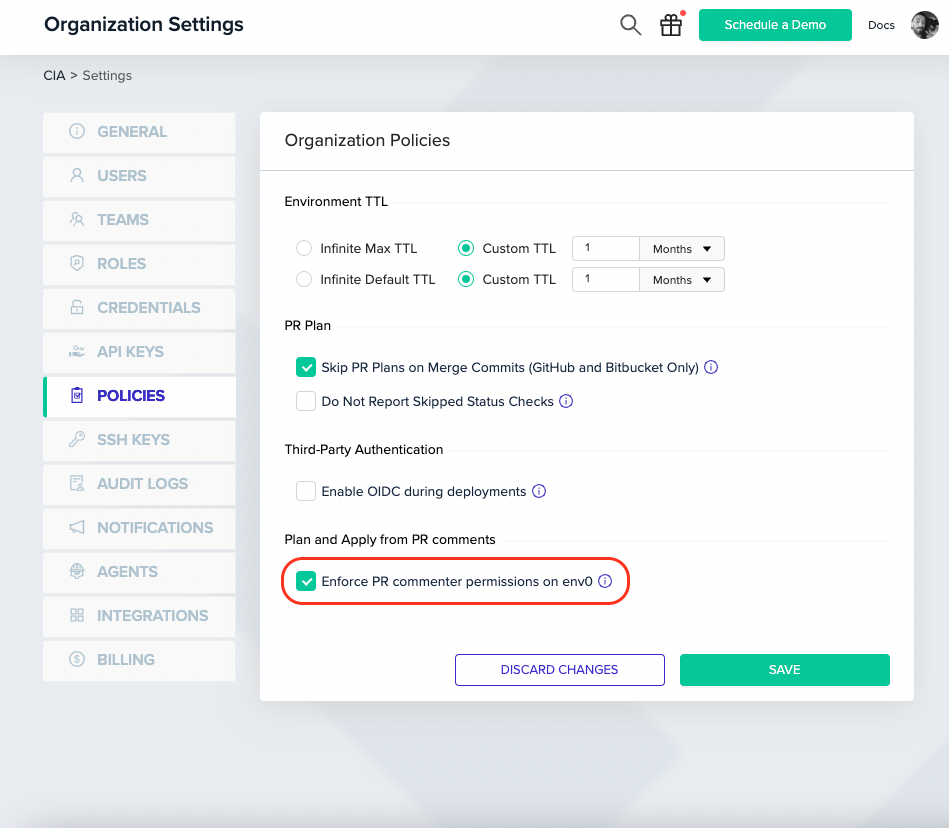
To apply your env0 permissions to your VCS users you can navigate to Organization Settings > Policies and check the`Enforce PR commenter permissions on env0` option.
 ## Setting Your VCS User Id on env0
Now that the feature is turned on, it is mandatory for every user across the organization who would like to use the PR comments flow, to set up a mapping of their VCS provider user.
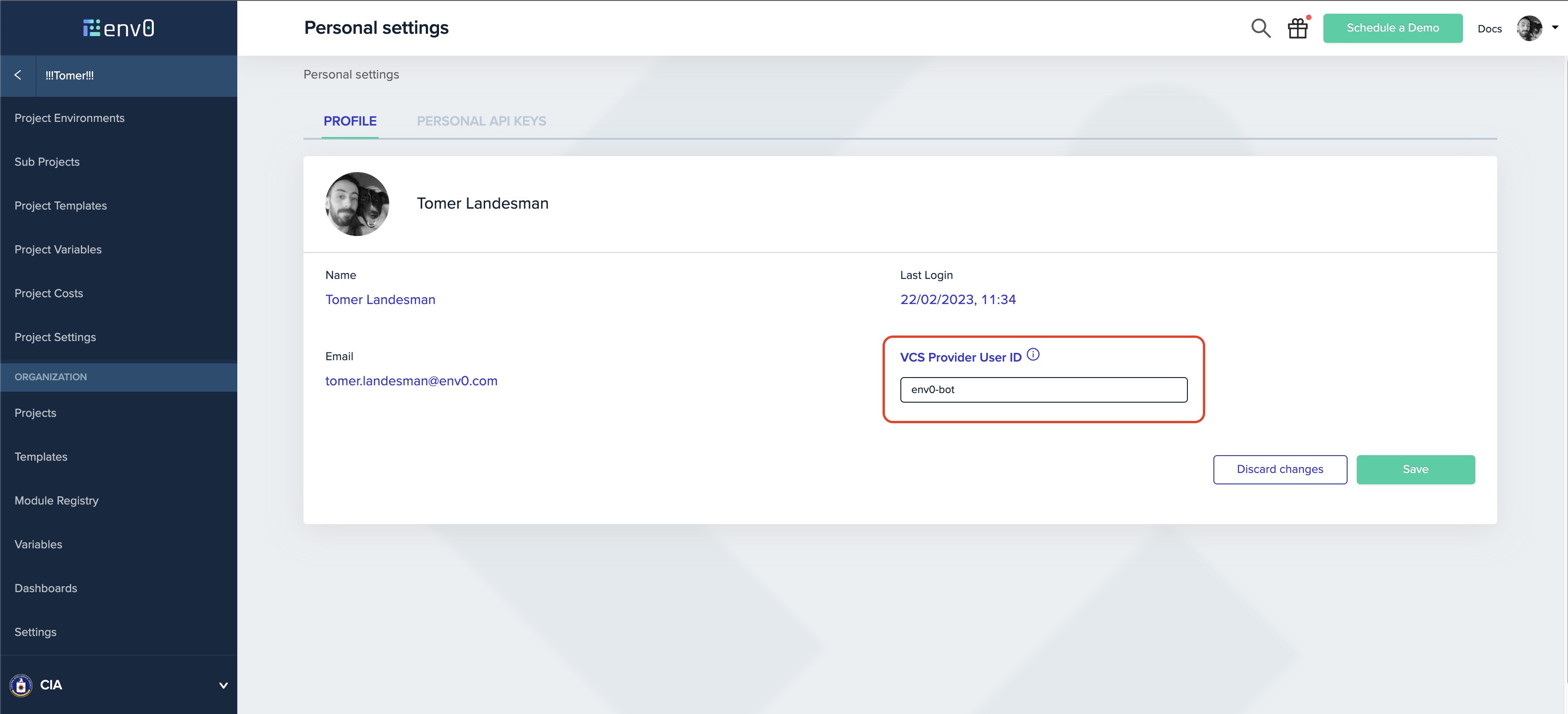
click on the avatar image in the top right corner, and click on `Personal Settings` to enter your profile page.
In the `Profile` tab, enter your VCS Provider Id (see [our docs](/guides/admin-guide/environments/plan-and-apply-from-pr-comments#map-vcs-provider-user) to learn how to find it)`VSC Provider User ID` textbox and click on the `Save` button.
## Setting Your VCS User Id on env0
Now that the feature is turned on, it is mandatory for every user across the organization who would like to use the PR comments flow, to set up a mapping of their VCS provider user.
click on the avatar image in the top right corner, and click on `Personal Settings` to enter your profile page.
In the `Profile` tab, enter your VCS Provider Id (see [our docs](/guides/admin-guide/environments/plan-and-apply-from-pr-comments#map-vcs-provider-user) to learn how to find it)`VSC Provider User ID` textbox and click on the `Save` button.