> ## Documentation Index
> Fetch the complete documentation index at: https://docs.envzero.com/llms.txt
> Use this file to discover all available pages before exploring further.
# Webhook Notification Target
> Set up webhook notification targets in env zero to send HTTP callbacks on deployment events, enabling automated responses in external systems and CI pipelines.
We are happy to announce that webhook is now supported as a notification target!
Webhooks provide a secure way to react to events in your env zero account.
To set up a new webhook notification target, go to the Notifications menu under the organization settings. Next, create a new notification, and under Type choose Webhook:
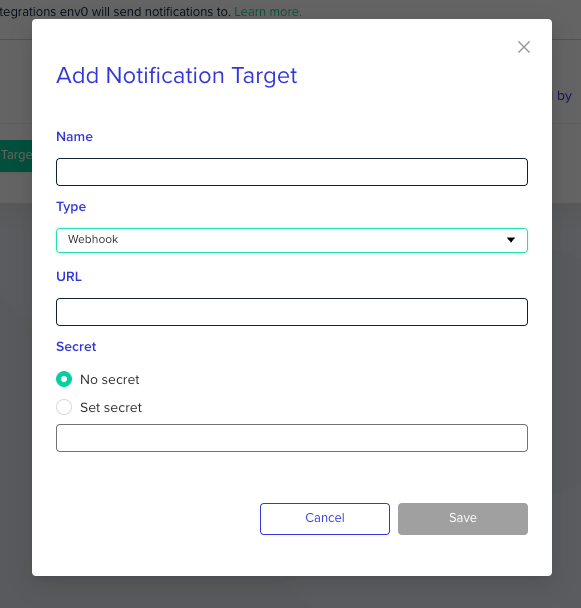 Enter your webhook details. An HTTPS connection is required for the URL. If you're experimenting or need a temporary solution, services like [webhook.site](https://webhook.site) can be useful. See [our doc](/guides/integrations/notifications/webhooks) for more details.
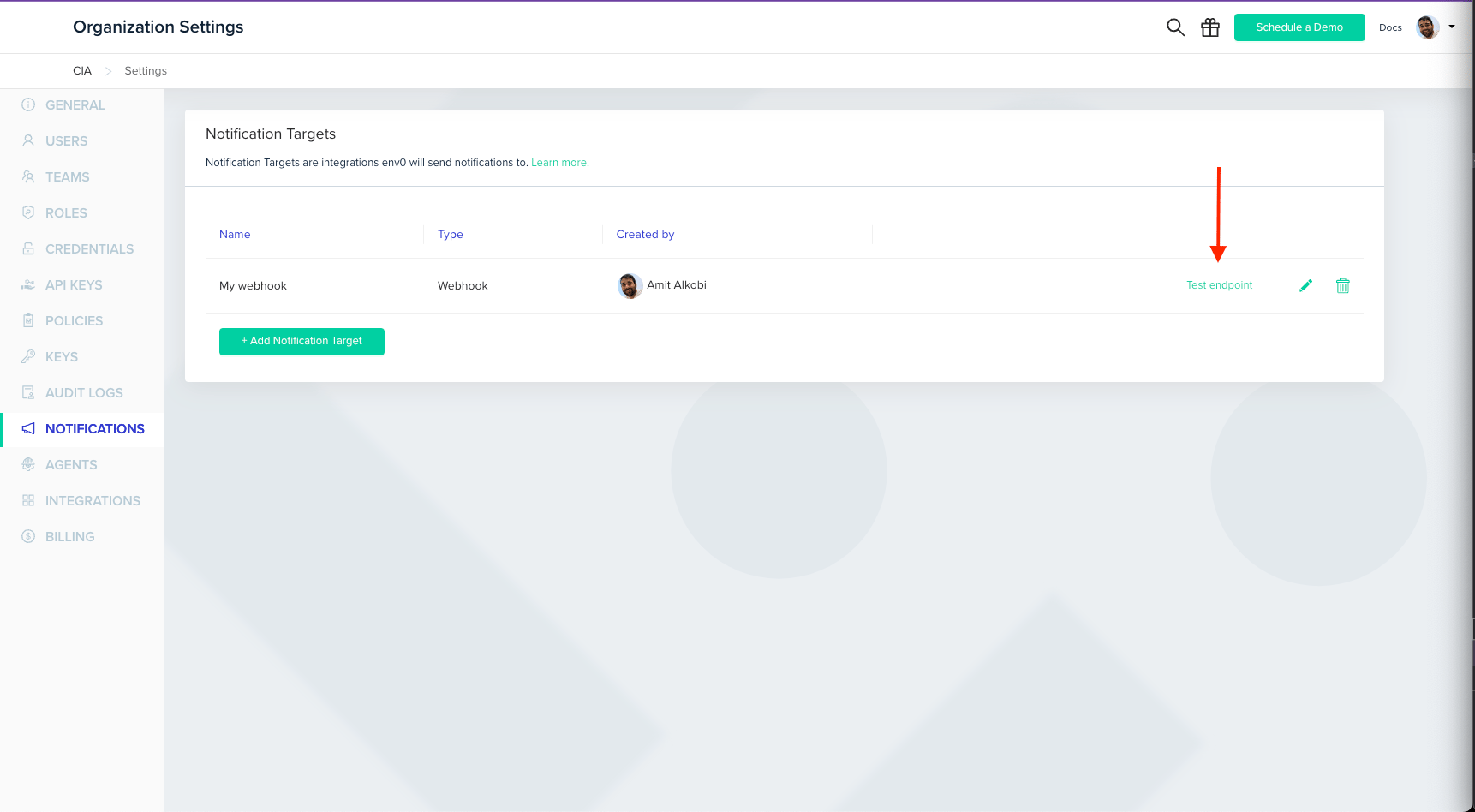
Once created, you can send a test event to your webhook URL by clicking 'Test endpoint' to ensure everything is working smoothly.
Enter your webhook details. An HTTPS connection is required for the URL. If you're experimenting or need a temporary solution, services like [webhook.site](https://webhook.site) can be useful. See [our doc](/guides/integrations/notifications/webhooks) for more details.
Once created, you can send a test event to your webhook URL by clicking 'Test endpoint' to ensure everything is working smoothly.
 For further details, [check out our detailed documentation](/guides/integrations/notifications/webhooks).
We hope you find this new feature valuable and are sure that it will enhance your experience. If you have any questions or need further assistance, feel free to reach out!
For further details, [check out our detailed documentation](/guides/integrations/notifications/webhooks).
We hope you find this new feature valuable and are sure that it will enhance your experience. If you have any questions or need further assistance, feel free to reach out!