> ## Documentation Index
> Fetch the complete documentation index at: https://docs.envzero.com/llms.txt
> Use this file to discover all available pages before exploring further.
# Streamline Onboarding With Automated Environment Import
> Import Terraform workspaces into env zero in bulk via Environment Discovery, scanning Git repositories and placing environments into projects automatically.
The latest upgrade to our [Environment Discovery](/guides/admin-guide/environment-discovery) feature makes onboarding your existing environments to env zero faster and more efficient than ever before.
With this capability, you can add your existing environments in bulk without needing to rebuild them from scratch, reducing manual work and minimizing the risk of errors.
Here is how it works:
1. Activate Environment Discovery and scan your Git repository for existing environments.
2. After the scan is finished you'll get a list of all discovered environments.
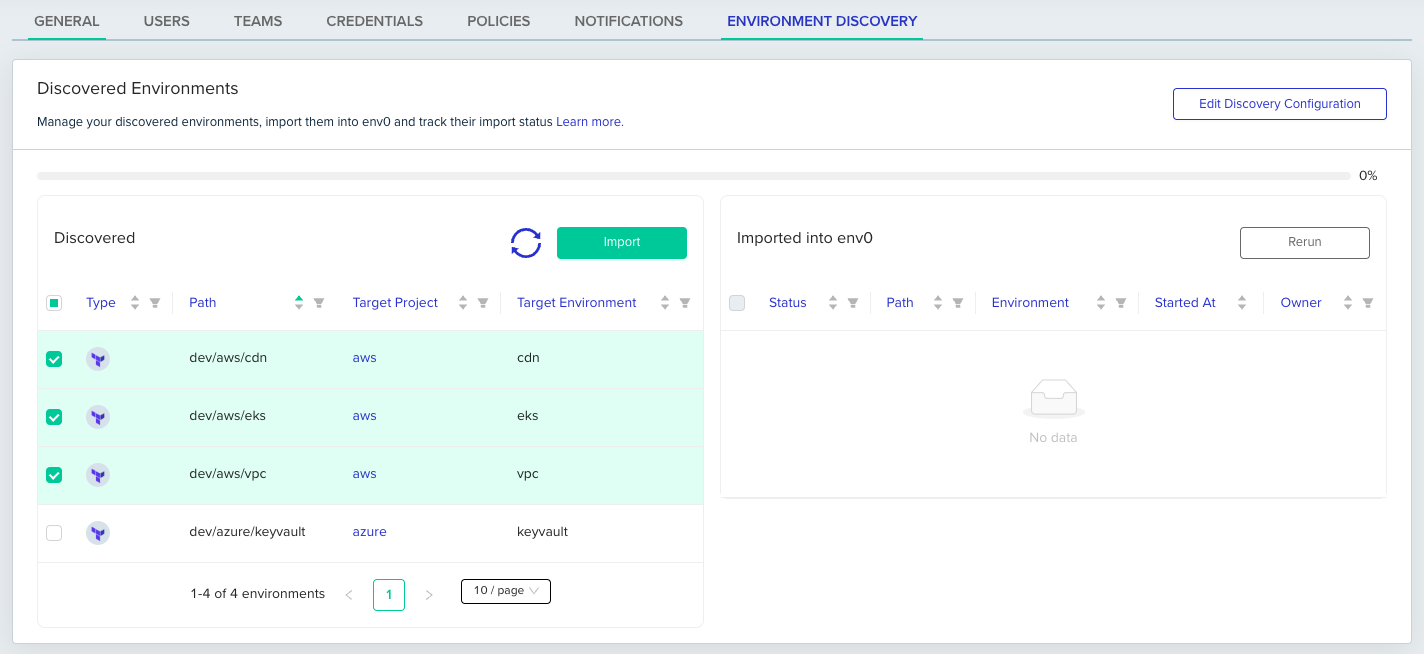 For each environment you also see the name of the project where the environment will be placed (as defined by your [Environment Placement](/guides/admin-guide/environment-discovery/onboarding-import-external-environments-into-env-zero) configuration).
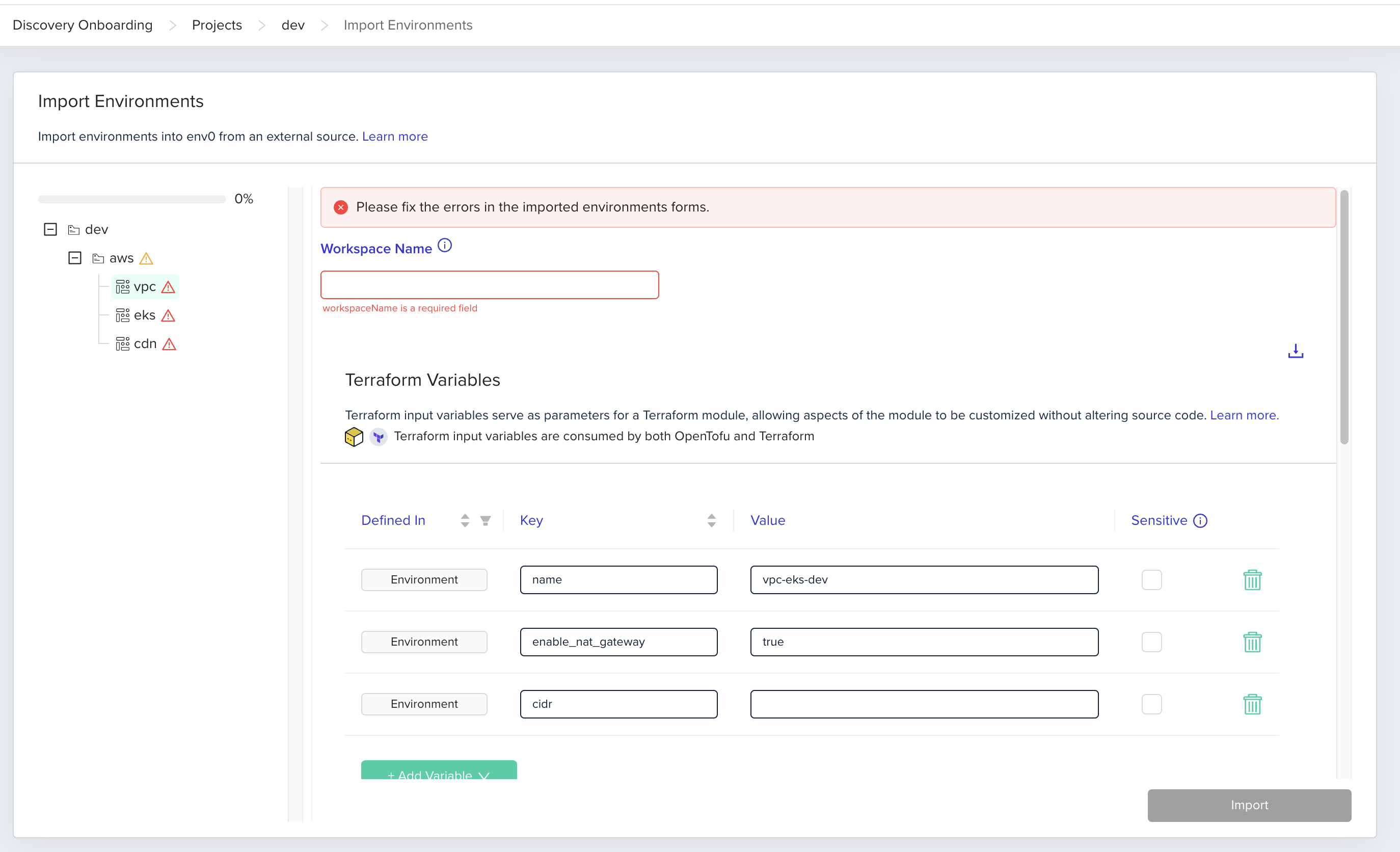
3. If needed, configure project credentials and Terraform/OpenTofu variables and click 'Import'.
For each environment you also see the name of the project where the environment will be placed (as defined by your [Environment Placement](/guides/admin-guide/environment-discovery/onboarding-import-external-environments-into-env-zero) configuration).
3. If needed, configure project credentials and Terraform/OpenTofu variables and click 'Import'.
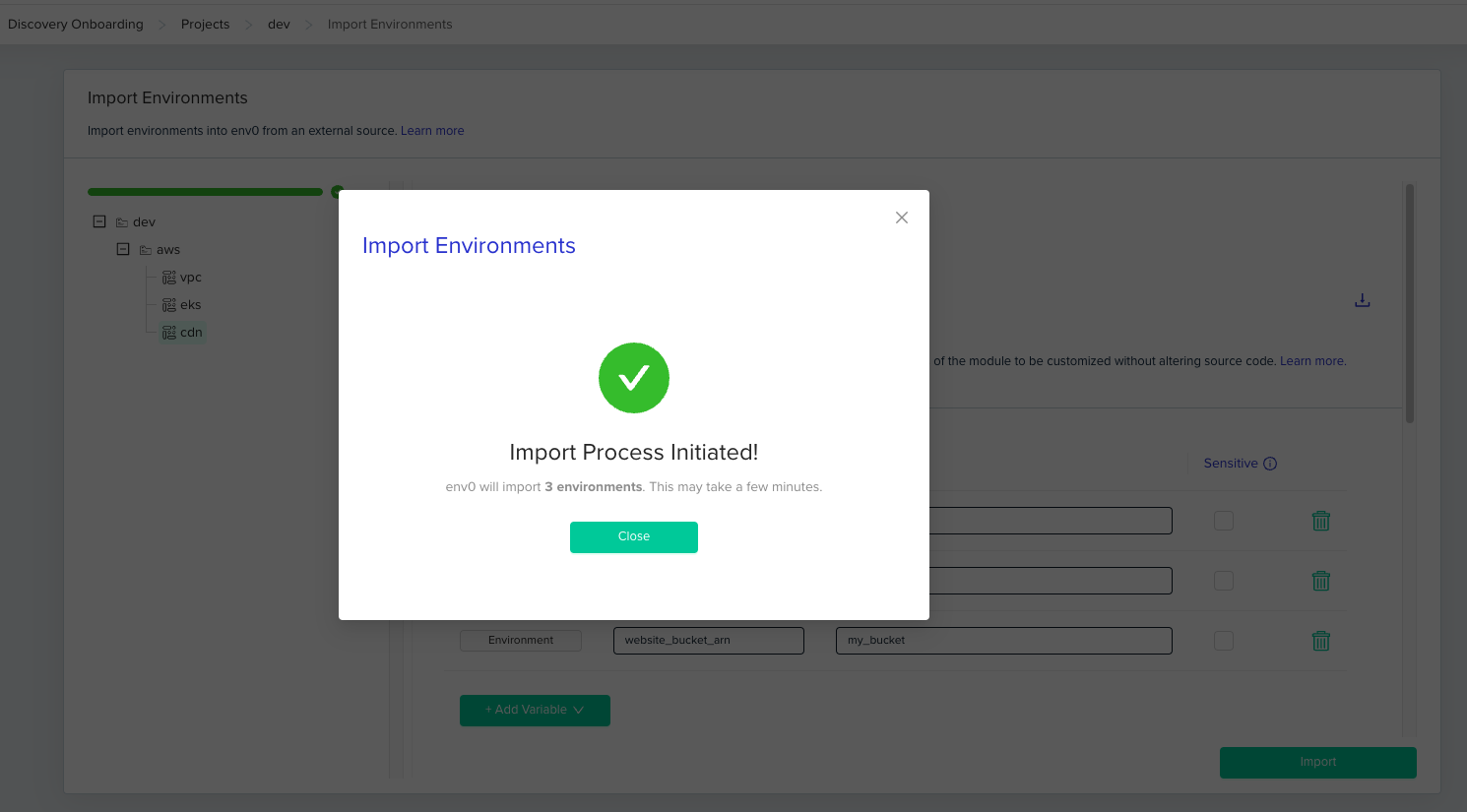
 And that's it.
Once the import process is complete, your environments will be fully managed by env zero, subject to all your governance policies, and benefit from platform features like automation, auditability, and more.
And that's it.
Once the import process is complete, your environments will be fully managed by env zero, subject to all your governance policies, and benefit from platform features like automation, auditability, and more.