> ## Documentation Index
> Fetch the complete documentation index at: https://docs.envzero.com/llms.txt
> Use this file to discover all available pages before exploring further.
# Polish & Improvements: June 2025
> June 2025: workflow output variables, audit log forwarding, self-hosted agent plugin caching, project-level credentials, dry run support, and VCS user mappings.
We've continued to roll out improvements focused on streamlining workflows, resolving common issues, and refining the experience, driven by user feedback. Here's a brief overview of the latest updates.
## Environment Output Variables in Workflow Templates
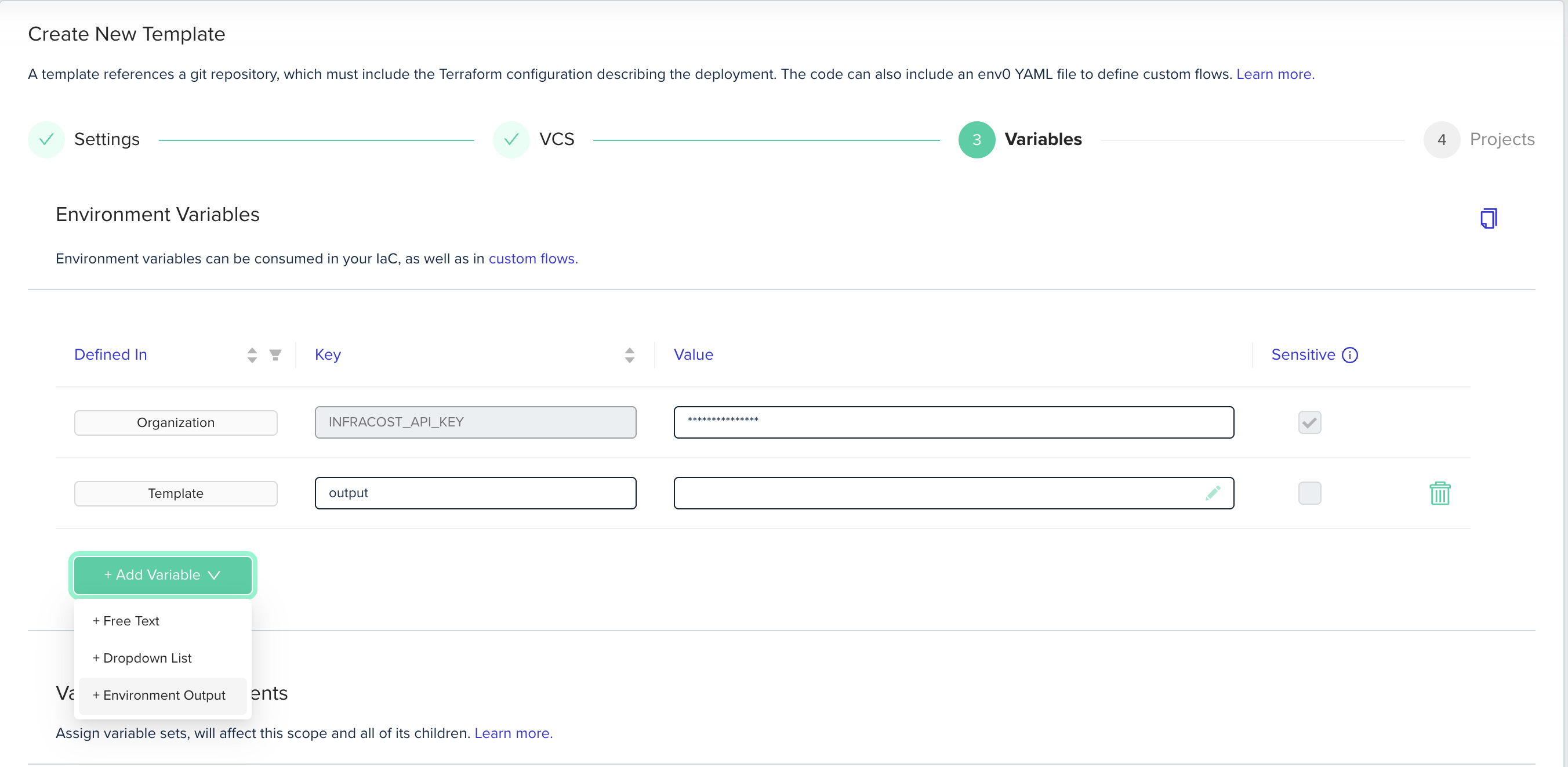
You can now more effectively define variable dependencies within Workflows using **Environment Outputs** and **Workflow Templates**. This enhancement lets you use outputs as inputs within the same workflow, making it easier to configure reusable Workflows across different environments.
To learn more visit our docs: [Workflow Variables](/guides/admin-guide/variables/workflow-variables) and [Environment Outputs](/guides/admin-guide/variables/environment-outputs).
 ## Audit Log Forwarding
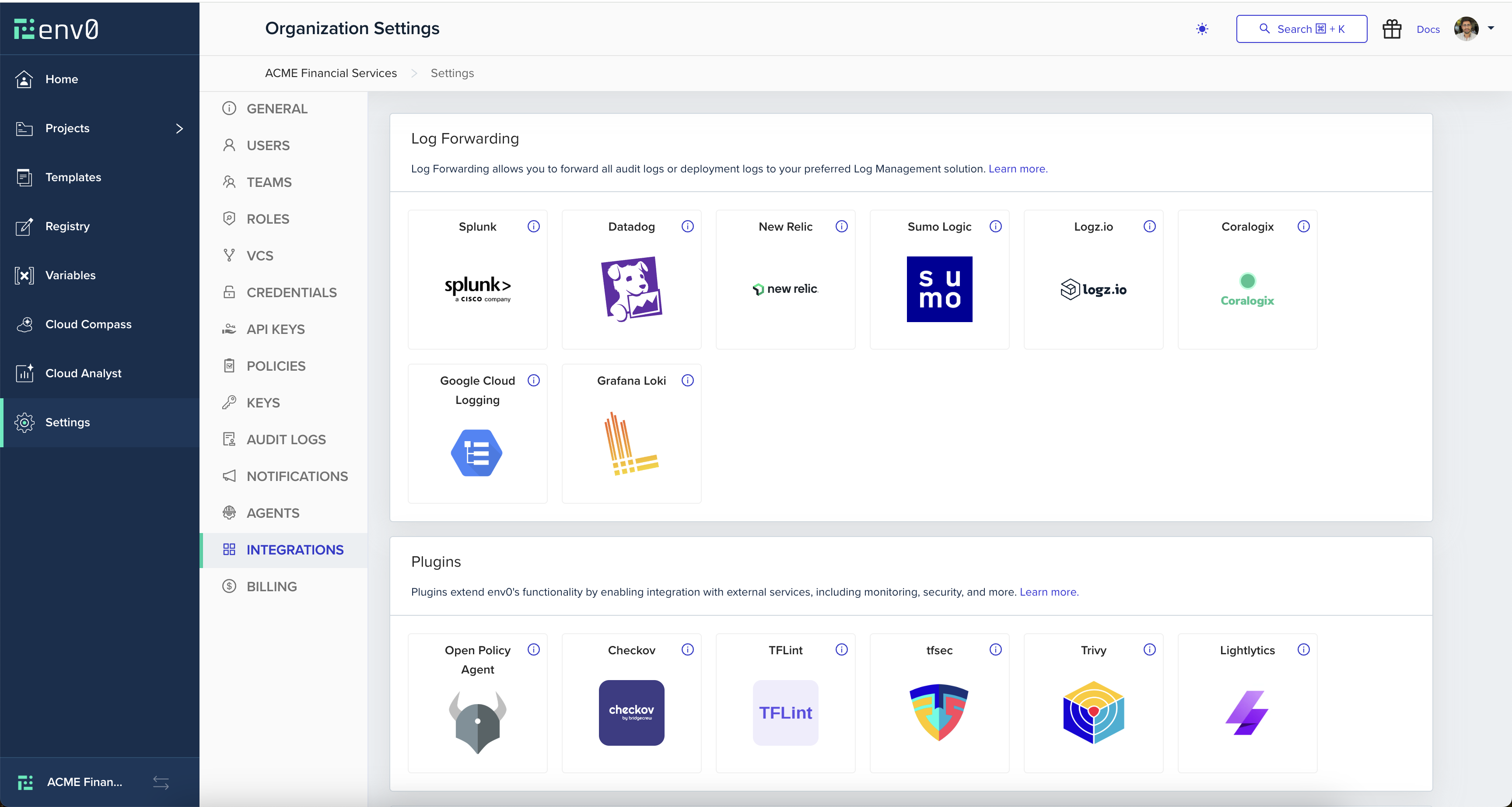
You can now forward env zero Audit Logs to supported observability tools. This update introduces a new configuration interface under the **Integrations** page, allowing you to connect both Deployment Logs and Audit Logs to any of the available integrations. [Learn more](/guides/integrations/logs-forwarding)
## Audit Log Forwarding
You can now forward env zero Audit Logs to supported observability tools. This update introduces a new configuration interface under the **Integrations** page, allowing you to connect both Deployment Logs and Audit Logs to any of the available integrations. [Learn more](/guides/integrations/logs-forwarding)
 ## Plugin Caching for Self-Hosted Agents
Customers using the Self-Hosted Agent can now boost deployment performance with our new plugin cache. This feature stores previously downloaded provider plugins on a persistent volume, enabling reuse across runs within the same environment. [Learn more](/guides/admin-guide/self-hosted-kubernetes-agent/cache-with-pvc)
## Project Level Credentials
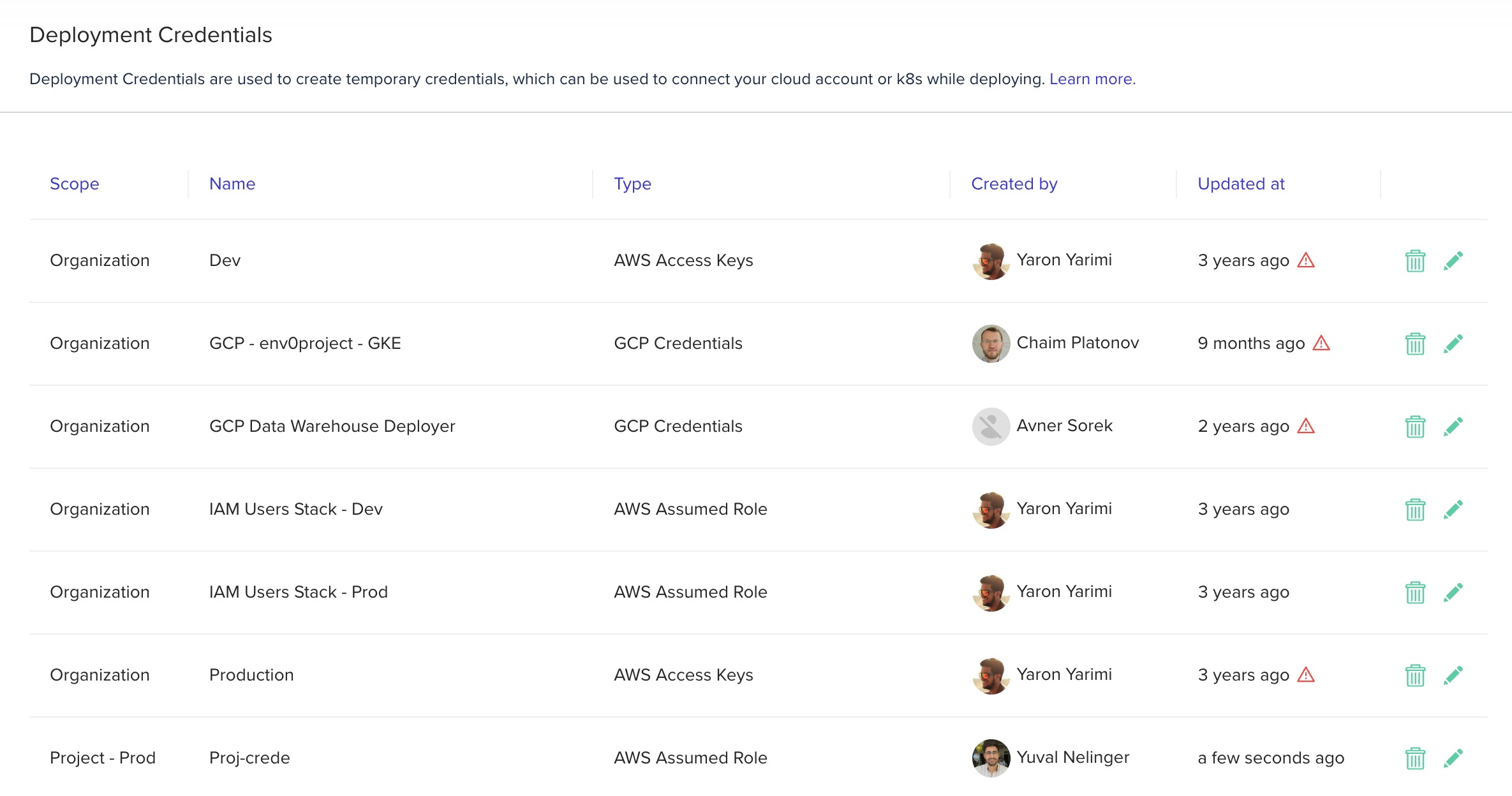
Credentials management is now more flexible with the introduction of **Project-level credentials**. You can add credentials directly in a Project's settings, and they will be scoped *exclusively* to that project and its child projects.
## Plugin Caching for Self-Hosted Agents
Customers using the Self-Hosted Agent can now boost deployment performance with our new plugin cache. This feature stores previously downloaded provider plugins on a persistent volume, enabling reuse across runs within the same environment. [Learn more](/guides/admin-guide/self-hosted-kubernetes-agent/cache-with-pvc)
## Project Level Credentials
Credentials management is now more flexible with the introduction of **Project-level credentials**. You can add credentials directly in a Project's settings, and they will be scoped *exclusively* to that project and its child projects.
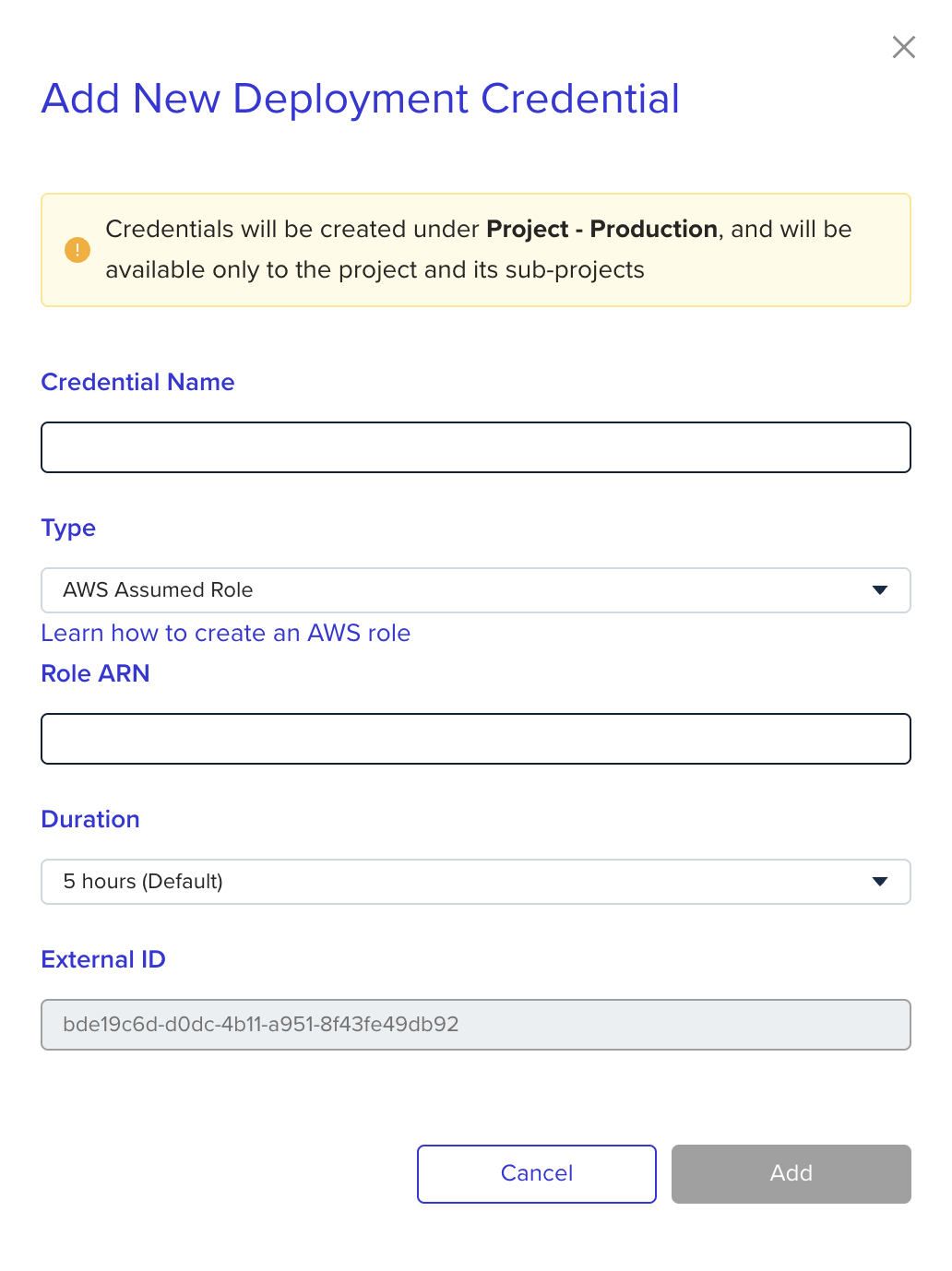 In the Organization Credentials page, Admins can view all credentials across the organization - including project-level ones - clearly marked in the Scope column. [Learn more](/guides/getting-started/connect-your-cloud-account#credentials-management)
 ## Dry Run support for safe planning
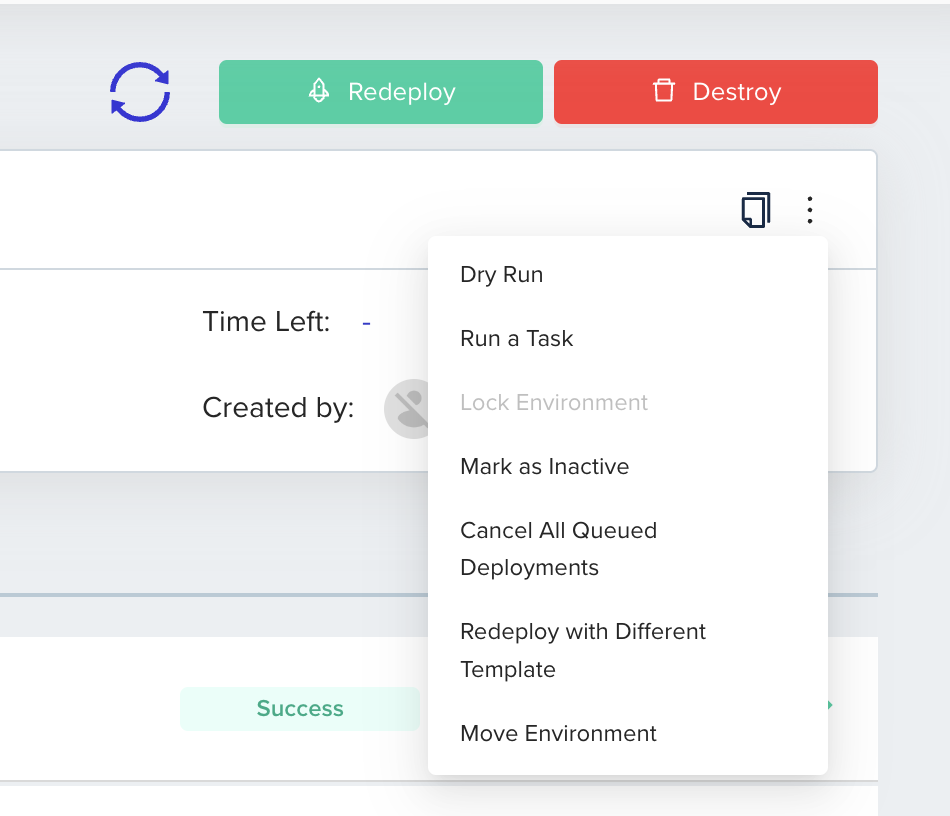
You can now trigger Dry Runs - plan executions that skip the apply step. Dry Runs allow you to preview changes without affecting the environment status or modifying any related configurations.
## Dry Run support for safe planning
You can now trigger Dry Runs - plan executions that skip the apply step. Dry Runs allow you to preview changes without affecting the environment status or modifying any related configurations.
 ## Manually release a remote state lock
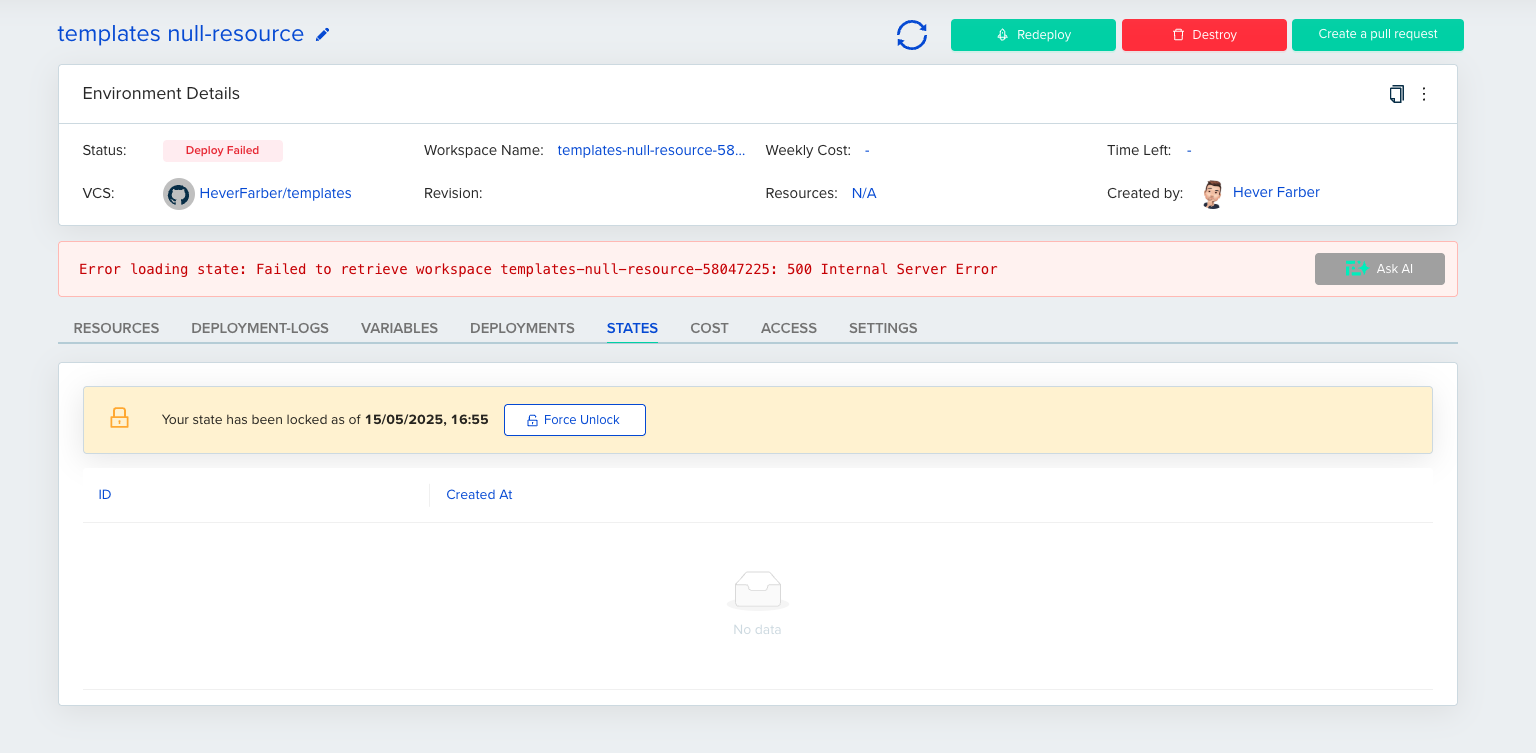
You can now manually release a stuck remote state lock. The release option is available to users with appropriate permissions when a state lock is detected.
## Manually release a remote state lock
You can now manually release a stuck remote state lock. The release option is available to users with appropriate permissions when a state lock is detected.
 ## Multiple VCS User Mappings
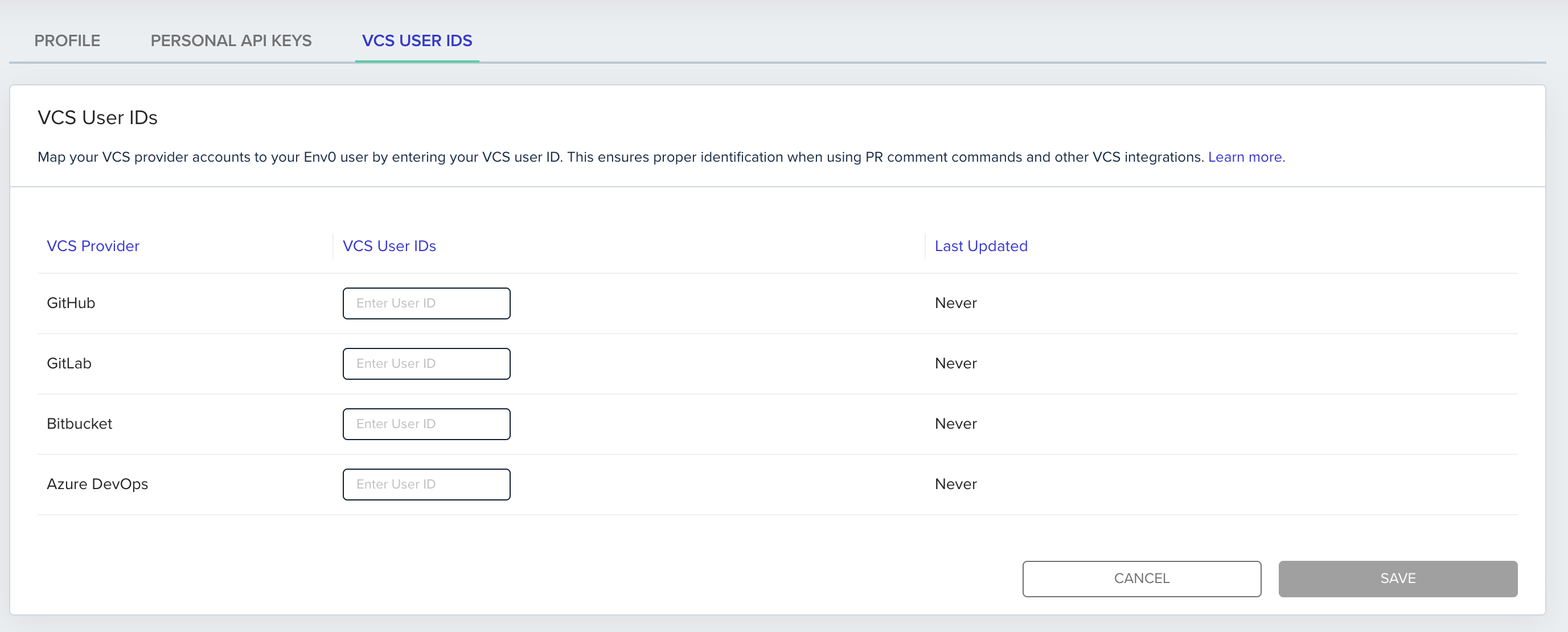
Organizations using more than one VCS provider can now map multiple VCS user accounts to a single env zero user. This makes it easier to manage identity and permissions across providers.
## Multiple VCS User Mappings
Organizations using more than one VCS provider can now map multiple VCS user accounts to a single env zero user. This makes it easier to manage identity and permissions across providers.