> ## Documentation Index
> Fetch the complete documentation index at: https://docs.envzero.com/llms.txt
> Use this file to discover all available pages before exploring further.
# View Audit Logs
> Track user activity with audit logs in env zero, covering environments, templates, teams, users, roles, and cloud credentials. Enterprise plan only.
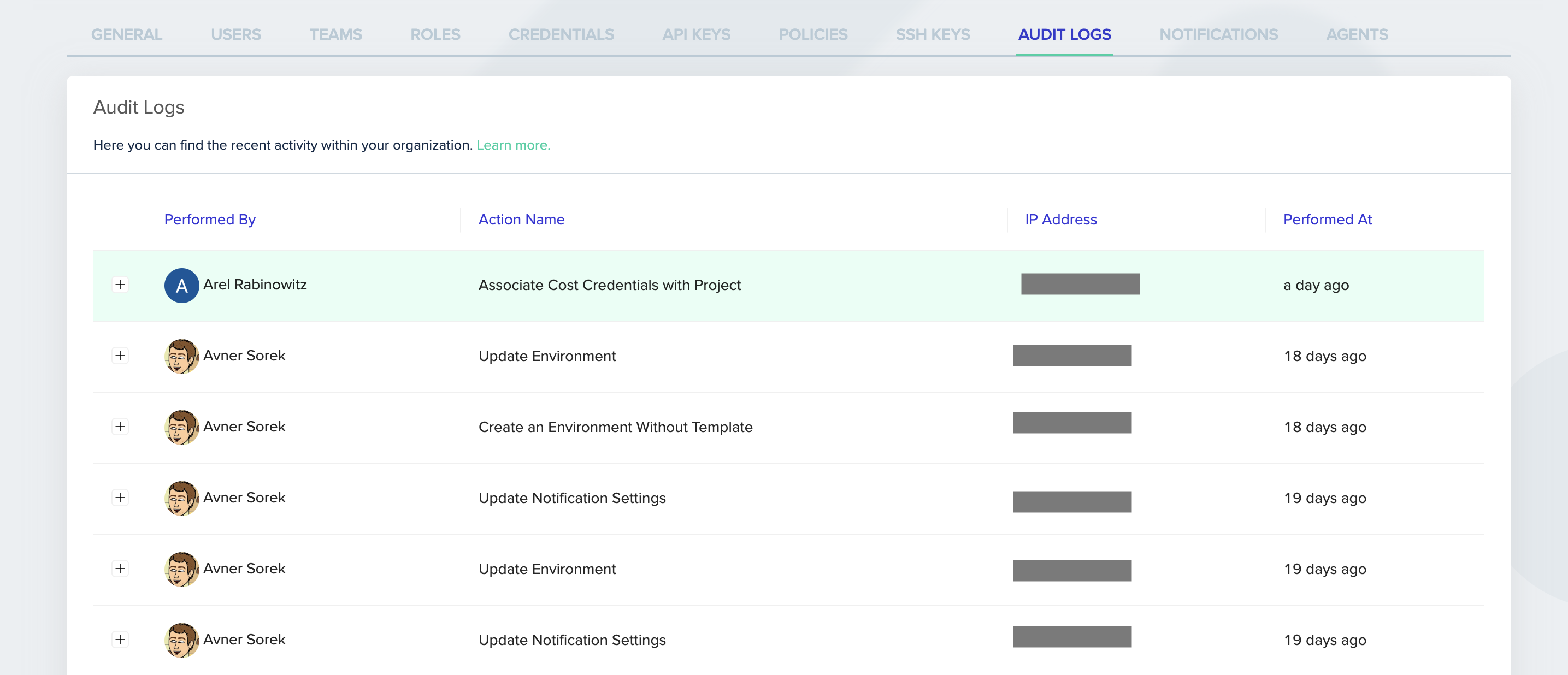
The audit log lists user activity-triggered events in your organization. The audit logs contain information about who performed the activity, when the action was performed, the activity's description, and additional data. Only an Admin user can access the audit logs.
**Feature Availability**
Audit logs are only available to Enterprise level customers. Click [here for more details](https://www.env0.com/pricing)
The audit log shows events related to changes in your:
* Organization
* Projects
* Templates
* Environments
* Teams
* Users
* Roles
* Modules
* Git Tokens
* Cloud credentials
* API keys
* SSH keys
* Variables
* Agent configurations
## Accessing the audit logs
### Through the env zero UI
1. Go to the Organization's **Settings** page.
2. Click the **Audit Logs** tab.
3. The audit details are listed in a table.
4. Click the row's **+** sign to reveal additional activity details.
5. Click the **Show more** button at the bottom of the page to see more rows.
 #### Through the env zero API
Use this [API](/api-reference/audit-events/fetch-audit-logs) to retrieve your organization's audit logs programmatically.
## Next steps
* [Monitoring Dashboards](/guides/admin-guide/dashboards) - View deployment and environment trends over time.
* [Logs Forwarding Overview](/guides/integrations/logs-forwarding) - Stream audit logs to an external observability platform.
* [User API Keys](/guides/collaborate-securely/collaboration-and-dev-tools/command-line-and-api-access/api-keys) - Retrieve audit logs programmatically using API keys.
#### Through the env zero API
Use this [API](/api-reference/audit-events/fetch-audit-logs) to retrieve your organization's audit logs programmatically.
## Next steps
* [Monitoring Dashboards](/guides/admin-guide/dashboards) - View deployment and environment trends over time.
* [Logs Forwarding Overview](/guides/integrations/logs-forwarding) - Stream audit logs to an external observability platform.
* [User API Keys](/guides/collaborate-securely/collaboration-and-dev-tools/command-line-and-api-access/api-keys) - Retrieve audit logs programmatically using API keys.