> ## Documentation Index
> Fetch the complete documentation index at: https://docs.envzero.com/llms.txt
> Use this file to discover all available pages before exploring further.
# Environment Access
> Control RBAC permissions at the environment level in env zero to grant users or teams access to specific environments using custom roles.
In every organization, there is a need to establish custom permission assignments tailored to their specific needs. For example, when collaborating with outsourced teams, it becomes crucial to grant permissions exclusively to the areas they are directly involved in, without providing unnecessary access. To address this requirement, env zero lets you control RBAC Permissions all the way to the granularity of a specific environment.
With this feature, administrators can precisely define permissions at the environment level, ensuring that users are granted access only to the environments directly relevant to their tasks. This capability offers organizations the flexibility to maintain security, optimize collaboration, and tailor permissions according to specific teams or projects
Role to control environment access
In order to configure Environment Access, the assigning user needs to have the `ASSIGN ROLE ON ENVIRONMENT` permission.
Project and Organization admins have that permission by default.
[Read more here](/guides/admin-guide/user-role-and-team-management/user-management)
## How to assign Access to an Environment
### Preconditions
There are 2 things you need before assigning access to an environment:
1. The [Environment](/guides/admin-guide/environments/setting-up-a-new-environment) should exist beforehand
2. You need to have a [Custom Role](/guides/admin-guide/user-role-and-team-management/custom-roles) with the specific permissions you wish to assign
Roles
At the moment - only custom roles are supported for environment access
### Assigning Access
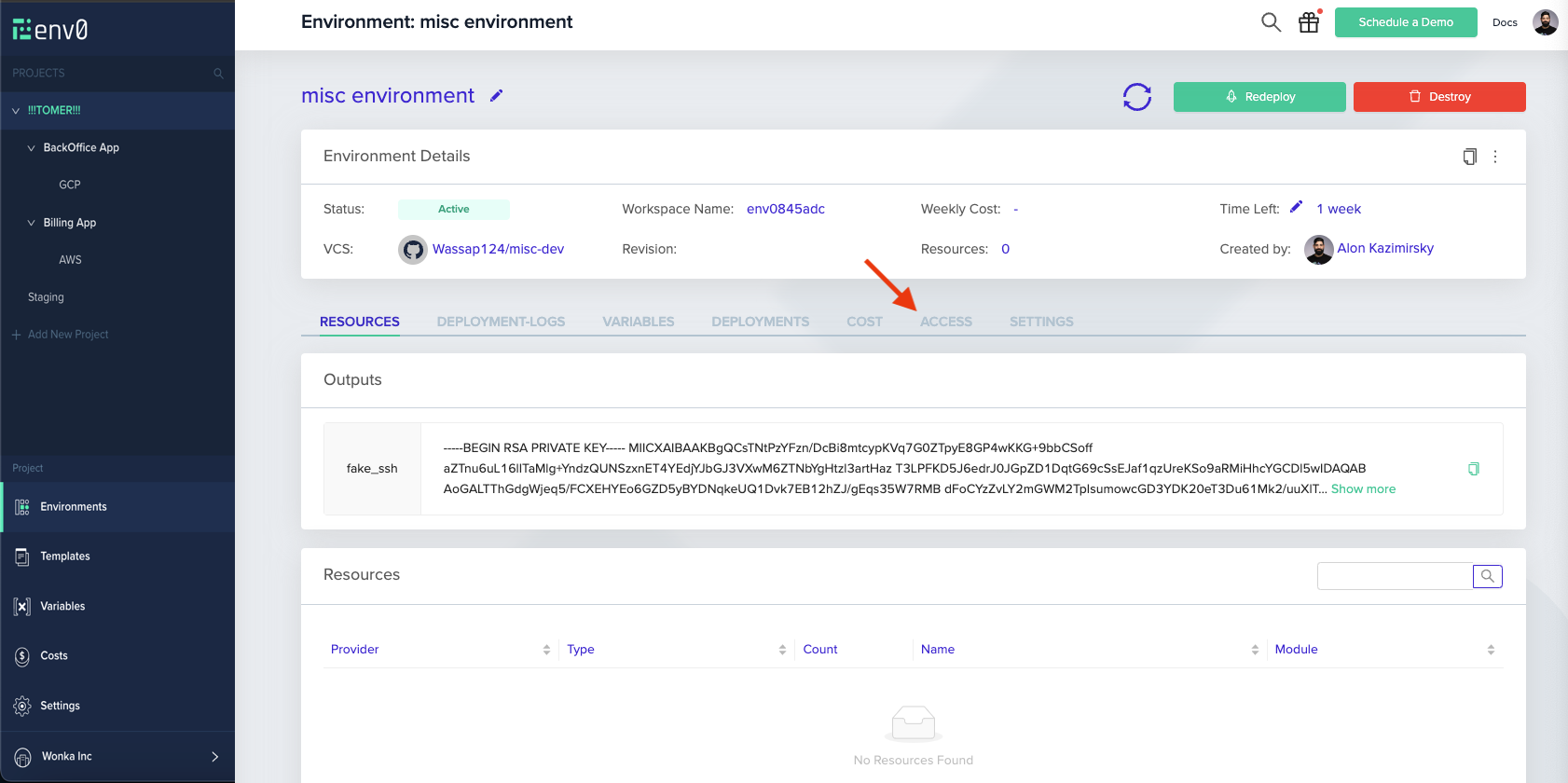
1. Navigate to an existing environment, and click on the ACCESS tab
 2. While in that tab, you can assign access to either individual Users or entire Teams
3. On the two tables, you can see the entire collection of users and teams in your organization (respectively)
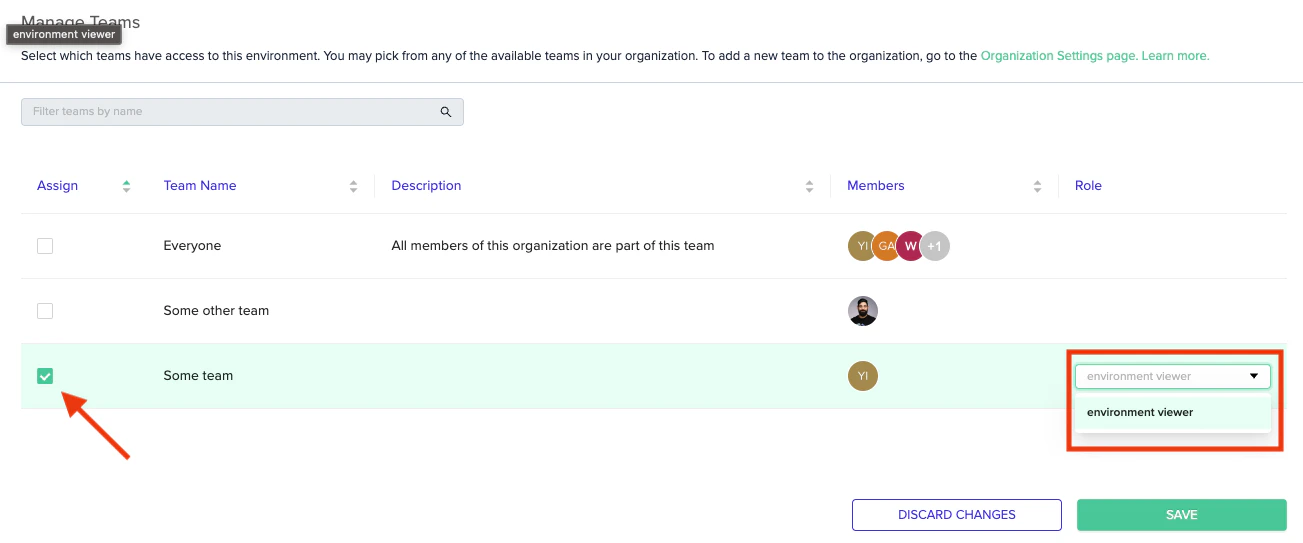
4. To assign one a role on the current environment, make sure the checkbox on the left-hand side is ticked, and select the role you wish to assign
2. While in that tab, you can assign access to either individual Users or entire Teams
3. On the two tables, you can see the entire collection of users and teams in your organization (respectively)
4. To assign one a role on the current environment, make sure the checkbox on the left-hand side is ticked, and select the role you wish to assign
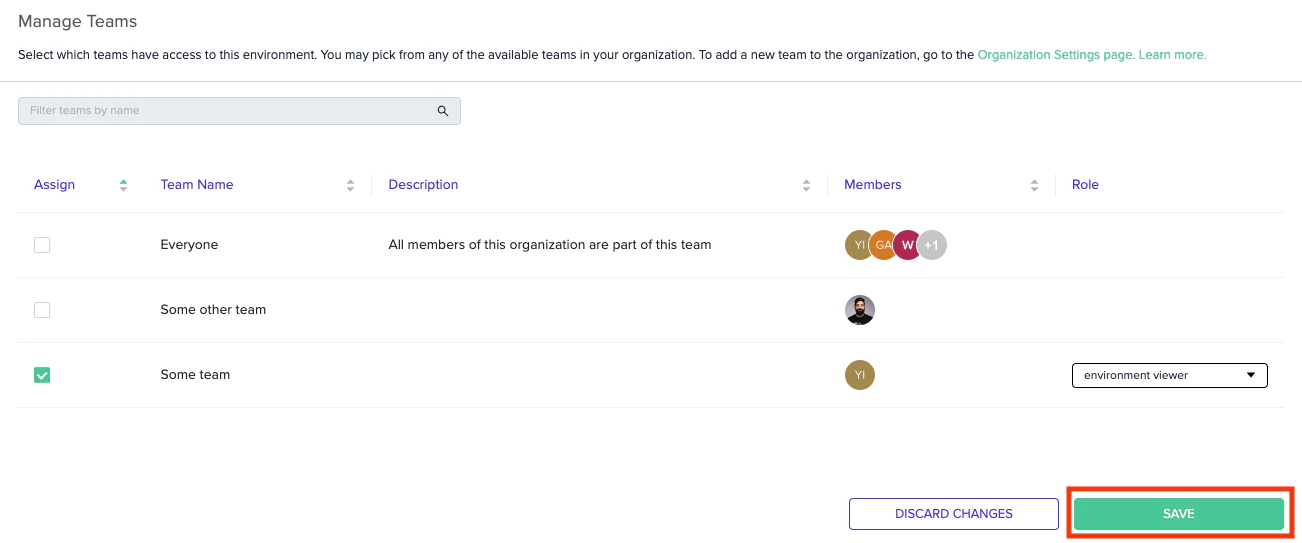
 5. Finally, hit "save"
 And you're good to go!
Project View
When a user is given permissions to a specific environment - they can see all ancestor projects leading up to it. This is purely for traversal, and they won't have any other permissions for those projects, so keep in mind this is not the same as them having `VIEW PROJECT` permissions for the project tree
## Next steps
* [Custom Roles](/guides/admin-guide/user-role-and-team-management/custom-roles) - Define the custom roles used in environment access assignments.
* [Role-Based Access Control (RBAC)](/guides/admin-guide/user-role-and-team-management/rbac) - Understand how RBAC applies across projects and environments.
* [Manage Teams](/guides/admin-guide/user-role-and-team-management/teams) - Organize users into teams to assign access in bulk.
And you're good to go!
Project View
When a user is given permissions to a specific environment - they can see all ancestor projects leading up to it. This is purely for traversal, and they won't have any other permissions for those projects, so keep in mind this is not the same as them having `VIEW PROJECT` permissions for the project tree
## Next steps
* [Custom Roles](/guides/admin-guide/user-role-and-team-management/custom-roles) - Define the custom roles used in environment access assignments.
* [Role-Based Access Control (RBAC)](/guides/admin-guide/user-role-and-team-management/rbac) - Understand how RBAC applies across projects and environments.
* [Manage Teams](/guides/admin-guide/user-role-and-team-management/teams) - Organize users into teams to assign access in bulk.