> ## Documentation Index
> Fetch the complete documentation index at: https://docs.envzero.com/llms.txt
> Use this file to discover all available pages before exploring further.
# Managing Bulk Operations
> Run deploy, destroy, or other operations on multiple env zero environments simultaneously from the project environments page or organization dashboard.
As your organization gets larger, and your projects contain more and more environments, running some operations on many environments at once can be a cumbersome task. That's where env zero's bulk operations feature can come in handy.
# Running a Bulk Operation
Running a bulk operation is very simple:
1. Navigate to your `Project Environments` page.
2. Click the kebab menu button on the top right of the list and pick `Toggle selection mode`
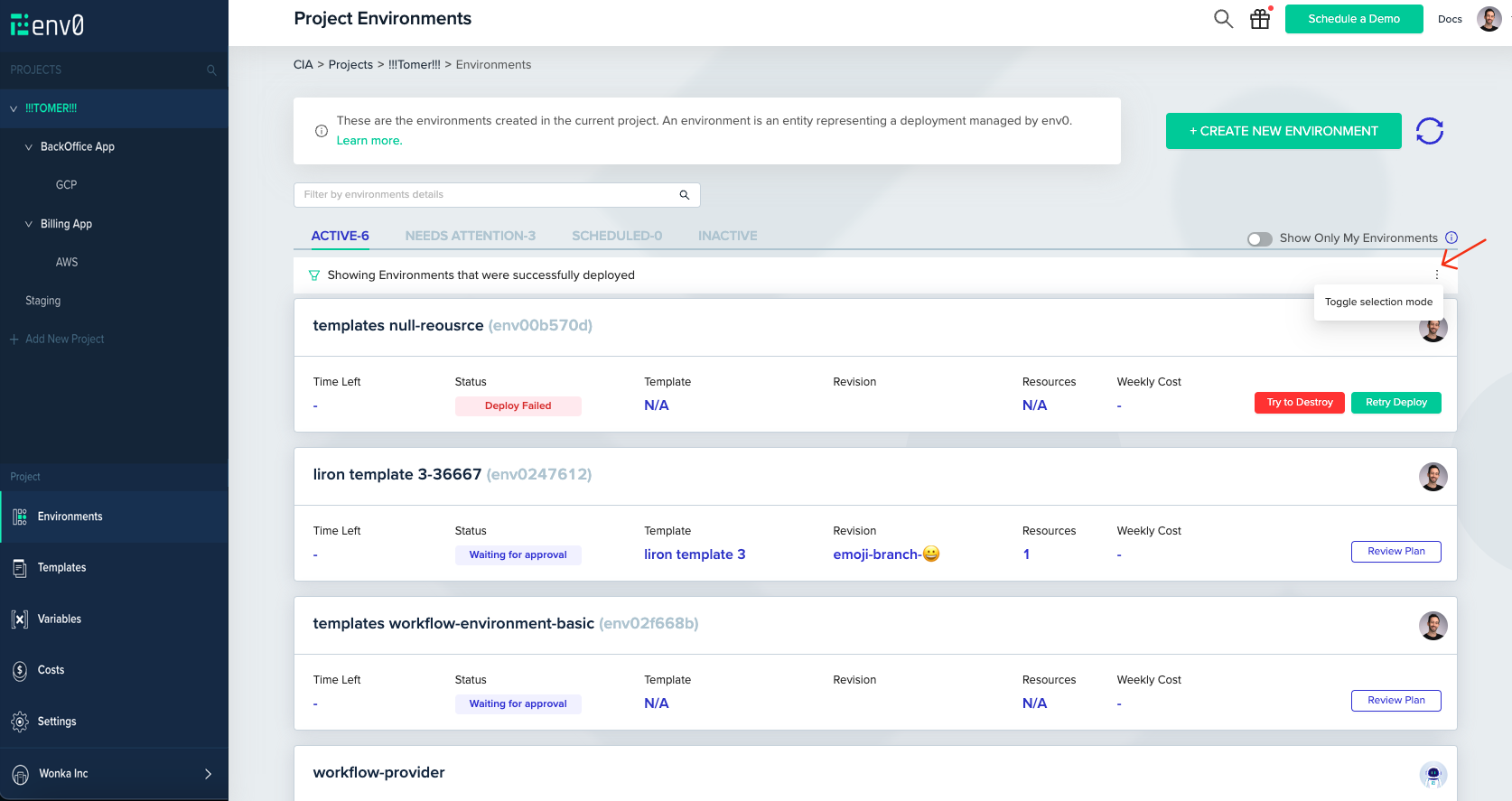 3. Check the environments you would like to run the operation on and click `Perform Action`
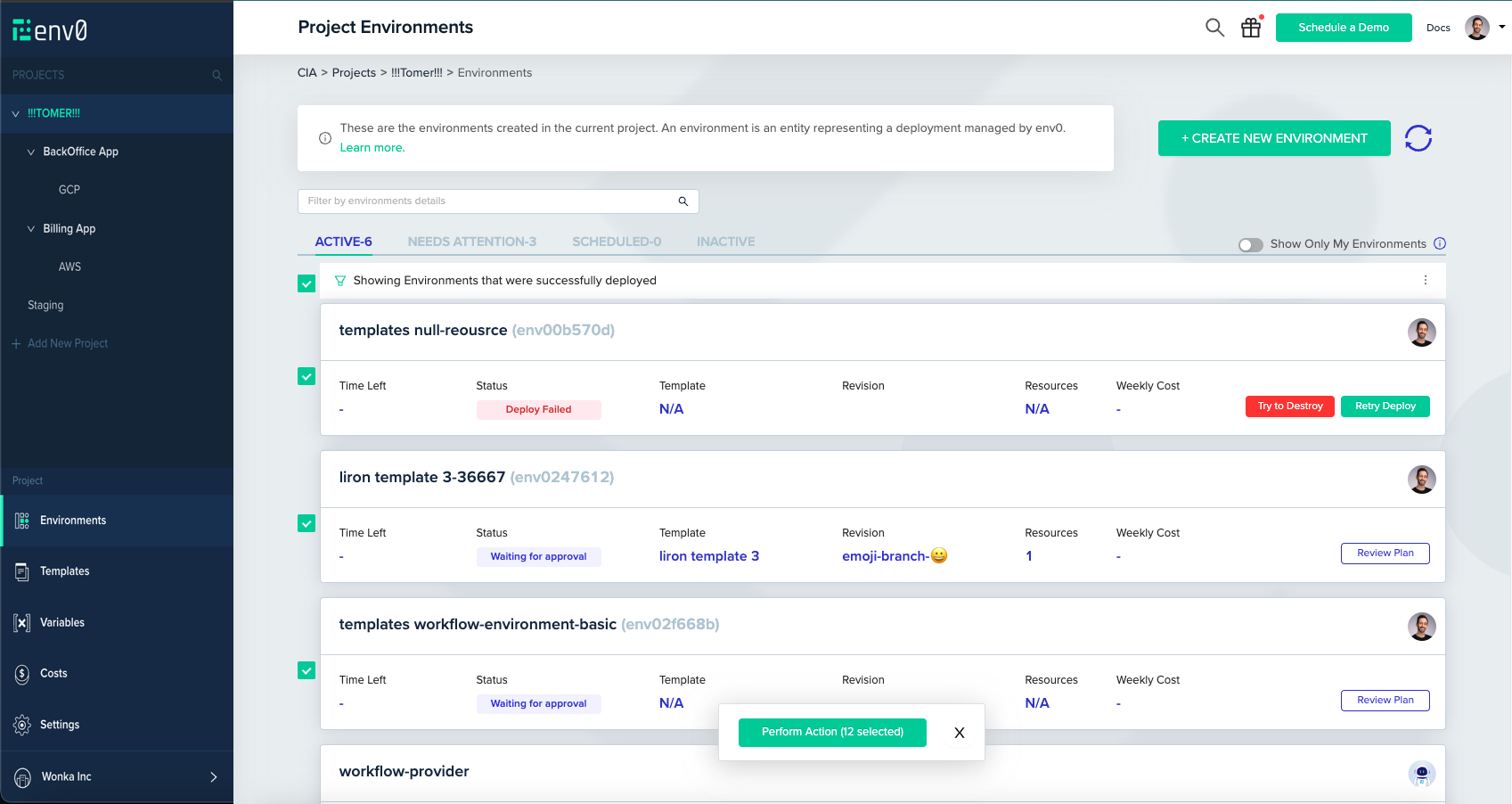 **Cross-Project Bulk Operations**
The selection phase can be done also from `Organization Dashboard` page, in case you would like to run the operation on environments across multiple projects
4. The bulk operations wizard will appear, on which you will have to choose the operation you would like to run
**Cross-Project Bulk Operations**
The selection phase can be done also from `Organization Dashboard` page, in case you would like to run the operation on environments across multiple projects
4. The bulk operations wizard will appear, on which you will have to choose the operation you would like to run
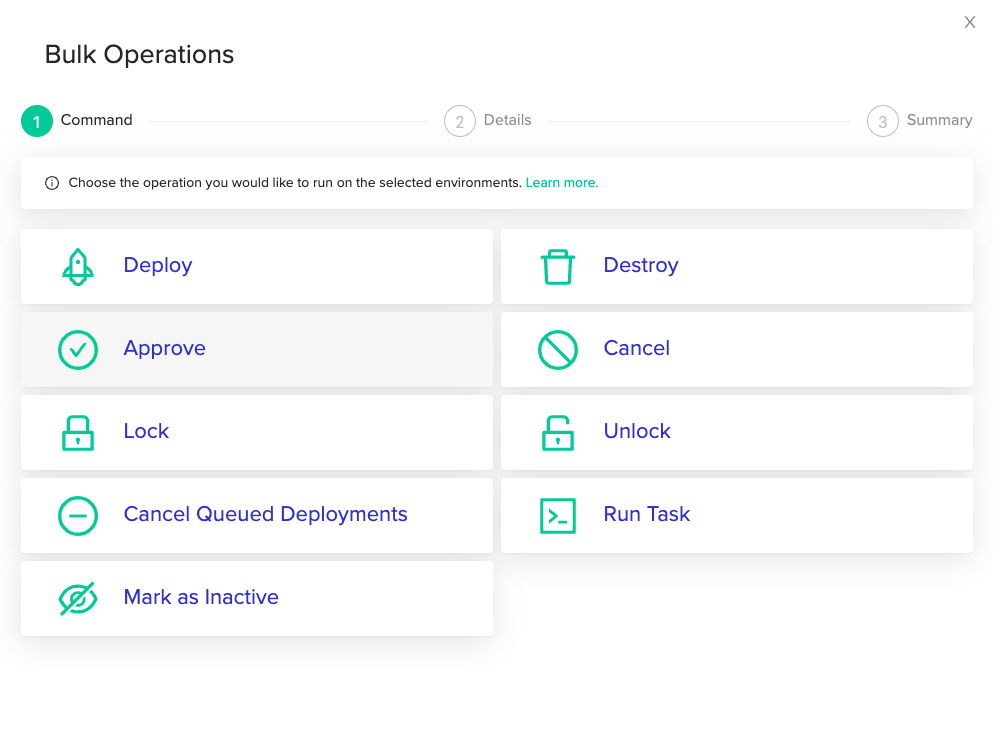 The supported operations are:
1. Deploy
2. Destroy
3. Approve a plan
4. Cancel a plan
5. [Lock](/guides/admin-guide/environments/environment-locking)
6. [Release lock](/guides/admin-guide/environments/environment-locking)
7. Cancel queued deployments
8. [Running a task](/guides/admin-guide/environments/ad-hoc-tasks)
9. Mark as inactive.
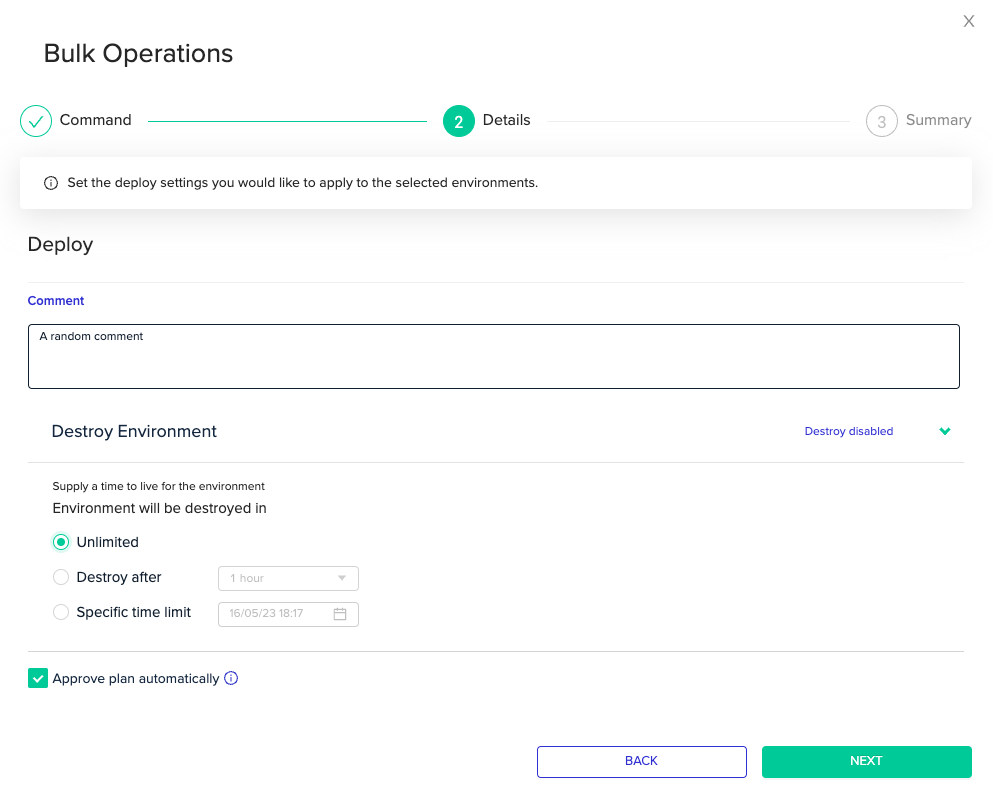
For some operations, such as `Deploy`, you can edit some of the request settings on the `Details` step. In case there is nothing to edit, you will be taken straight to the `Summary` step.
The supported operations are:
1. Deploy
2. Destroy
3. Approve a plan
4. Cancel a plan
5. [Lock](/guides/admin-guide/environments/environment-locking)
6. [Release lock](/guides/admin-guide/environments/environment-locking)
7. Cancel queued deployments
8. [Running a task](/guides/admin-guide/environments/ad-hoc-tasks)
9. Mark as inactive.
For some operations, such as `Deploy`, you can edit some of the request settings on the `Details` step. In case there is nothing to edit, you will be taken straight to the `Summary` step.
 In the `Summary` step, you can review and approve your operation. Click `Done` when you are ready to start the bulk operation.
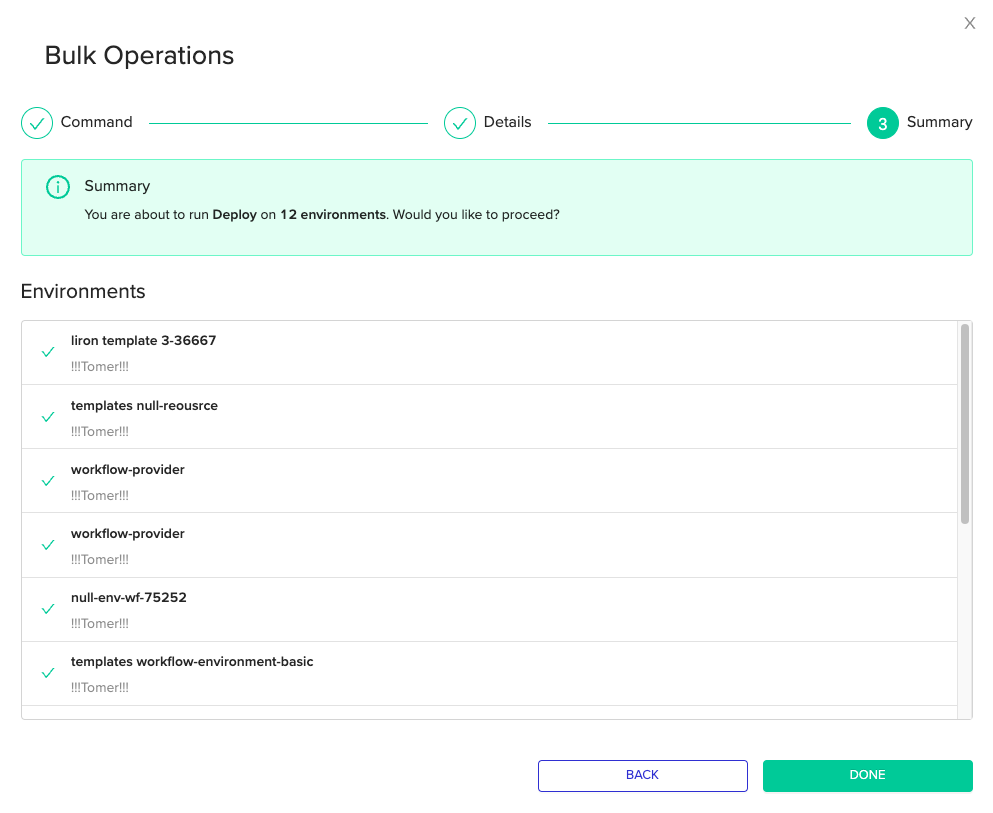 The operation you choose will now be executed across all your selected environments simultaneously.
## Next steps
* [Environment Overview](/guides/admin-guide/environments) - Review all actions available on individual environments.
* [Locking Environments](/guides/admin-guide/environments/environment-locking) - Lock multiple environments to prevent unintended changes.
* [Running Ad Hoc Tasks](/guides/admin-guide/environments/ad-hoc-tasks) - Run arbitrary commands across environments using the task bulk operation.
The operation you choose will now be executed across all your selected environments simultaneously.
## Next steps
* [Environment Overview](/guides/admin-guide/environments) - Review all actions available on individual environments.
* [Locking Environments](/guides/admin-guide/environments/environment-locking) - Lock multiple environments to prevent unintended changes.
* [Running Ad Hoc Tasks](/guides/admin-guide/environments/ad-hoc-tasks) - Run arbitrary commands across environments using the task bulk operation.