> ## Documentation Index
> Fetch the complete documentation index at: https://docs.envzero.com/llms.txt
> Use this file to discover all available pages before exploring further.
# Configure Workflow Triggers
> Configure chained environment deployments in env zero using workflow triggers, defining dependent environments that deploy after an upstream success.
## Workflow Triggers in env zero
env zero allows you to configure chained dependent environments to your current environment. Using workflow triggers, you can define which environments would trigger a deployment downstream in response to a deployment of your current environment. This allows you to configure a cascading series of environment deployments.
Workflow triggers can be configured by Project Deployers and are viewable to all users.
Workflow triggers are operational only upon a **successful deploy** (and not destroy) and can be set only to an active environment. (i.e the *triggered environment* must be active)
## How to set Workflow Triggers
Go to your existing **Environment** in env zero, and head over to the **Settings** tab.\
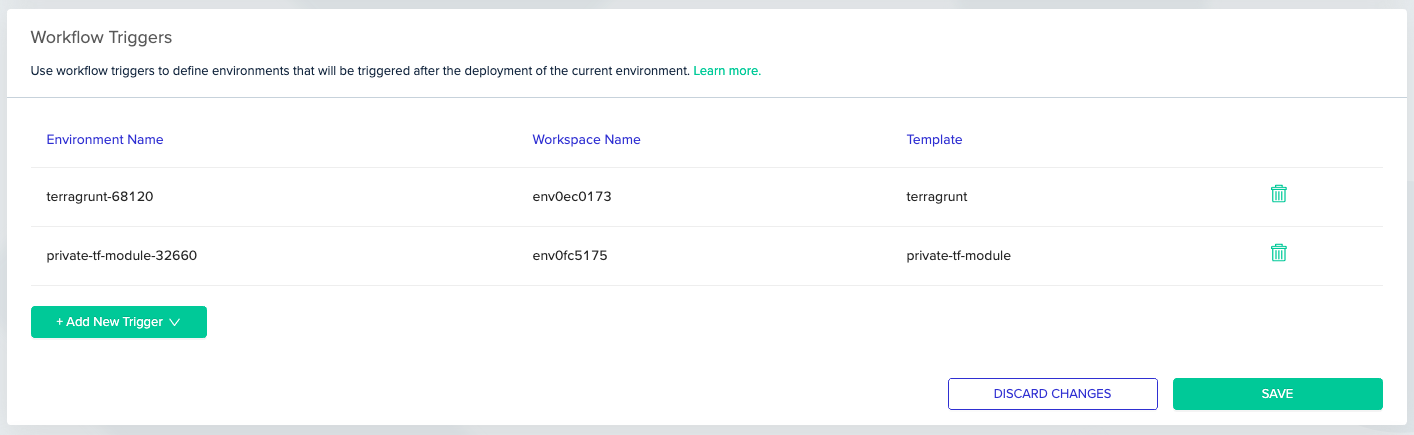
Under the **Workflow Triggers** card you can see a table that consist of all the triggered environments.
* To add a new workflow trigger, use the *Add New Trigger* dropdown to select any active environment in your project.
* To remove an existing workflow trigger, use the Trash icon next to the relevant trigger.
Hit *Save* to persist your changes.
 ## Next steps
* [Using Continuous Deployment](/guides/admin-guide/environments/continuous-deployment) - Trigger deployments automatically on git push.
* [Workflow Overview](/guides/admin-guide/workflows) - Build multi-step infrastructure workflows across environments.
* [Environment Overview](/guides/admin-guide/environments) - Review environment states and approval flows.
## Next steps
* [Using Continuous Deployment](/guides/admin-guide/environments/continuous-deployment) - Trigger deployments automatically on git push.
* [Workflow Overview](/guides/admin-guide/workflows) - Build multi-step infrastructure workflows across environments.
* [Environment Overview](/guides/admin-guide/environments) - Review environment states and approval flows.