> ## Documentation Index
> Fetch the complete documentation index at: https://docs.envzero.com/llms.txt
> Use this file to discover all available pages before exploring further.
# Private Registry
> Host and manage private Terraform modules and providers in the env zero registry, with automated authorization during deployments and API key access.
env zero offers a private registry solution for both your Terraform modules and providers.
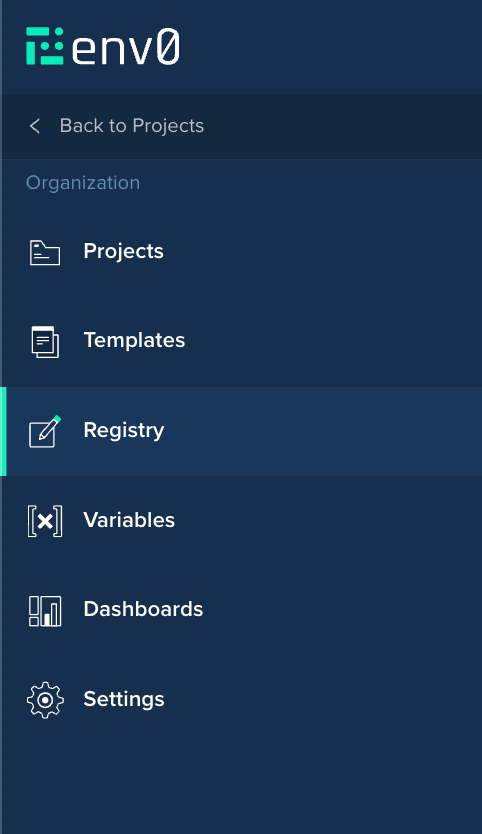
You can access your organization's registry by clicking on the `Registry` link on the side navigation bar:
 # Authorization
When running private modules or providers, Terraform will have to authorize you to ensure you have read access to them. When deploying through env zero, we will take care of this authorization for you.
## Local Usage
If you’d like to run Terraform code that uses a private registry, you will need to supply the authentication details to Terraform.
These must be supplied in a file called `terraform.rc` (for Windows) or `~/.terraformrc` (other systems).
### Manually setting the token
#### Option 1 - Terraform rc file
You can use an API Key (obtained from your [organization's Settings page](/guides/admin-guide/organizations/#organization-settings)). The API key must be entered into the terraform rc file like this:
```hcl theme={null}
credentials "api.env0.com" {
# A valid Basic authentication header value, using your env zero API Key ID and Secret
token = "Basic base64-encoded(api-key-id:api-key-secret)"
}
```
Here's an example of how to generate your token (in a Mac terminal)
```bash theme={null}
export ENV0_API_KEY={replace with your key}
export ENV0_API_SECRET={replace with your secret}
echo -n $ENV0_API_KEY:$ENV0_API_SECRET | base64
```
Your \~/.terraformrc should look something like this.
```bash theme={null}
cat ~/.terraformrc
credentials "api.env0.com" {
# A valid Basic authentication header value, using your env zero API Key ID and Secret
token = "Basic dzltWermZ2...rjdeWERr=="
}
```
The .terraformrc file must be stored in the home directory (\~/)
These instructions are also available in the Instructions tab of the module or provider page.
#### Option 2 - TF\_TOKEN\_api\_env0\_com
This setting is only supported for Terraform Version 1.2+
Use an environment variable named `TF_TOKEN_api_env0_com`. You can retrieve the encoded token when you create a new API key, or you can generate and assign the API with the following example. See: [Terraform - Environment Variable Credentials](https://developer.hashicorp.com/terraform/cli/config/config-file#environment-variable-credentials)
```bash theme={null}
export TOKEN=$(echo -n "$ENV0_API_KEY:$ENV0_API_SECRET" | base64)
export TF_TOKEN_api_env0_com=$TOKEN
```
### Terragrunt Authentication
When using Terragrunt, you will also need to set the `TG_TF_REGISTRY_TOKEN` environment variable to the encoded authentication value:
```bash theme={null}
export TOKEN=$(echo -n "$ENV0_API_KEY:$ENV0_API_SECRET" | base64)
export TG_TF_REGISTRY_TOKEN=$TOKEN
```
## Next steps
* [Module Overview](/guides/admin-guide/private-registry/modules) - Publish and manage Terraform modules in your registry.
* [Providers Overview](/guides/admin-guide/private-registry/providers) - Set up private Terraform providers for your org.
* [Using Modules](/guides/admin-guide/private-registry/modules/module-usage) - Track module adoption across environments.
# Authorization
When running private modules or providers, Terraform will have to authorize you to ensure you have read access to them. When deploying through env zero, we will take care of this authorization for you.
## Local Usage
If you’d like to run Terraform code that uses a private registry, you will need to supply the authentication details to Terraform.
These must be supplied in a file called `terraform.rc` (for Windows) or `~/.terraformrc` (other systems).
### Manually setting the token
#### Option 1 - Terraform rc file
You can use an API Key (obtained from your [organization's Settings page](/guides/admin-guide/organizations/#organization-settings)). The API key must be entered into the terraform rc file like this:
```hcl theme={null}
credentials "api.env0.com" {
# A valid Basic authentication header value, using your env zero API Key ID and Secret
token = "Basic base64-encoded(api-key-id:api-key-secret)"
}
```
Here's an example of how to generate your token (in a Mac terminal)
```bash theme={null}
export ENV0_API_KEY={replace with your key}
export ENV0_API_SECRET={replace with your secret}
echo -n $ENV0_API_KEY:$ENV0_API_SECRET | base64
```
Your \~/.terraformrc should look something like this.
```bash theme={null}
cat ~/.terraformrc
credentials "api.env0.com" {
# A valid Basic authentication header value, using your env zero API Key ID and Secret
token = "Basic dzltWermZ2...rjdeWERr=="
}
```
The .terraformrc file must be stored in the home directory (\~/)
These instructions are also available in the Instructions tab of the module or provider page.
#### Option 2 - TF\_TOKEN\_api\_env0\_com
This setting is only supported for Terraform Version 1.2+
Use an environment variable named `TF_TOKEN_api_env0_com`. You can retrieve the encoded token when you create a new API key, or you can generate and assign the API with the following example. See: [Terraform - Environment Variable Credentials](https://developer.hashicorp.com/terraform/cli/config/config-file#environment-variable-credentials)
```bash theme={null}
export TOKEN=$(echo -n "$ENV0_API_KEY:$ENV0_API_SECRET" | base64)
export TF_TOKEN_api_env0_com=$TOKEN
```
### Terragrunt Authentication
When using Terragrunt, you will also need to set the `TG_TF_REGISTRY_TOKEN` environment variable to the encoded authentication value:
```bash theme={null}
export TOKEN=$(echo -n "$ENV0_API_KEY:$ENV0_API_SECRET" | base64)
export TG_TF_REGISTRY_TOKEN=$TOKEN
```
## Next steps
* [Module Overview](/guides/admin-guide/private-registry/modules) - Publish and manage Terraform modules in your registry.
* [Providers Overview](/guides/admin-guide/private-registry/providers) - Set up private Terraform providers for your org.
* [Using Modules](/guides/admin-guide/private-registry/modules/module-usage) - Track module adoption across environments.