 ## Adding a module to the registry
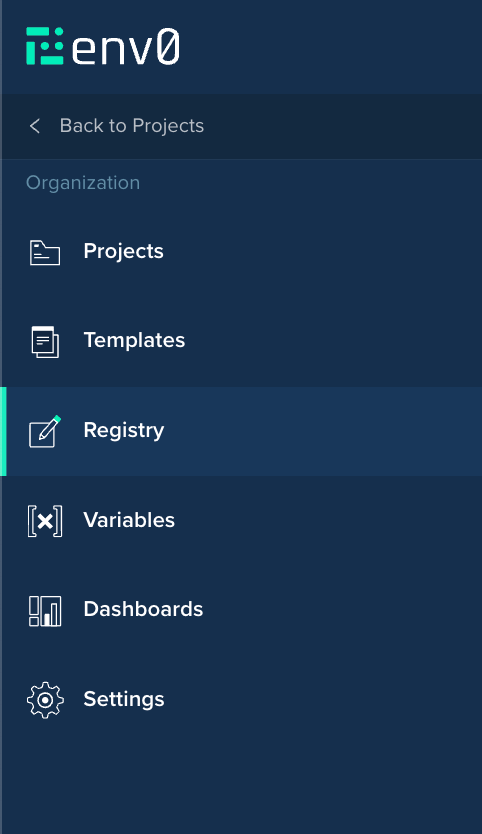
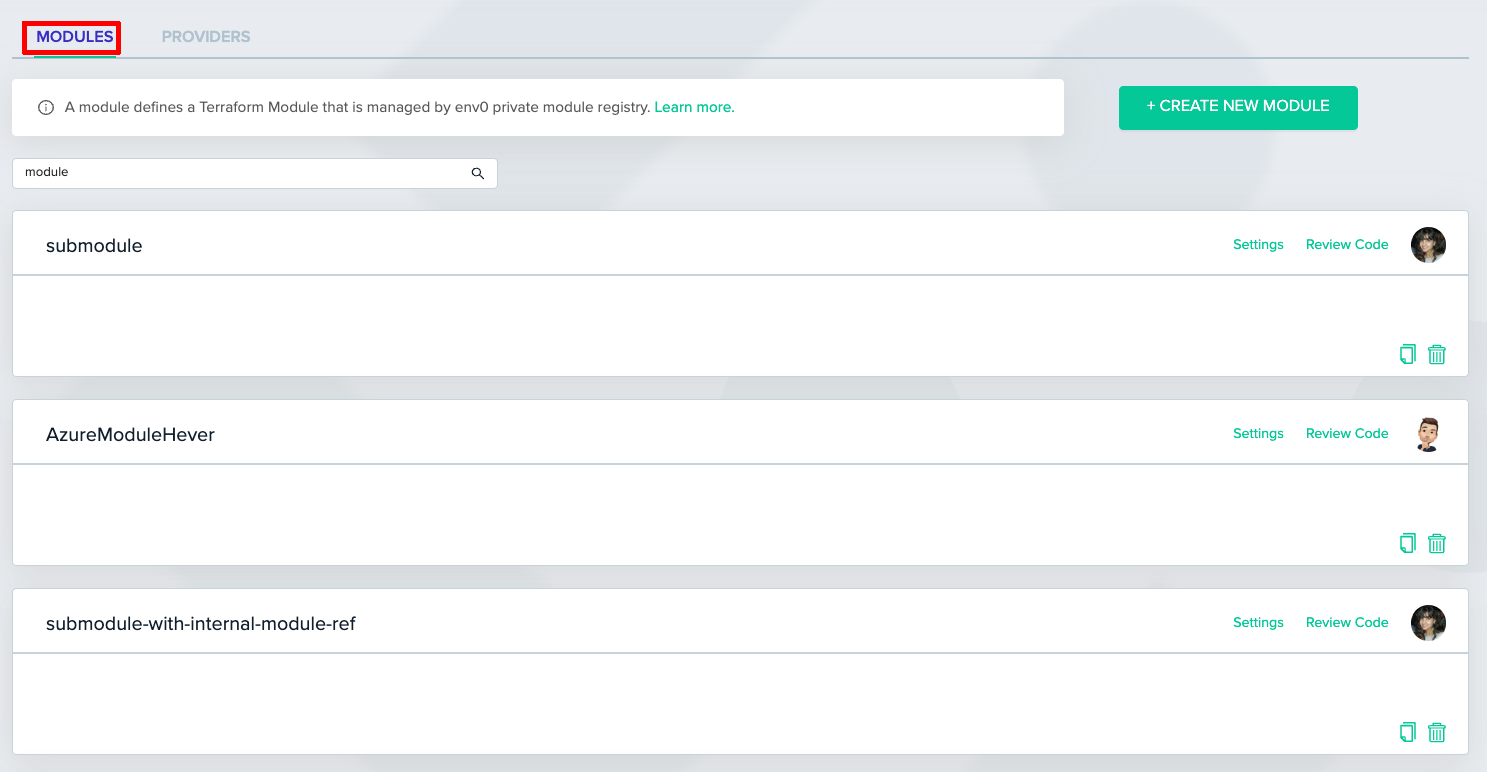
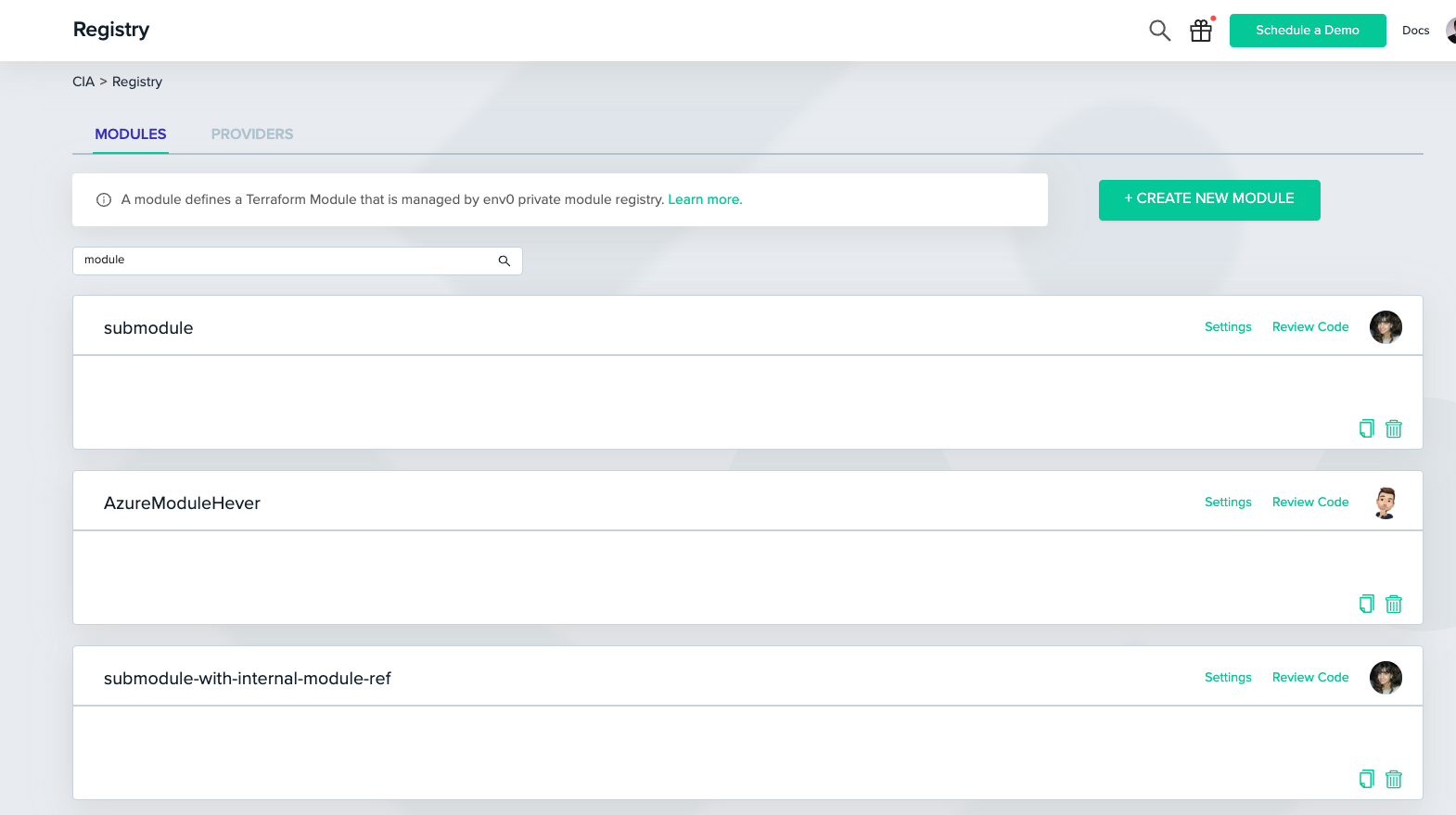
To add a module to your registry, go to the Module Registry screen and click on “CREATE NEW MODULE” in the top right. Only organization administrators are authorized to create new modules.
## Adding a module to the registry
To add a module to your registry, go to the Module Registry screen and click on “CREATE NEW MODULE” in the top right. Only organization administrators are authorized to create new modules.
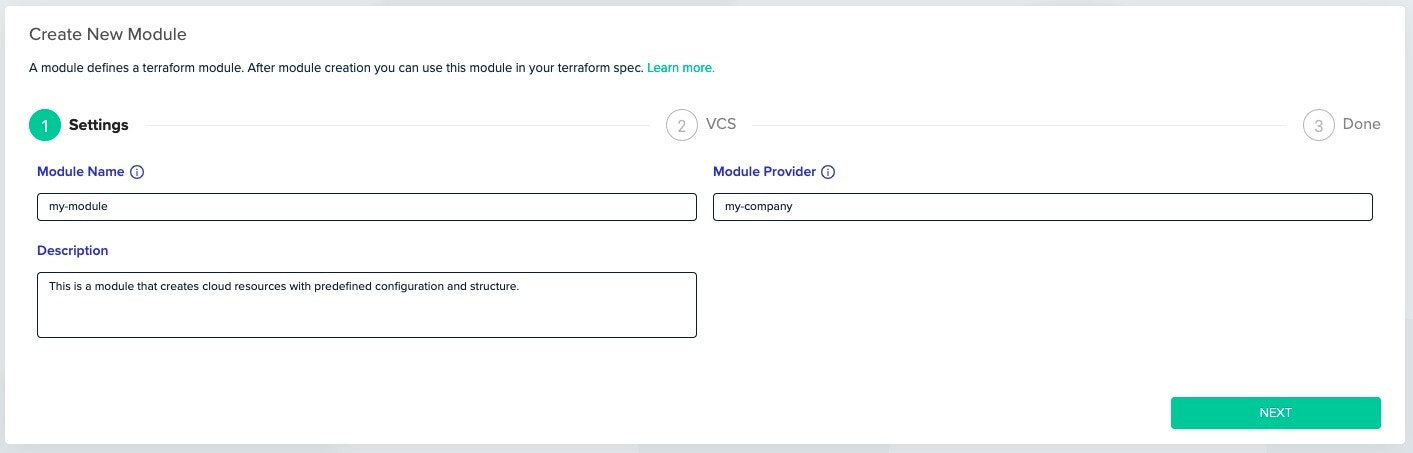 First, you must enter the general details for your module:
* A name for your module - This can be any string of your choice.
* The provider the module belongs to - This too can be any string of your choice.
These two choices will affect how your module is used (see 'Using a module in your code'). The combination of name and provider must be unique within your organization’s modules.
The description will be shown to members of your team when they browse the module registry. It is a useful way of summarizing what the module does and when it should be used.
First, you must enter the general details for your module:
* A name for your module - This can be any string of your choice.
* The provider the module belongs to - This too can be any string of your choice.
These two choices will affect how your module is used (see 'Using a module in your code'). The combination of name and provider must be unique within your organization’s modules.
The description will be shown to members of your team when they browse the module registry. It is a useful way of summarizing what the module does and when it should be used.
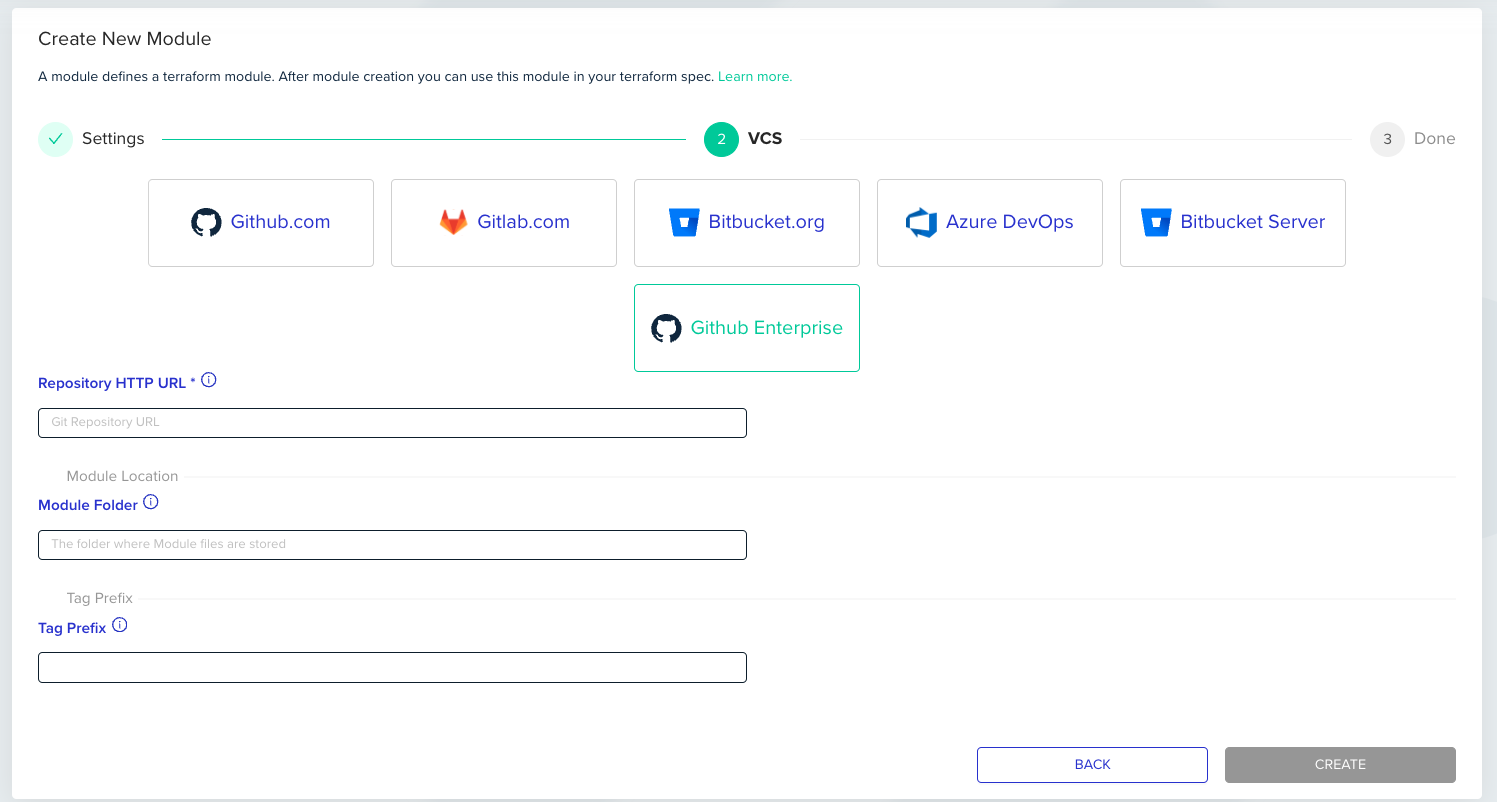 Next, you must connect to the VCS provider, where your module’s source code is stored.
Click on the VCS provider you'd like to use. After you've authorized env zero to access your repositories, select a repository from the dropdown menu and enter the folder where module files are stored (defaults to root folder).
Click “Create” to save your work and create the new module.
## Module versioning
To use a module, it must be versioned using a SemVer format (e.g., `1.0.0`). The versions must be applied to your source repository as [Git tags](https://git-scm.com/book/en/v2/Git-Basics-Tagging).
### Versioning modules for mono-repo
When using a mono-repo for managing several modules, a team might come across the need to tag and manage versions for each module individually.
To do that, you have to assign a tag prefix to identify a specific module's version in env zero.
Next, you must connect to the VCS provider, where your module’s source code is stored.
Click on the VCS provider you'd like to use. After you've authorized env zero to access your repositories, select a repository from the dropdown menu and enter the folder where module files are stored (defaults to root folder).
Click “Create” to save your work and create the new module.
## Module versioning
To use a module, it must be versioned using a SemVer format (e.g., `1.0.0`). The versions must be applied to your source repository as [Git tags](https://git-scm.com/book/en/v2/Git-Basics-Tagging).
### Versioning modules for mono-repo
When using a mono-repo for managing several modules, a team might come across the need to tag and manage versions for each module individually.
To do that, you have to assign a tag prefix to identify a specific module's version in env zero.
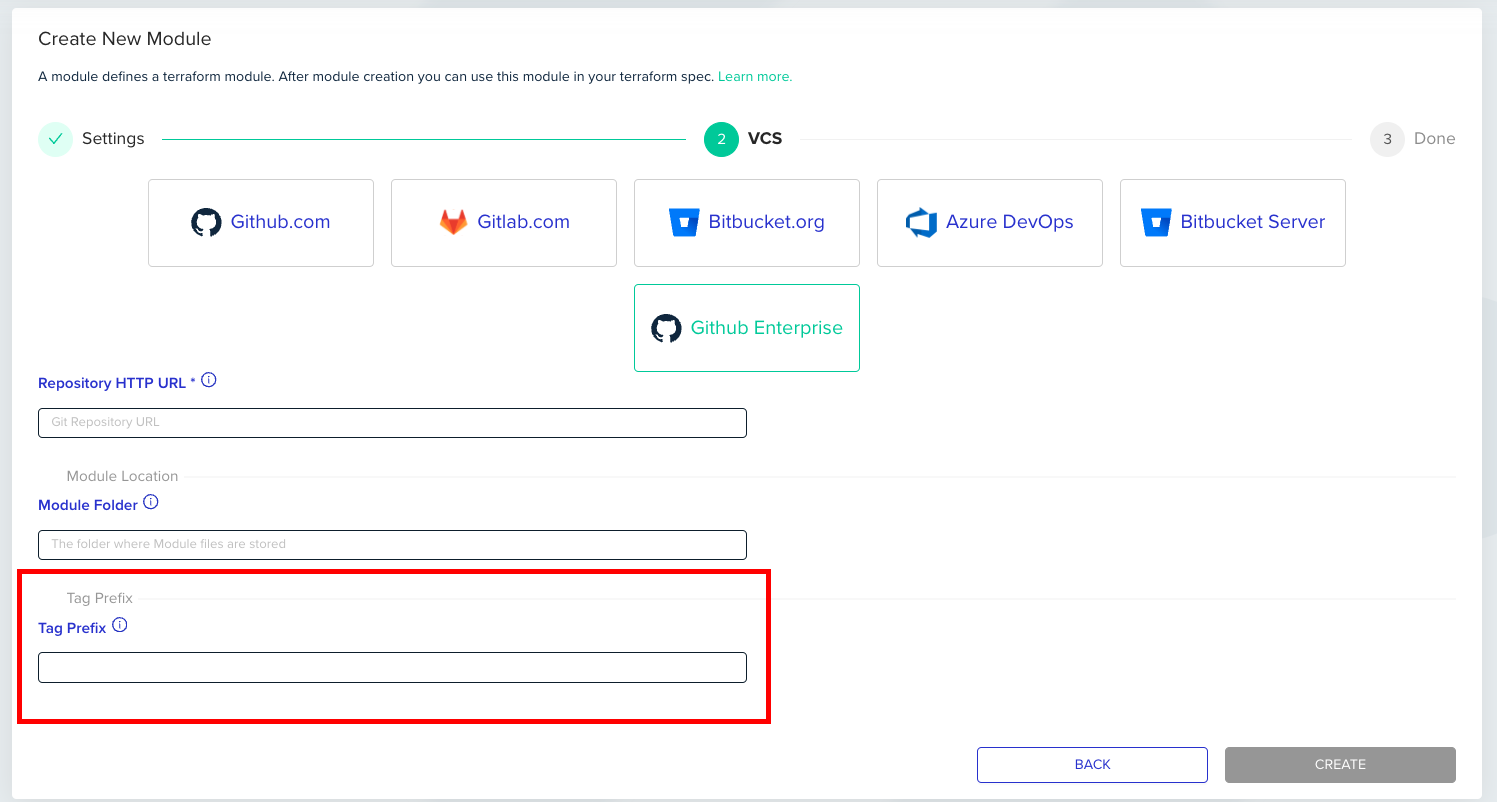 For example, to tag a module named `module1`, we may assign the prefix `m1`.\
When we'd use the tags `m1/1.0.0`, `m1/1.2.4`, the versions for the module in env zero will be `1.0.0` and `1.2.4`
The delimiter is a single dash / and there is no need to write it in the Tag Prefix input.
For example, to tag a module named `module1`, we may assign the prefix `m1`.\
When we'd use the tags `m1/1.0.0`, `m1/1.2.4`, the versions for the module in env zero will be `1.0.0` and `1.2.4`
The delimiter is a single dash / and there is no need to write it in the Tag Prefix input.
 ## The Module Page
You can get to the Module page by clicking on a module from the Modules List.
## The Module Page
You can get to the Module page by clicking on a module from the Modules List.
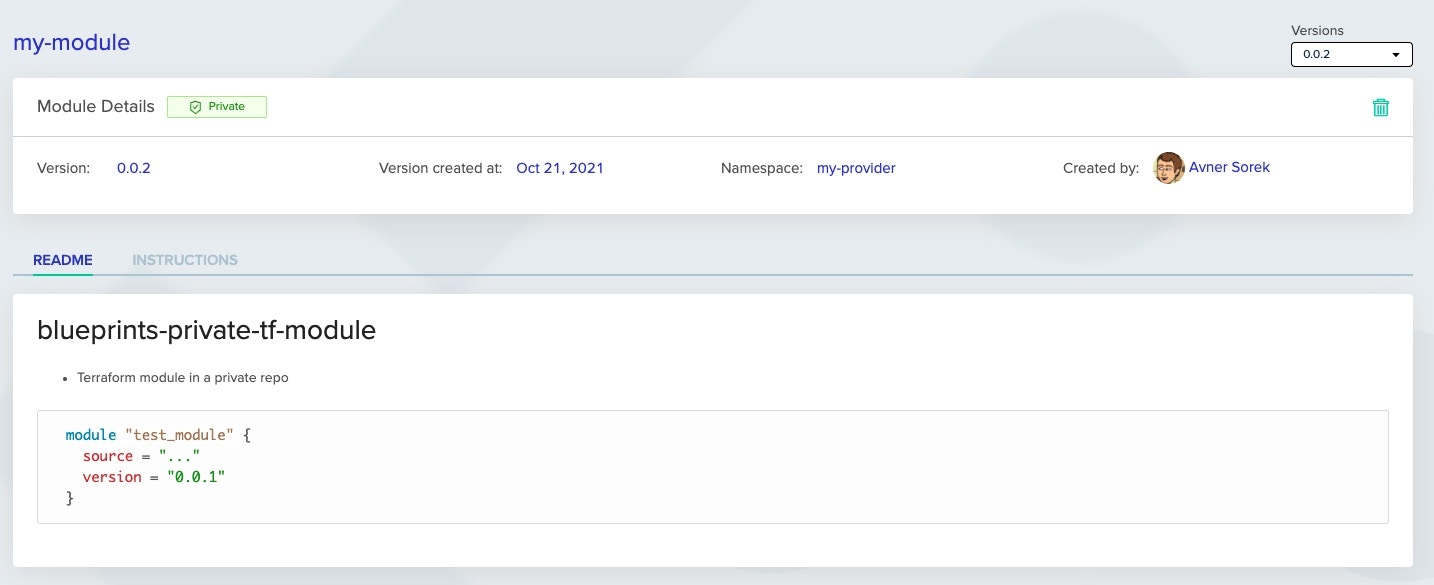 Here you can see the details of your Module.
The Versions dropdown menu at the top right allows you to switch between the different versions of your module. Versions are linked to [Git tags](https://git-scm.com/book/en/v2/Git-Basics-Tagging) in your repository, which match the [semantic versioning](https://semver.org/) schema.
The **Readme tab** will show the contents of the `README.md` in your repository.
The **Instructions tab** will include instructions on how the module can be used in your Terraform code.
Here you can see the details of your Module.
The Versions dropdown menu at the top right allows you to switch between the different versions of your module. Versions are linked to [Git tags](https://git-scm.com/book/en/v2/Git-Basics-Tagging) in your repository, which match the [semantic versioning](https://semver.org/) schema.
The **Readme tab** will show the contents of the `README.md` in your repository.
The **Instructions tab** will include instructions on how the module can be used in your Terraform code.
` will be rendered as regular text inside the README tab.
If you would like to have a link for example, please use the markdown syntax (e.g., `[link text](http://example-link.com/)`) rather than the HTML syntax (e.g., `link text` )
## Submodules
Rather than creating a dedicated repository for each module, you can create a single repository and place submodules within this larger repository. Using the submodules in code is achieved in the same way as referencing submodules within Git – by using the double slash; "//" and then folder location.
```hcl theme={null}
module "my-module" {
source = "api.env0.com/{organization-id}/{module-name}/{module-provider}//submodule"
version = "1.0.0"
}
```
## Finding My Module ID
Sometimes you may need your module ID for our [terraform provider](https://registry.terraform.io/providers/env0/env0/latest) or for some [API calls](/api-reference/credentials/create-api-key).
You can find it in the Module card in the `Modules` tab under the `Registry` page.
 ## Suggested Blog Content
[Terraform Modules Guide](https://www.env0.com/blog/terraform-modules)
[Terraform Plan Examples](https://www.env0.com/blog/terraform-plan)
[Managing Terraform Variable Hierarchy](https://www.env0.com/blog/managing-terraform-variable-hierarchy)
[ Manage Terraform Remote State with a Remote Backend](https://www.env0.com/blog/terraform-remote-state-using-a-remote-backend)
## Next steps
* [Using Modules](/guides/admin-guide/private-registry/modules/module-usage) - See download counts and environment dependencies.
* [Testing Modules in CI](/guides/admin-guide/private-registry/modules/modules-continuous-integration-testing) - Run automated tests on every commit or PR.
* [Private Registry](/guides/admin-guide/private-registry) - Configure authentication for local registry access.
## Suggested Blog Content
[Terraform Modules Guide](https://www.env0.com/blog/terraform-modules)
[Terraform Plan Examples](https://www.env0.com/blog/terraform-plan)
[Managing Terraform Variable Hierarchy](https://www.env0.com/blog/managing-terraform-variable-hierarchy)
[ Manage Terraform Remote State with a Remote Backend](https://www.env0.com/blog/terraform-remote-state-using-a-remote-backend)
## Next steps
* [Using Modules](/guides/admin-guide/private-registry/modules/module-usage) - See download counts and environment dependencies.
* [Testing Modules in CI](/guides/admin-guide/private-registry/modules/modules-continuous-integration-testing) - Run automated tests on every commit or PR.
* [Private Registry](/guides/admin-guide/private-registry) - Configure authentication for local registry access.
## Suggested Blog Content
[Terraform Modules Guide](https://www.env0.com/blog/terraform-modules)
[Terraform Plan Examples](https://www.env0.com/blog/terraform-plan)
[Managing Terraform Variable Hierarchy](https://www.env0.com/blog/managing-terraform-variable-hierarchy)
[ Manage Terraform Remote State with a Remote Backend](https://www.env0.com/blog/terraform-remote-state-using-a-remote-backend)
## Next steps
* [Using Modules](/guides/admin-guide/private-registry/modules/module-usage) - See download counts and environment dependencies.
* [Testing Modules in CI](/guides/admin-guide/private-registry/modules/modules-continuous-integration-testing) - Run automated tests on every commit or PR.
* [Private Registry](/guides/admin-guide/private-registry) - Configure authentication for local registry access.