> ## Documentation Index
> Fetch the complete documentation index at: https://docs.envzero.com/llms.txt
> Use this file to discover all available pages before exploring further.
# Kubernetes (K8s) Integration
> Deploy Kubernetes resources with env zero using kubectl and Kustomize for per-environment labeling, PR plan integration, and drift detection.
Kubernetes (also known as K8s) is an open source system for automating deployment, scaling, and management of containerized applications. Use env zero with Kubernetes to get Pull Request Plans and Drift Detection across your environments.
Kubernetes uses YAML or JSON files to declare the resources it manages.
## Environment Deployment
1. Create a Kubernetes [Template](/guides/admin-guide/templates)
2. Follow our guide to [Connect Your Kubernetes Cluster](/guides/getting-started/connect-your-cloud-account/#kubernetes)
3. Create an environment. env zero will label the resources for each environment separately, so no collisions will occur when using the same template several times.
**Cluster Authentication**
Cluster authentication varies from one provider to another. See the [Connect Your Kubernetes Cluster](/guides/getting-started/connect-your-cloud-account/#kubernetes) guide for details.
## Execution Steps
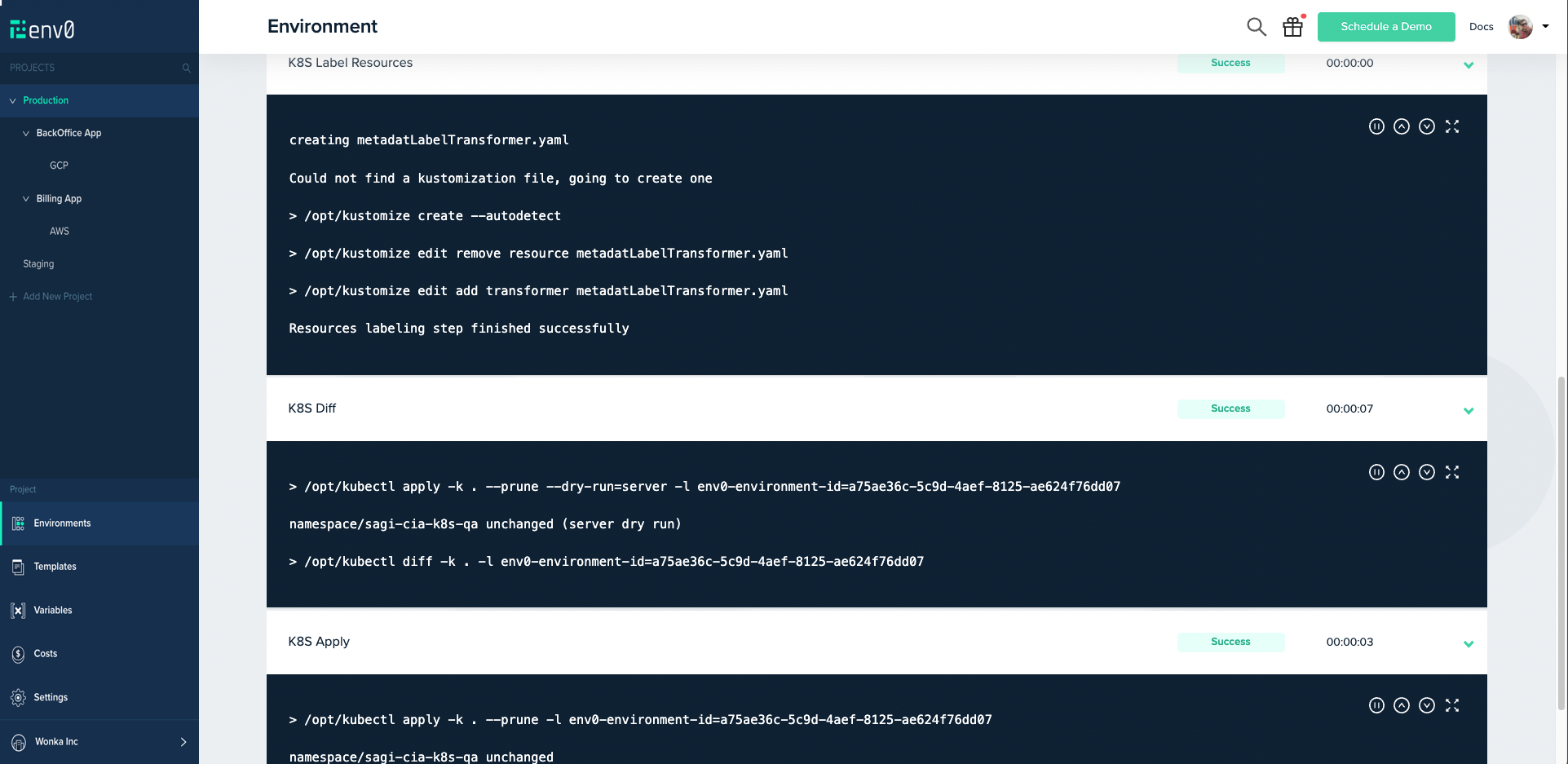
In addition to the common steps such as Clone, Loading Variables, etc., a Kubernetes environment in env zero has the following features:
1. K8s Label Resources - env zero uses `Kustomize` to label resources per environment, so you do not need to change files.\
`kustomize create --autodetect`\
`kustomize edit remove resource metadatLabelTransformer.yaml`\
`kustomize edit add transformer metadatLabelTransformer.yaml`
2. K8s Diff -\
`kubectl apply -k . --prune --dry-run=server -l env0-environment-id=`\
`kubectl diff -k . -l env0-environment-id=`
3. K8s Apply - `kubectl apply -k . --prune -l env0-environment-id=`
4. K8s Delete - `kubectl delete "$(kubectl api-resources --verbs=delete -o name | tr "\n" "," | sed -e 's/,$//')" --ignore-not-found -l env0-environment-id=`
 **Labels description**
The following labels are added to each resource created by env zero:
* `env0-environment-id=`. All resources created for a certain environment are labeled with the environment's ID.
* `app.kubernetes.io/managed-by: env0`. Regardless of the environment, every resource is labeled with the [recommended label](https://kubernetes.io/docs/concepts/overview/working-with-objects/common-labels/#labels) `managed-by`
Supported versions
The `kubectl` version is `1.23`, and the `kustomize` version is `4.5.4`.\
It is recommended for the remote cluster not to be more than one minor version ahead or behind the client's.\
Kubernetes's documentation goes back to version `1.20`, therefore older versions won't be supported.
## Next steps
* [Helm Integration](/guides/admin-guide/templates/helm) - Deploy applications to Kubernetes using Helm charts.
* [Template Overview](/guides/admin-guide/templates) - Learn how templates are structured and configured.
* [Managing VCS](/guides/admin-guide/manage-vcs) - Connect a VCS provider for GitOps deployments.
**Labels description**
The following labels are added to each resource created by env zero:
* `env0-environment-id=`. All resources created for a certain environment are labeled with the environment's ID.
* `app.kubernetes.io/managed-by: env0`. Regardless of the environment, every resource is labeled with the [recommended label](https://kubernetes.io/docs/concepts/overview/working-with-objects/common-labels/#labels) `managed-by`
Supported versions
The `kubectl` version is `1.23`, and the `kustomize` version is `4.5.4`.\
It is recommended for the remote cluster not to be more than one minor version ahead or behind the client's.\
Kubernetes's documentation goes back to version `1.20`, therefore older versions won't be supported.
## Next steps
* [Helm Integration](/guides/admin-guide/templates/helm) - Deploy applications to Kubernetes using Helm charts.
* [Template Overview](/guides/admin-guide/templates) - Learn how templates are structured and configured.
* [Managing VCS](/guides/admin-guide/manage-vcs) - Connect a VCS provider for GitOps deployments.