> ## Documentation Index
> Fetch the complete documentation index at: https://docs.envzero.com/llms.txt
> Use this file to discover all available pages before exploring further.
# Pulumi Integration
> Deploy Pulumi stacks with env zero using Python, TypeScript, Go, and .NET, with PULUMI_ACCESS_TOKEN configuration and Pulumi remote backend state.
[Pulumi ](https://www.env0.com/blog/what-is-pulumi-and-how-to-use-it-with-env0) is an infrastructure-as-code framework that supports popular programming languages such as Go, JS/TS, Python, and .NET Platform. With env zero, you can enjoy all of the benefits that are built on top of it such as Plan on Pull Request, Drift Detection, and more...
Unlike the HCL language that is used in terraform, Pulumi represents the concept of writing IaC by commonly used programming languages. There are many benefits of such concept, for example, strong-type support, homogeneous codebase, testing easiness, etc. You can read more about Pulumi in their [docs.](https://www.pulumi.com/docs/)
## Environment Deployment
To manage your Pulumi executions in env zero, follow these steps:
1. Create a Pulumi [Template](/guides/admin-guide/templates) first.
2. Create [`env0.yml`](/guides/admin-guide/custom-flows) file in the target repository and inject a required packages installation command\
(`npm i` for example, see [gist](https://gist.github.com/away168/50b406854197657d8a4631b9f52203e1)).
3. [Connect your cloud account](/guides/getting-started/connect-your-cloud-account)
4. Add `PULUMI_ACCESS_TOKEN` environment variable
5. Create an environment, you can set the stack name if you already configured one, if not, env zero will create a random stack name.
State Storage
Currently, env zero does not store the stack state, which means that it is saved in Pulumi's remote backend or using a Pulumi self-managed option. See [Pulumi Docs on State Storage ](https://www.pulumi.com/docs/concepts/state/)for more details.
## Execution Steps
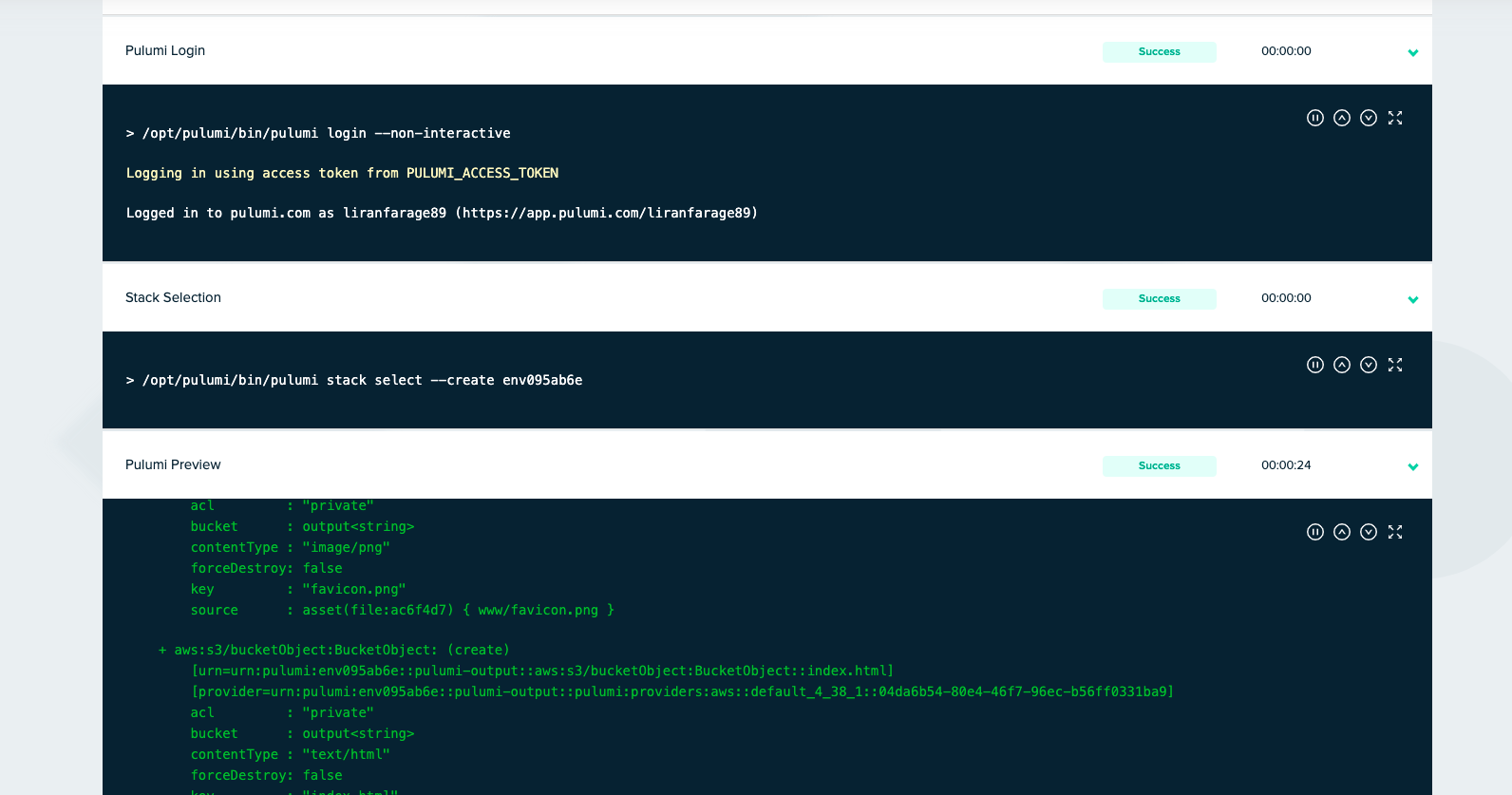
Beyond the common steps such as Clone, Loading variables, etc. Deploy/Destroy Pulumi environment contains the following steps:
1. Pulumi Login - `pulumi login --non-interactive`
2. Stack Selection - `pulumi stack select --create `
3. Pulumi Preview - ` pulumi preview --refresh --diff --show-replacement-steps`
4. Pulumi Up - `pulumi up -f --yes --refresh --diff --show-replacement-steps `
5. Pulumi Stack Output
6. Pulumi Destroy - `pulumi destroy -f --yes --refresh --diff --show-replacement-steps`
 ## Additional Configuration
Check out [Pulumi's Environment Variable configurations](https://www.pulumi.com/docs/cli/environment-variables/) to further customize your environment
For example, to use your own S3 remote backend, create an Environment Variable in your env zero Environment with `PULUMI_BACKEND_URL=s3://your-pulumi-state-bucket`
## Next steps
* [Template Overview](/guides/admin-guide/templates) - Learn how templates are structured and configured.
* [Managing VCS](/guides/admin-guide/manage-vcs) - Connect a VCS provider for GitOps deployments.
* [Managing Variables](/guides/admin-guide/variables) - Set environment variables like PULUMI\_ACCESS\_TOKEN.
## Additional Configuration
Check out [Pulumi's Environment Variable configurations](https://www.pulumi.com/docs/cli/environment-variables/) to further customize your environment
For example, to use your own S3 remote backend, create an Environment Variable in your env zero Environment with `PULUMI_BACKEND_URL=s3://your-pulumi-state-bucket`
## Next steps
* [Template Overview](/guides/admin-guide/templates) - Learn how templates are structured and configured.
* [Managing VCS](/guides/admin-guide/manage-vcs) - Connect a VCS provider for GitOps deployments.
* [Managing Variables](/guides/admin-guide/variables) - Set environment variables like PULUMI\_ACCESS\_TOKEN.