> ## Documentation Index
> Fetch the complete documentation index at: https://docs.envzero.com/llms.txt
> Use this file to discover all available pages before exploring further.
# Using Variable Sets
> Group related variables into reusable sets and assign them to organizations, projects, templates, or environments in env zero for consistent configuration.
Variable Sets offer a convenient solution for organizing frequently used or closely related variables into cohesive groups. These groups can then be linked to an entire Organization or to specific Projects, Templates, Workflows, or Environments that require access to their values.
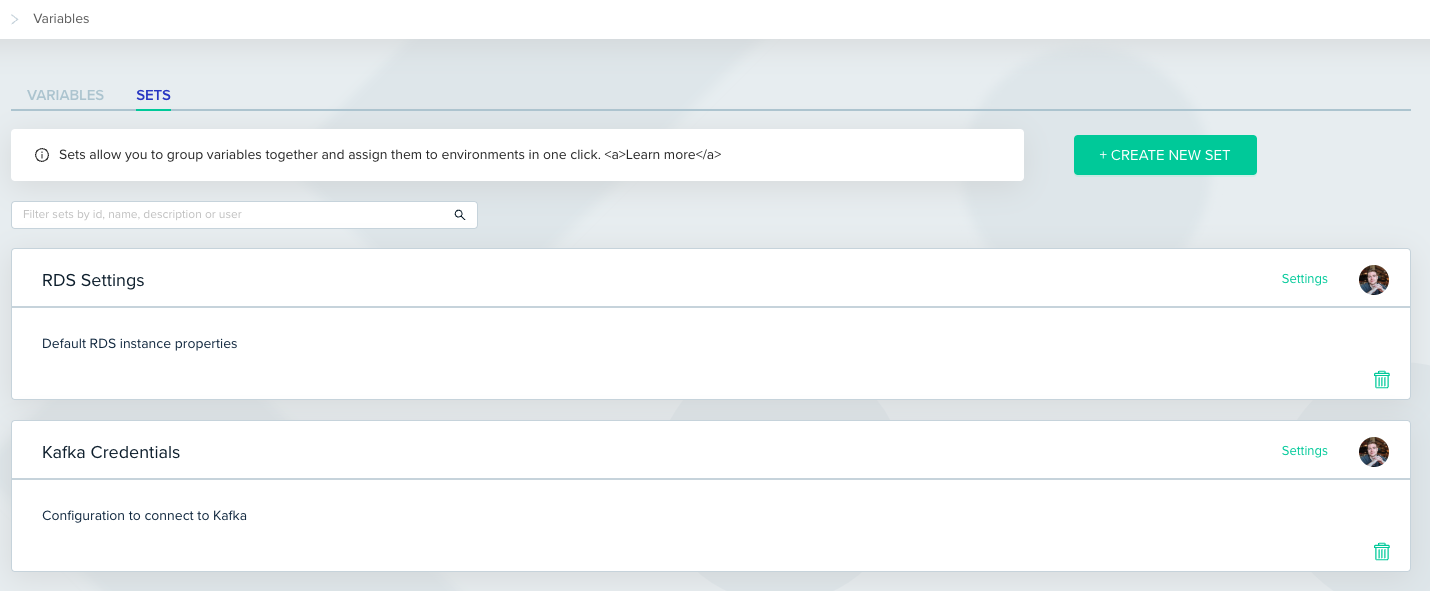
Overall, Variable Sets can be used to store an important configuration as a single unit. For instance, you might create a Set named "RDS Settings," encompassing the default and commonly used values of your RDS instances and assign it to all of the environments that manage RDS instances. This approach ensures variables are defined once and utilized only where needed, promoting efficiency and consistency across your workflows.
## View Variables Sets
Variable Sets can be defined within one of two scopes:
* Organization: Sets created at this level are available for assignment to any entity within env zero, including that same Organization or all Projects, Templates, Workflows, and Environments.
* Project: Sets created within a specific Project can be assigned to any sub-entity of that Project, such as sub Projects, Workflows, or Environments.
To view your Variable Sets, navigate to the 'Variables' section in the navigation menu, either within the Organization or Project context, and then click on the 'SETS' tab.
 ## Create a Variable Set
Variable Sets can be created on two scopes: Organization and Project.
To create a new Variable Set, follow these steps:
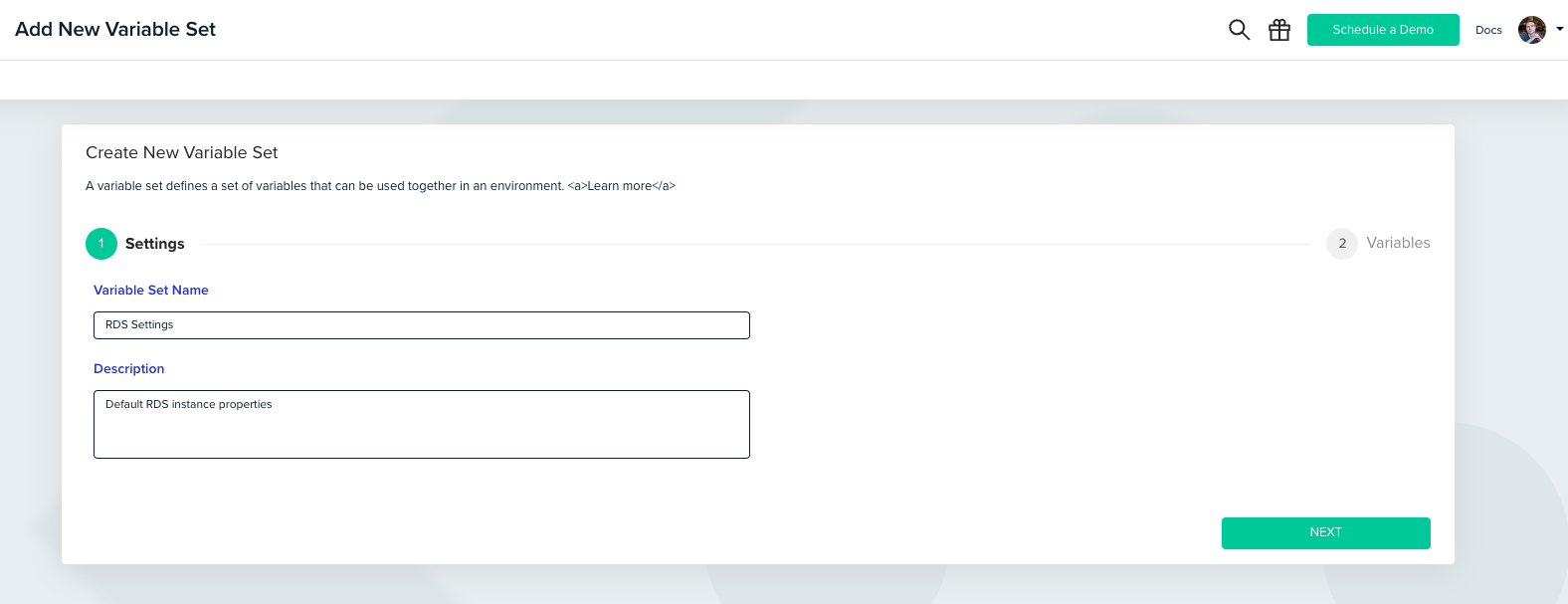
Click on the 'CREATE NEW SET' button located in the upper right corner. This action will open a modal window.
In the modal window, proceed through two steps:
1. Define the Set's name and provide an optional description.
2. Define the variables within the Set.
## Create a Variable Set
Variable Sets can be created on two scopes: Organization and Project.
To create a new Variable Set, follow these steps:
Click on the 'CREATE NEW SET' button located in the upper right corner. This action will open a modal window.
In the modal window, proceed through two steps:
1. Define the Set's name and provide an optional description.
2. Define the variables within the Set.
 ## Assign a Variable Set
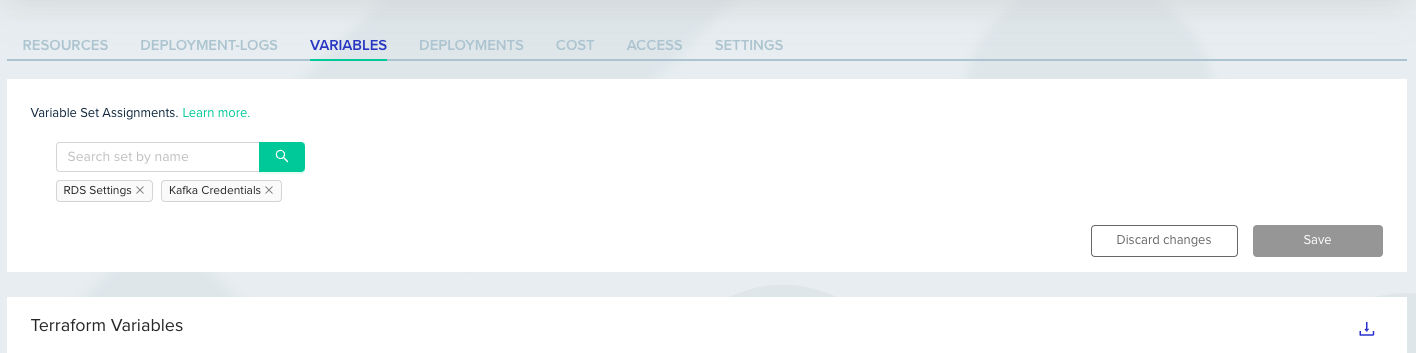
Assigning a Variable Set can be done on multiple levels – Organization/Project/Template/Workflow/Environment.
The variables table for any of the mentioned entities contains a selector that allows you to mark the sets you would like to use.
## Assign a Variable Set
Assigning a Variable Set can be done on multiple levels – Organization/Project/Template/Workflow/Environment.
The variables table for any of the mentioned entities contains a selector that allows you to mark the sets you would like to use.
 ## Override Set's Variables
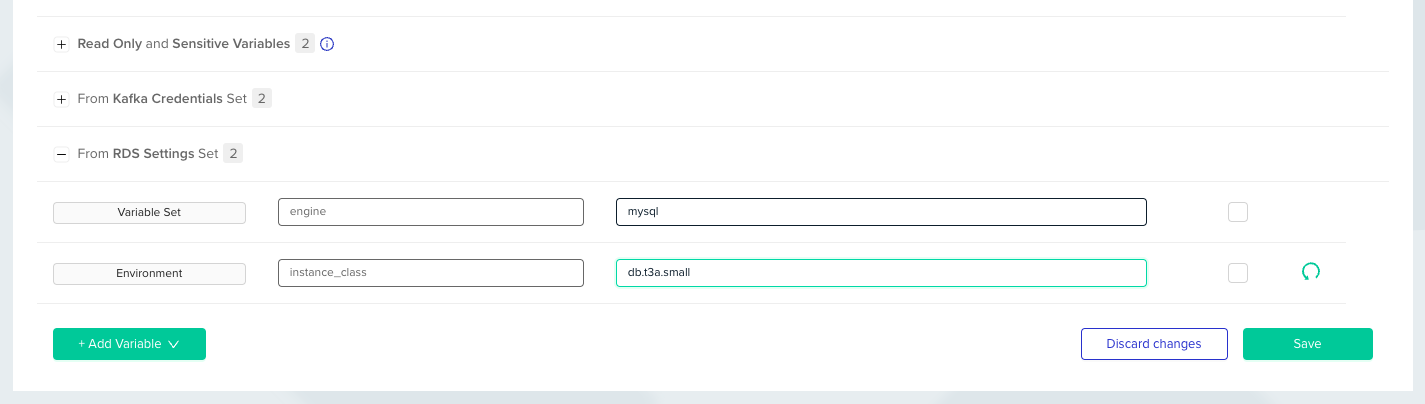
Similar to any other variable in env zero, you can override the variables within a Variable Set.
## Override Set's Variables
Similar to any other variable in env zero, you can override the variables within a Variable Set.
 ## Next steps
* [Managing Variables](/guides/admin-guide/variables) - Understand variable scopes, types, and precedence in env zero.
* [Working with Environment Outputs](/guides/admin-guide/variables/environment-outputs) - Share output values across environments as input variables.
* [Custom Flows Overview](/guides/admin-guide/custom-flows) - Use variables from sets inside custom deployment hooks.
## Next steps
* [Managing Variables](/guides/admin-guide/variables) - Understand variable scopes, types, and precedence in env zero.
* [Working with Environment Outputs](/guides/admin-guide/variables/environment-outputs) - Share output values across environments as input variables.
* [Custom Flows Overview](/guides/admin-guide/custom-flows) - Use variables from sets inside custom deployment hooks.