> ## Documentation Index
> Fetch the complete documentation index at: https://docs.envzero.com/llms.txt
> Use this file to discover all available pages before exploring further.
# Google Cloud Logging
> Send env zero deployment and audit logs to Google Cloud Logging using a Logs Writer service account credential, configured via UI or environment variables.
 [Google Cloud Logging](https://cloud.google.com/logging) empowers customers to manage, analyze, monitor, and gain insights from log data in real time.\
env zero has the ability to send all of your deployment logs and audit logs directly to Google Cloud Logging.
## Setup
Here are the steps to configure it:
1. [Create](https://cloud.google.com/iam/docs/keys-create-delete) a service account with permissions to write logs '**Logs Writer**'
2. There are two ways to configure the integrations:
1. ### In the env zero app
In the organization's integrations page, click on Google Cloud Logging and fill the form's fields:
[Google Cloud Logging](https://cloud.google.com/logging) empowers customers to manage, analyze, monitor, and gain insights from log data in real time.\
env zero has the ability to send all of your deployment logs and audit logs directly to Google Cloud Logging.
## Setup
Here are the steps to configure it:
1. [Create](https://cloud.google.com/iam/docs/keys-create-delete) a service account with permissions to write logs '**Logs Writer**'
2. There are two ways to configure the integrations:
1. ### In the env zero app
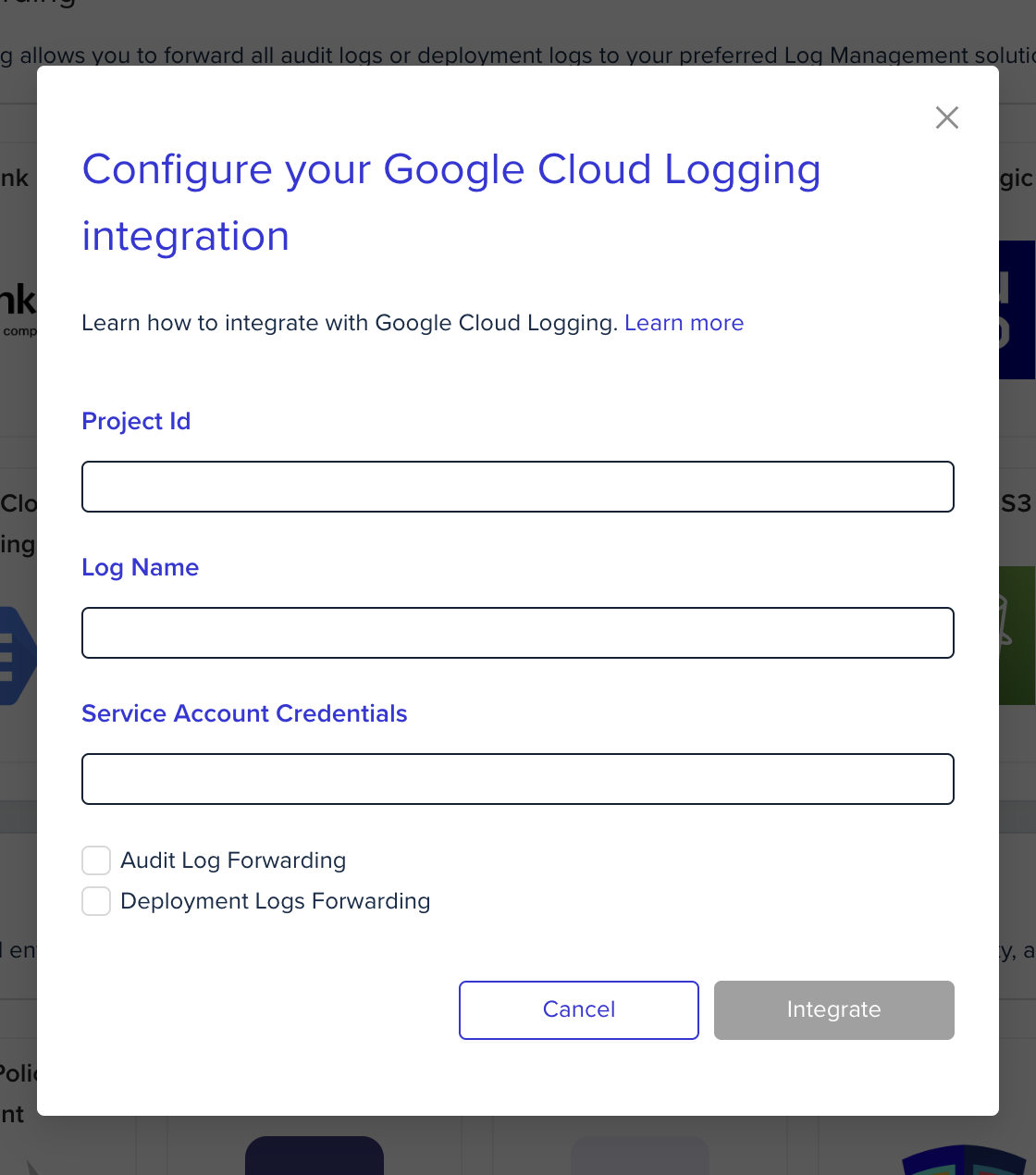
In the organization's integrations page, click on Google Cloud Logging and fill the form's fields:
 2. ### Using environment variables
In the env zero platform you will need to configure the following environment variables in [any scope](/guides/admin-guide/variables/#variables-and-scopes-in-env0) you would like to have them:
| Environment variable name | Description | Mandatory |
| :------------------------------------ | :------------------------------------------------------------------------------ | :--------------------------------- |
| `ENV0_GCP_PROJECT_ID` | Google cloud project id. inside this project, the logs will be stored | Yes |
| `ENV0_GCP_SERVICE_ACCOUNT_CREDENTIAL` | Service account credential file - Copy-Paste of the file payload (JSON format). | Yes |
| `ENV0_GCP_LOG_NAME` | Logs will be stored under this log name | No - Default: **env0-deployments** |
\* These environment variables can only override deployment logs forwarding configuration
env zero sets the log name according to the log type:
1. ### Audit Logs:
* `logName` - `env0-audits`
2. ### Deployment Logs:
* `logName` - `env0-deployments`
## Next steps
* [Logs Forwarding Overview](/guides/integrations/logs-forwarding) - See all supported log forwarding destinations.
* [Datadog Logs](/guides/integrations/logs-forwarding/datadog) - Alternative: forward logs to Datadog.
* [Splunk Logs](/guides/integrations/logs-forwarding/splunk) - Alternative: forward logs to Splunk.
2. ### Using environment variables
In the env zero platform you will need to configure the following environment variables in [any scope](/guides/admin-guide/variables/#variables-and-scopes-in-env0) you would like to have them:
| Environment variable name | Description | Mandatory |
| :------------------------------------ | :------------------------------------------------------------------------------ | :--------------------------------- |
| `ENV0_GCP_PROJECT_ID` | Google cloud project id. inside this project, the logs will be stored | Yes |
| `ENV0_GCP_SERVICE_ACCOUNT_CREDENTIAL` | Service account credential file - Copy-Paste of the file payload (JSON format). | Yes |
| `ENV0_GCP_LOG_NAME` | Logs will be stored under this log name | No - Default: **env0-deployments** |
\* These environment variables can only override deployment logs forwarding configuration
env zero sets the log name according to the log type:
1. ### Audit Logs:
* `logName` - `env0-audits`
2. ### Deployment Logs:
* `logName` - `env0-deployments`
## Next steps
* [Logs Forwarding Overview](/guides/integrations/logs-forwarding) - See all supported log forwarding destinations.
* [Datadog Logs](/guides/integrations/logs-forwarding/datadog) - Alternative: forward logs to Datadog.
* [Splunk Logs](/guides/integrations/logs-forwarding/splunk) - Alternative: forward logs to Splunk.