> ## Documentation Index
> Fetch the complete documentation index at: https://docs.envzero.com/llms.txt
> Use this file to discover all available pages before exploring further.
# New Relic Logs
> Forward env zero deployment and audit logs to New Relic via the Log API, using a License Key and a region-specific endpoint for US, EU, or FedRAMP.
 New Relic logs provide log management with log forwarding to search and correlate logs from on-prem or in-cloud sources.
## Setup
The integration with New Relic uses the Log API. Here are the steps to configure it:
1. Follow the [New Relic guide](https://docs.newrelic.com/docs/logs/log-api/introduction-log-api/) to generate an `License-Key` which also refers to as `API-Key`
2. Choose the correct URL you would like to use:
1. US - `https://log-api.newrelic.com`
2. EU - `https://log-api.eu.newrelic.com`
3. FedRamp - `https://gov-log-api.newrelic.com`
3. There are two ways to configure the integrations:
1. ### In the env zero app
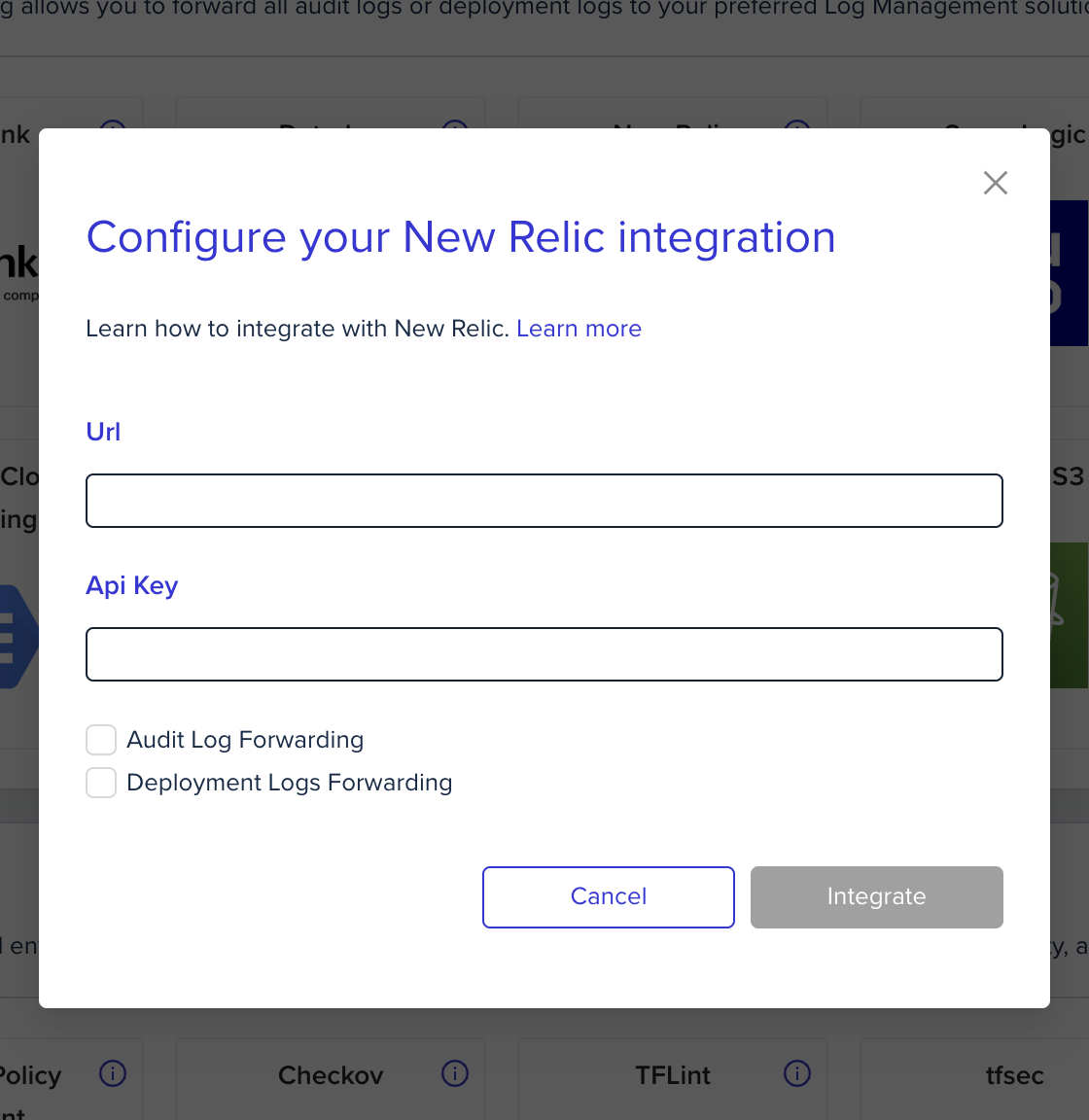
In the organization's integrations page, click on New Relic and fill the form's fields:
New Relic logs provide log management with log forwarding to search and correlate logs from on-prem or in-cloud sources.
## Setup
The integration with New Relic uses the Log API. Here are the steps to configure it:
1. Follow the [New Relic guide](https://docs.newrelic.com/docs/logs/log-api/introduction-log-api/) to generate an `License-Key` which also refers to as `API-Key`
2. Choose the correct URL you would like to use:
1. US - `https://log-api.newrelic.com`
2. EU - `https://log-api.eu.newrelic.com`
3. FedRamp - `https://gov-log-api.newrelic.com`
3. There are two ways to configure the integrations:
1. ### In the env zero app
In the organization's integrations page, click on New Relic and fill the form's fields:
 2. ### Using environment variables
| Environment variable name | Comment | Mandatory |
| :------------------------ | :---------------------------------------------------------------------------------------------------------------------------------------------------------------------------------------------------------------------------------------------------------------- | :-------- |
| `ENV0_NEW_RELIC_API_URL` | The URL you would like to get logs to. You can choose between US, EU, and Fedramp. Follow [this guide](https://docs.newrelic.com/docs/logs/log-api/introduction-log-api/) to determine it, but make sure you only take the base URL (without the `log/v1` suffix) | Yes |
| `ENV0_NEW_RELIC_API_KEY` | `License-Key`or `API-Key`- Follow [this guide](https://docs.newrelic.com/docs/apis/intro-apis/new-relic-api-keys/) to generate an API Key | Yes |
## Next steps
* [Logs Forwarding Overview](/guides/integrations/logs-forwarding) - See all supported log forwarding destinations.
* [Datadog Logs](/guides/integrations/logs-forwarding/datadog) - Alternative: forward logs to Datadog.
* [Splunk Logs](/guides/integrations/logs-forwarding/splunk) - Alternative: forward logs to Splunk.
2. ### Using environment variables
| Environment variable name | Comment | Mandatory |
| :------------------------ | :---------------------------------------------------------------------------------------------------------------------------------------------------------------------------------------------------------------------------------------------------------------- | :-------- |
| `ENV0_NEW_RELIC_API_URL` | The URL you would like to get logs to. You can choose between US, EU, and Fedramp. Follow [this guide](https://docs.newrelic.com/docs/logs/log-api/introduction-log-api/) to determine it, but make sure you only take the base URL (without the `log/v1` suffix) | Yes |
| `ENV0_NEW_RELIC_API_KEY` | `License-Key`or `API-Key`- Follow [this guide](https://docs.newrelic.com/docs/apis/intro-apis/new-relic-api-keys/) to generate an API Key | Yes |
## Next steps
* [Logs Forwarding Overview](/guides/integrations/logs-forwarding) - See all supported log forwarding destinations.
* [Datadog Logs](/guides/integrations/logs-forwarding/datadog) - Alternative: forward logs to Datadog.
* [Splunk Logs](/guides/integrations/logs-forwarding/splunk) - Alternative: forward logs to Splunk.