> ## Documentation Index
> Fetch the complete documentation index at: https://docs.envzero.com/llms.txt
> Use this file to discover all available pages before exploring further.
# Sumo Logic Logs
> Forward env zero deployment and audit logs to Sumo Logic by configuring an HTTP Source and providing the generated collector URL as an environment variable.
 Sumo Logic is a cloud monitoring and log management platform with SIEM tools and real-time insights for web and SaaS-based apps. env zero has the ability to send all of your deployment logs and audit logs directly to your Sumo Logic account.
## Setup
Here are the steps to configure it:
1. Generate Configure HTTP Source for Logs and Metrics using [this guide](https://help.sumologic.com/docs/send-data/hosted-collectors/http-source/logs-metrics/)
2. There are two ways to configure the integrations:
1. ### In the env zero app
In the organization's integrations page, click on Sumo Logic and fill the form's fields:
Sumo Logic is a cloud monitoring and log management platform with SIEM tools and real-time insights for web and SaaS-based apps. env zero has the ability to send all of your deployment logs and audit logs directly to your Sumo Logic account.
## Setup
Here are the steps to configure it:
1. Generate Configure HTTP Source for Logs and Metrics using [this guide](https://help.sumologic.com/docs/send-data/hosted-collectors/http-source/logs-metrics/)
2. There are two ways to configure the integrations:
1. ### In the env zero app
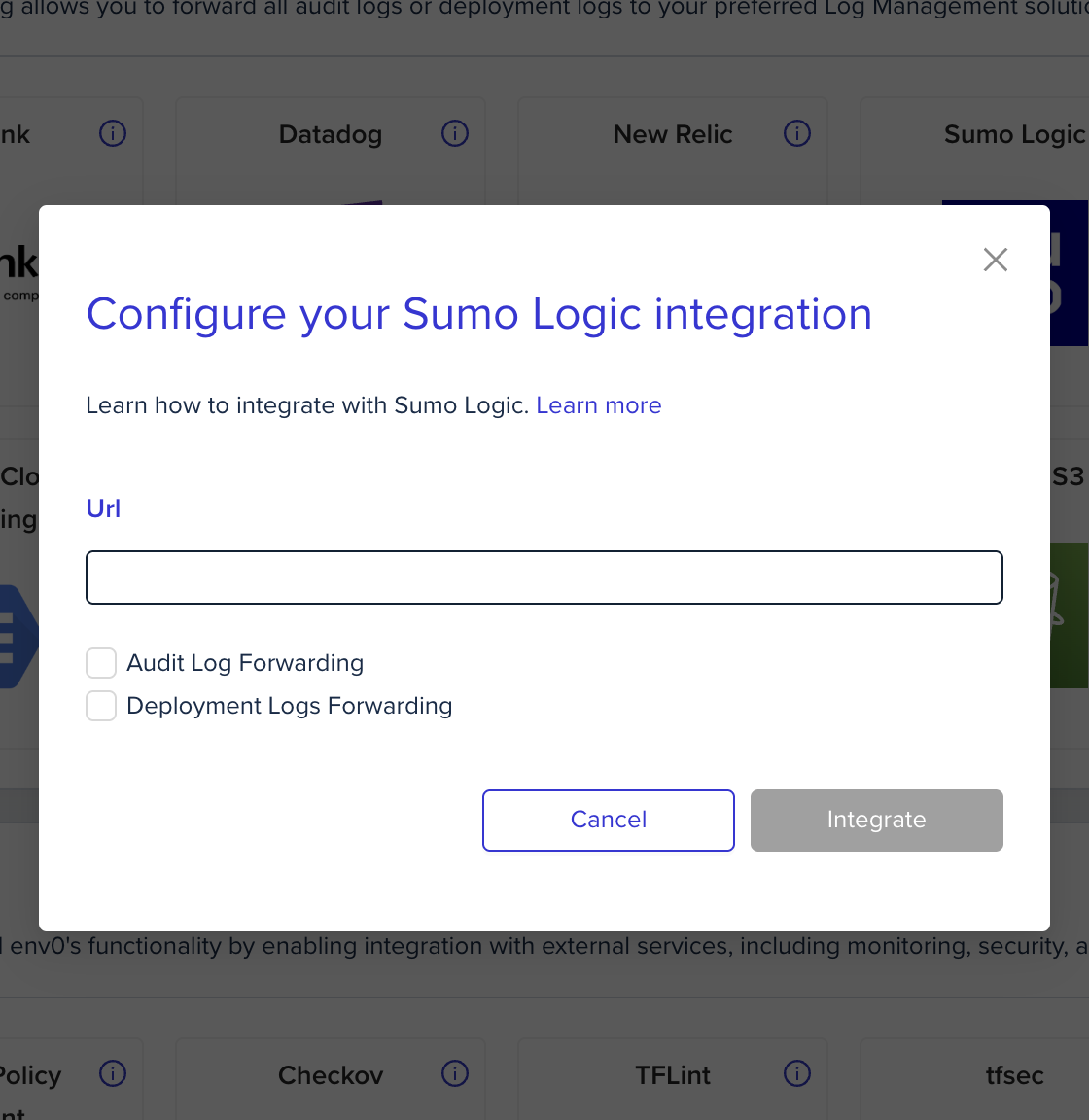
In the organization's integrations page, click on Sumo Logic and fill the form's fields:
 2. ### Using environment variables
In the env zero platform you will need to configure the following environment variables in [any scope](/guides/admin-guide/variables/#variables-and-scopes-in-env0) you would like to have them:
| Environment variable name | Description | Mandatory |
| :------------------------ | :------------------------------------------------------------------------------------------------------------------------------------------------------------------------ | :-------- |
| `ENV0_SUMOLOGIC_URL` | The Generated unique URL is assigned to the source configured in step #1. The generated URL is a long string of letters and numbers and should be kept as sensitive data. | Yes |
## Next steps
* [Logs Forwarding Overview](/guides/integrations/logs-forwarding) - See all supported log forwarding destinations.
* [Splunk Logs](/guides/integrations/logs-forwarding/splunk) - Alternative: forward logs to Splunk.
* [Coralogix Logs](/guides/integrations/logs-forwarding/coralogix) - Alternative: forward logs to Coralogix.
2. ### Using environment variables
In the env zero platform you will need to configure the following environment variables in [any scope](/guides/admin-guide/variables/#variables-and-scopes-in-env0) you would like to have them:
| Environment variable name | Description | Mandatory |
| :------------------------ | :------------------------------------------------------------------------------------------------------------------------------------------------------------------------ | :-------- |
| `ENV0_SUMOLOGIC_URL` | The Generated unique URL is assigned to the source configured in step #1. The generated URL is a long string of letters and numbers and should be kept as sensitive data. | Yes |
## Next steps
* [Logs Forwarding Overview](/guides/integrations/logs-forwarding) - See all supported log forwarding destinations.
* [Splunk Logs](/guides/integrations/logs-forwarding/splunk) - Alternative: forward logs to Splunk.
* [Coralogix Logs](/guides/integrations/logs-forwarding/coralogix) - Alternative: forward logs to Coralogix.