> ## Documentation Index
> Fetch the complete documentation index at: https://docs.envzero.com/llms.txt
> Use this file to discover all available pages before exploring further.
# Microsoft Teams Integration
> Integrate env zero with Microsoft Teams by creating a Workflow App webhook flow to post deployment notifications to your chosen channel.
## Prerequisites - Microsoft Teams
Retirement of Office 365 connectors in MS Teams
Microsoft is retiring Office 365 connectors from MS Teams. Existing connectors may be updated to work until December 2025, but starting August 15th, 2024, all new connectors must be created using the Workflow App in MS Teams. [Read more](https://devblogs.microsoft.com/microsoft365dev/retirement-of-office-365-connectors-within-microsoft-teams/#:~:text=Starting%20August%2015th%2C%202024%20we,%2C%20flexible%2C%20and%20secure%20way.)
To start using Microsoft Teams notifications with env zero, you must first create a ***Post to a channel when a webhook request is received*** flow, as explained in [Microsoft docs](https://support.microsoft.com/en-us/office/post-a-workflow-when-a-webhook-request-is-received-in-microsoft-teams-8ae491c7-0394-4861-ba59-055e33f75498):
1. In Microsoft Teams, choose ***Workflows*** and click on ***+ New flow***
2. Choose ***Post to a channel when a webhook request is received*** .
3. Setup the flow and connect to your desired channel.
4. Copy the webhook to the clipboard and save it. You'll need the webhook URL for sending information to Microsoft Teams.
5. Choose Done.
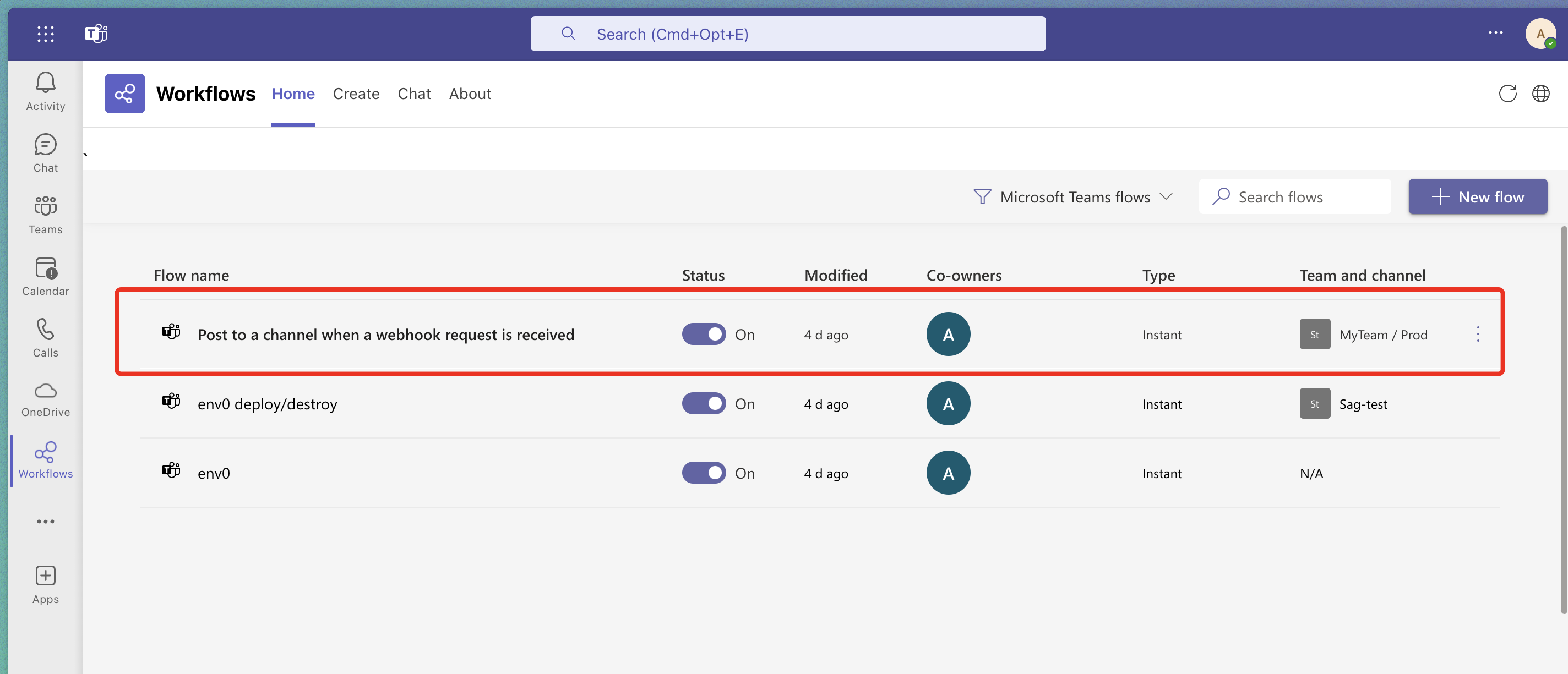
6. You can see all flows in the ***Workflows*** under the ***Home*** tab:
 ## Next steps
* [Manage Notifications](/guides/integrations/notifications) - Configure notification targets and project associations.
* [Slack Integrations](/guides/integrations/notifications/slack) - Connect env zero to a Slack channel.
* [Webhooks Notifications](/guides/integrations/notifications/webhooks) - Post event payloads to a custom HTTPS endpoint.
## Next steps
* [Manage Notifications](/guides/integrations/notifications) - Configure notification targets and project associations.
* [Slack Integrations](/guides/integrations/notifications/slack) - Connect env zero to a Slack channel.
* [Webhooks Notifications](/guides/integrations/notifications/webhooks) - Post event payloads to a custom HTTPS endpoint.