> ## Documentation Index
> Fetch the complete documentation index at: https://docs.envzero.com/llms.txt
> Use this file to discover all available pages before exploring further.
# Estimate Costs
> Set up Infracost cost estimation in env zero to calculate cloud resource costs at plan time for Terraform, OpenTofu, and Terragrunt deployments.
## Cost Estimation
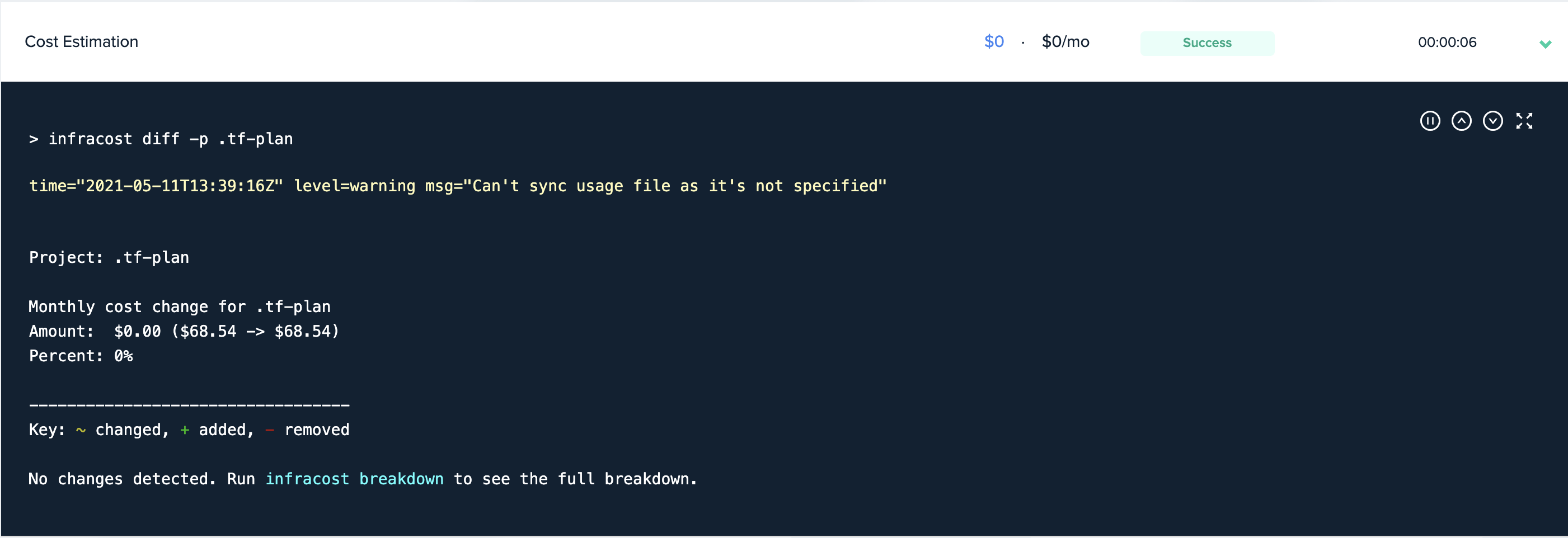
Cost estimation is a 3rd party tool provided by Infracost that can be used to help reviewers of deployment plans. Once activated for a project, every deployment plan would trigger a cost estimation calculation. This way, you can view a plan and its cost estimation, and decide whether or not to deploy this plan.
Frameworks Support
Cost estimation is supported for deployments using Terraform, OpenTofu, or Terragrunt, including Terragrunt `run-all` deployments.
Temporary API key
For the first 30 days, env zero supplies an infracost API key so you can try out cost estimation feature. Please make sure to create your dedicated API key as soon as possible if you decide to use it further. More details and pricing can be found [here](https://www.infracost.io/pricing/).
# Set Up Infracost Integration
Infracost integration can be set for both SaaS and Self-hosted agents.
## SaaS
1. Create an API key for infracost - see [infracost documentation](https://www.infracost.io/docs/#2-get-api-key).
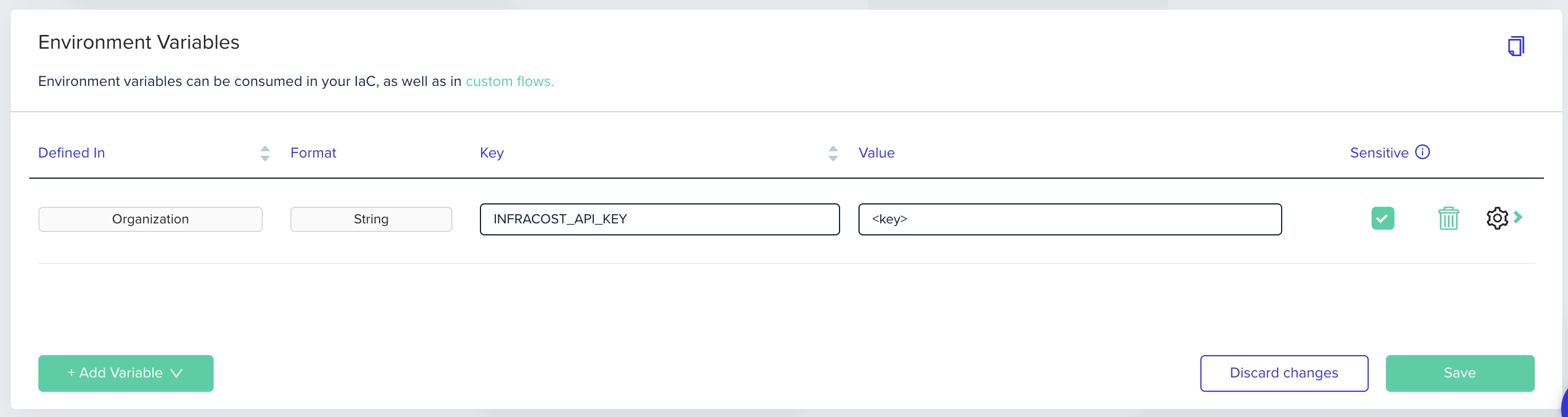
2. Go to organization variables and create an `INFRACOST_API_KEY` secret environment variable in env zero
 ## Self Hosted Agent
1. Create an API key for infracost - see [infracost documentation](https://www.infracost.io/docs/#2-get-api-key).
2. Base64 encode the API key and deploy it with your agent configuration. See [self-hosted agent documentation](/guides/admin-guide/self-hosted-kubernetes-agent/custom-optional-configuration) for more details, or
3. Save that API key in your AWS Secrets Manager as **plaintext**, and
4. Go to organization variables and create an `INFRACOST_API_KEY` secret environment variable in env zero, referencing the API key stored in Secrets Manager
## Self Hosted Agent
1. Create an API key for infracost - see [infracost documentation](https://www.infracost.io/docs/#2-get-api-key).
2. Base64 encode the API key and deploy it with your agent configuration. See [self-hosted agent documentation](/guides/admin-guide/self-hosted-kubernetes-agent/custom-optional-configuration) for more details, or
3. Save that API key in your AWS Secrets Manager as **plaintext**, and
4. Go to organization variables and create an `INFRACOST_API_KEY` secret environment variable in env zero, referencing the API key stored in Secrets Manager
 # Enable Cost Estimation for your Project
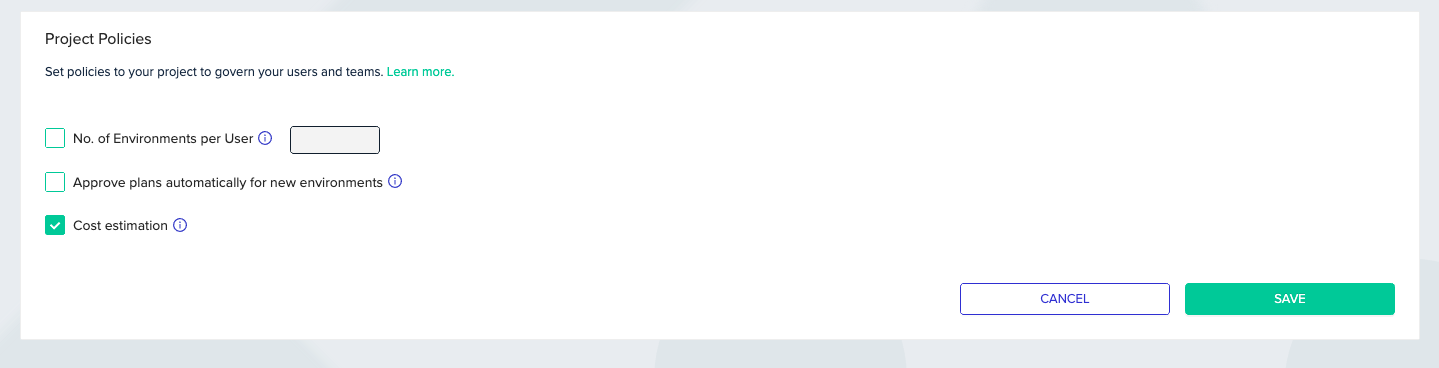
To activate cost estimation for your project, go to "Project Settings", and then to the "Policies" tab. Check the "Cost estimation" checkbox, and save.
# Enable Cost Estimation for your Project
To activate cost estimation for your project, go to "Project Settings", and then to the "Policies" tab. Check the "Cost estimation" checkbox, and save.
 ## Next steps
* [Set Cost Monitoring](/guides/cost-monitoring/cost-monitoring) - Track actual cloud costs per environment and project.
* [Set Budget Notifications](/guides/cost-monitoring/budget-notifications) - Get alerted when spending exceeds thresholds.
* [Manage Approval Policies](/guides/policies-governance/approval-policies) - Block deployments that exceed cost thresholds.
## Next steps
* [Set Cost Monitoring](/guides/cost-monitoring/cost-monitoring) - Track actual cloud costs per environment and project.
* [Set Budget Notifications](/guides/cost-monitoring/budget-notifications) - Get alerted when spending exceeds thresholds.
* [Manage Approval Policies](/guides/policies-governance/approval-policies) - Block deployments that exceed cost thresholds.