> ## Documentation Index
> Fetch the complete documentation index at: https://docs.envzero.com/llms.txt
> Use this file to discover all available pages before exploring further.
# Enable Destroy Protection
> Prevent accidental destruction of environments in env zero by enabling destroy protection, which disables the Destroy button, TTL panel, and Scheduled Destroy.
Enabling "Destroy protection" will prevent destruction of environments. The policy is configured per Project.
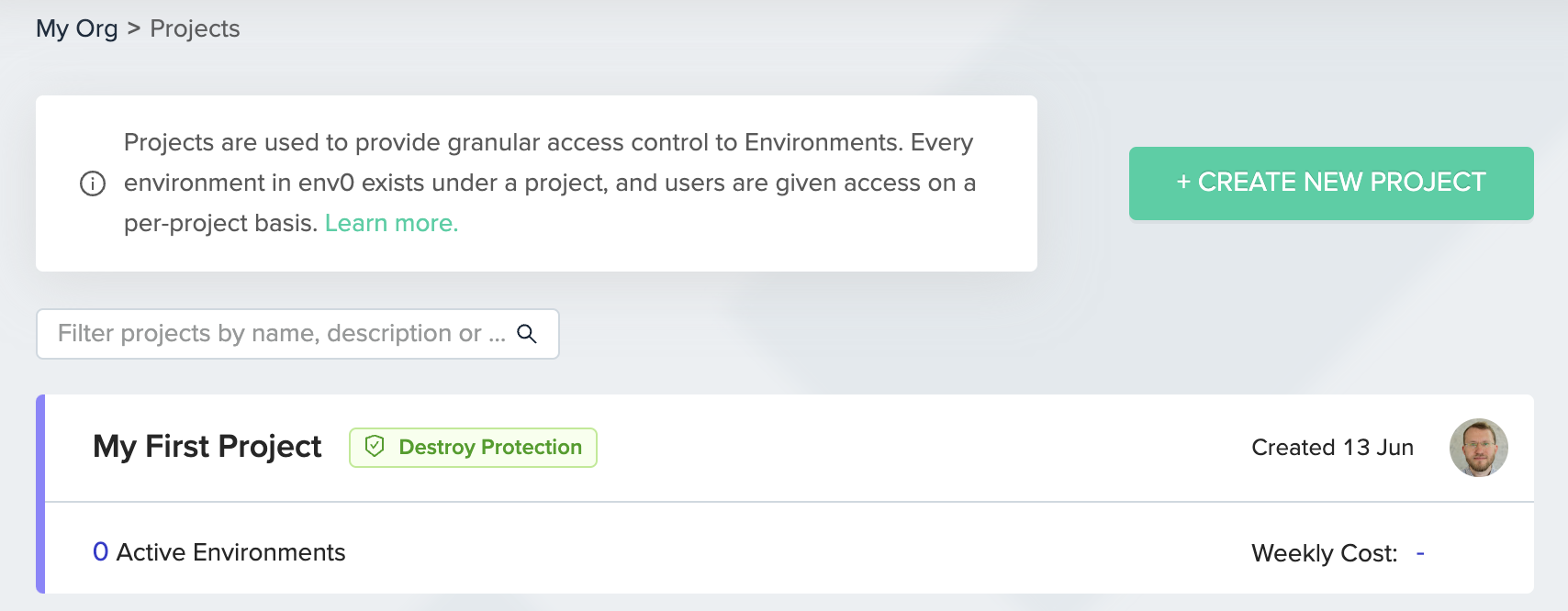 The following features will be restricted:
* The Destroy button and Time Left indication in the Environment screen will be disabled.
* The TTL panel in Create/Redeploy Environment screen will be hidden.
* Scheduled Destroy will be disabled.
TTL & Scheduled Destroy Reset
For environments that existed before enabling destroy protection, TTL & Scheduled Destroy configurations will be deleted.
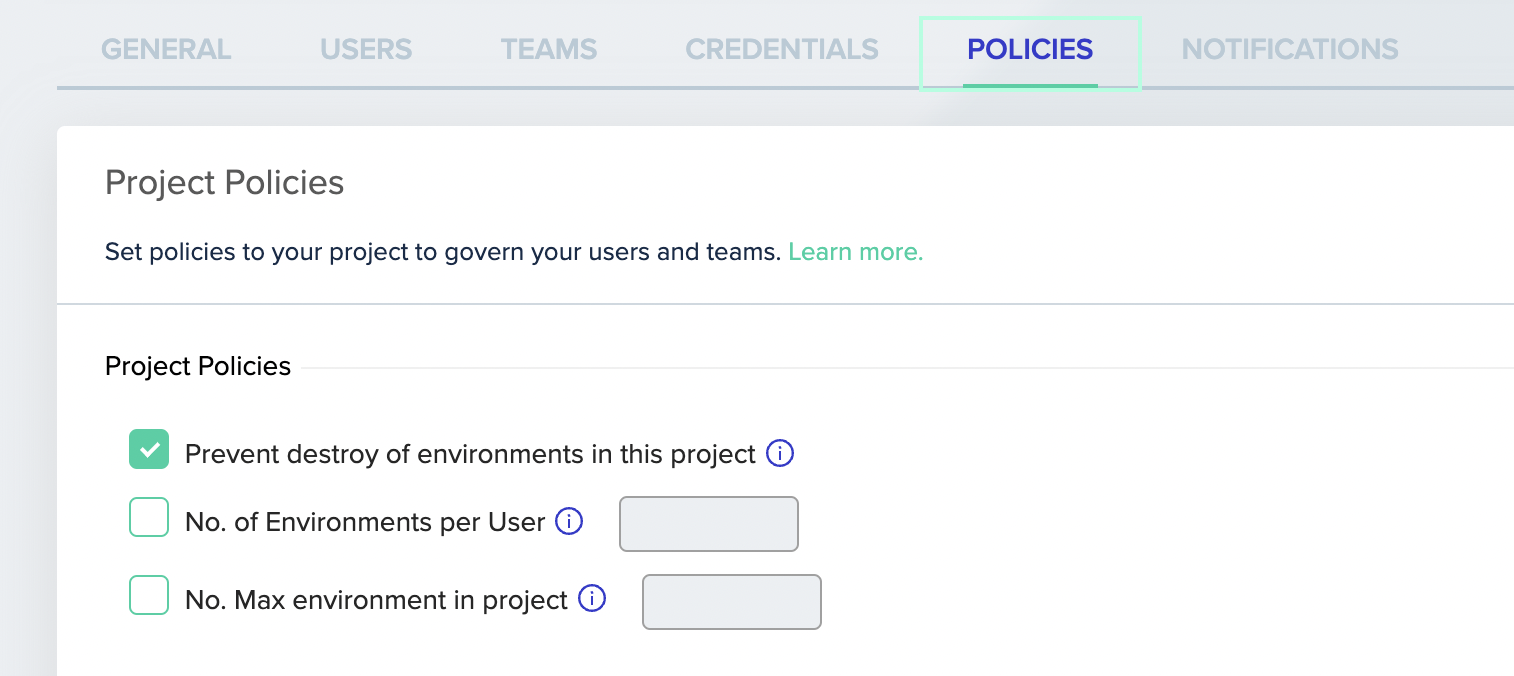
To enable "Destroy Protection", mark *Prevent destroy of environments in this project*. This can be found in each Project's Settings page, under the Policies tab.
The following features will be restricted:
* The Destroy button and Time Left indication in the Environment screen will be disabled.
* The TTL panel in Create/Redeploy Environment screen will be hidden.
* Scheduled Destroy will be disabled.
TTL & Scheduled Destroy Reset
For environments that existed before enabling destroy protection, TTL & Scheduled Destroy configurations will be deleted.
To enable "Destroy Protection", mark *Prevent destroy of environments in this project*. This can be found in each Project's Settings page, under the Policies tab.
 ## Next steps
* [Manage Approval Policies](/guides/policies-governance/approval-policies) - Require approvals before destructive changes.
* [Manage Policies](/guides/policies-governance/policies) - Review the full set of runtime and deployment policies.
* [Configure Policy TTL](/guides/policies-governance/policy-ttl) - Set time-to-live limits for environments.
## Next steps
* [Manage Approval Policies](/guides/policies-governance/approval-policies) - Require approvals before destructive changes.
* [Manage Policies](/guides/policies-governance/policies) - Review the full set of runtime and deployment policies.
* [Configure Policy TTL](/guides/policies-governance/policy-ttl) - Set time-to-live limits for environments.