> ## Documentation Index
> Fetch the complete documentation index at: https://docs.envzero.com/llms.txt
> Use this file to discover all available pages before exploring further.
# Configure Policy TTL
> Set default and maximum TTL values for environments at organization or project level in env zero, with automated alert emails sent before scheduled destruction.
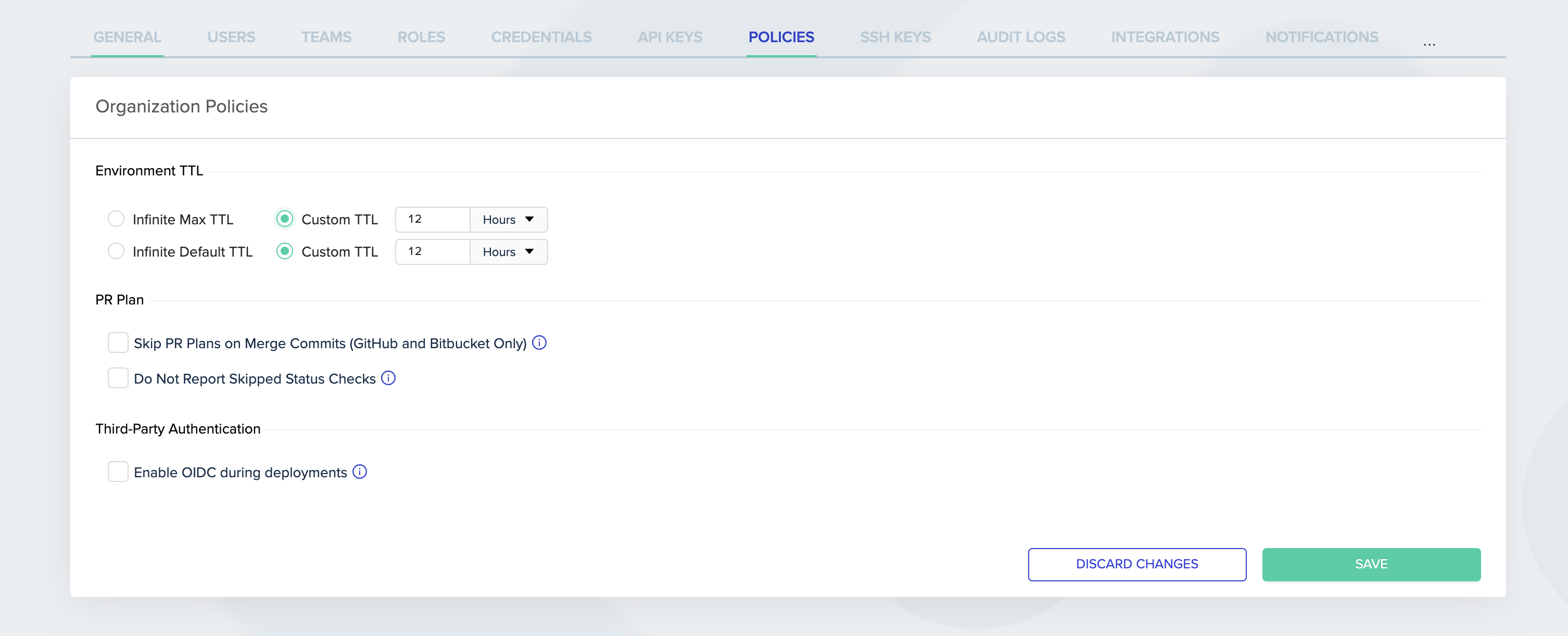
When users create or redeploy an environment, they can set the environment's *time-to-live*. TTL Policies define the default and maximum *time-to-live* values for the environment.\
Those TTL limits do not apply to admins.\
*Administrators* can set the policies at Organization or Project level.
**The Maximum TTL limit is relative to the **creation** time of the environment and not to the time of any deployment.**
 On the Project level, you can choose to use the organization's settings or override them.
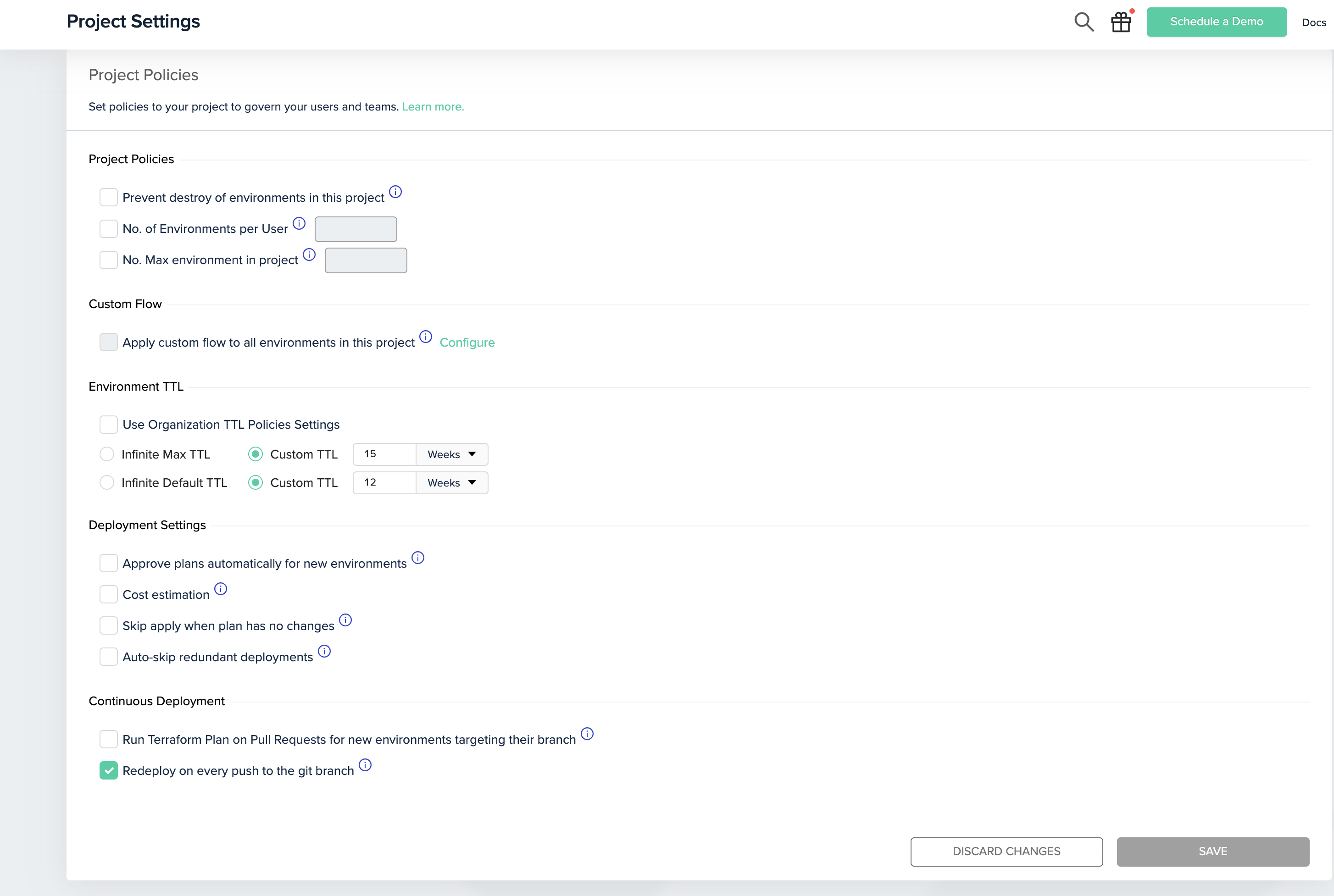 **An infinite time-to-live means the environment will never be destroyed automatically. This is useful for static environments like staging or production, but is not recommended for development environments.**
### Update Environment TTL
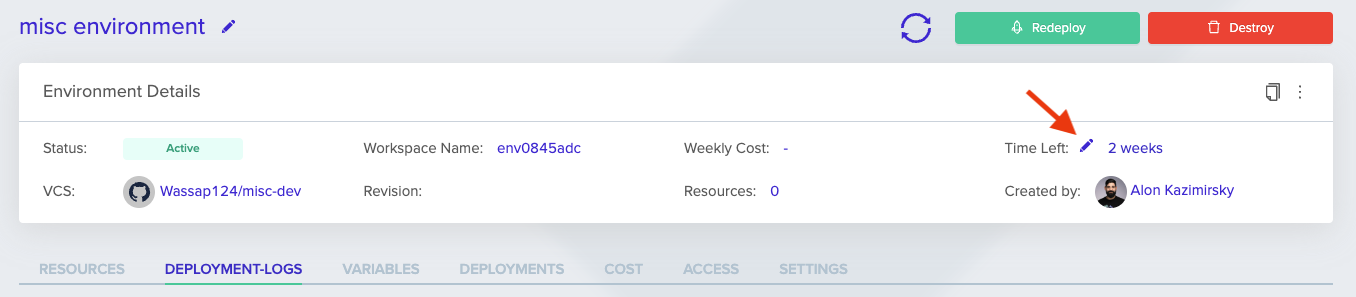
To update a specific environment's time-to-live definition, go to that environment's page, and in the info card, click on the pen icon near the Time Left label to update the TTL.
**An infinite time-to-live means the environment will never be destroyed automatically. This is useful for static environments like staging or production, but is not recommended for development environments.**
### Update Environment TTL
To update a specific environment's time-to-live definition, go to that environment's page, and in the info card, click on the pen icon near the Time Left label to update the TTL.
 **Notifications**
Alert emails are automatically sent to the environment creator 3 times before the actual destroy command is triggered:
* 2 Days
* 2 Hours
* 30 Minutes
## Next steps
* [Set Environment Limits](/guides/policies-governance/environment-limits) - Cap active environments per user or project.
* [Enable Destroy Protection](/guides/policies-governance/destroy-protection) - Prevent environments from being destroyed.
* [Deployment Scheduling](/guides/admin-guide/environments/scheduling) - Schedule environment deployments and teardowns.
**Notifications**
Alert emails are automatically sent to the environment creator 3 times before the actual destroy command is triggered:
* 2 Days
* 2 Hours
* 30 Minutes
## Next steps
* [Set Environment Limits](/guides/policies-governance/environment-limits) - Cap active environments per user or project.
* [Enable Destroy Protection](/guides/policies-governance/destroy-protection) - Prevent environments from being destroyed.
* [Deployment Scheduling](/guides/admin-guide/environments/scheduling) - Schedule environment deployments and teardowns.