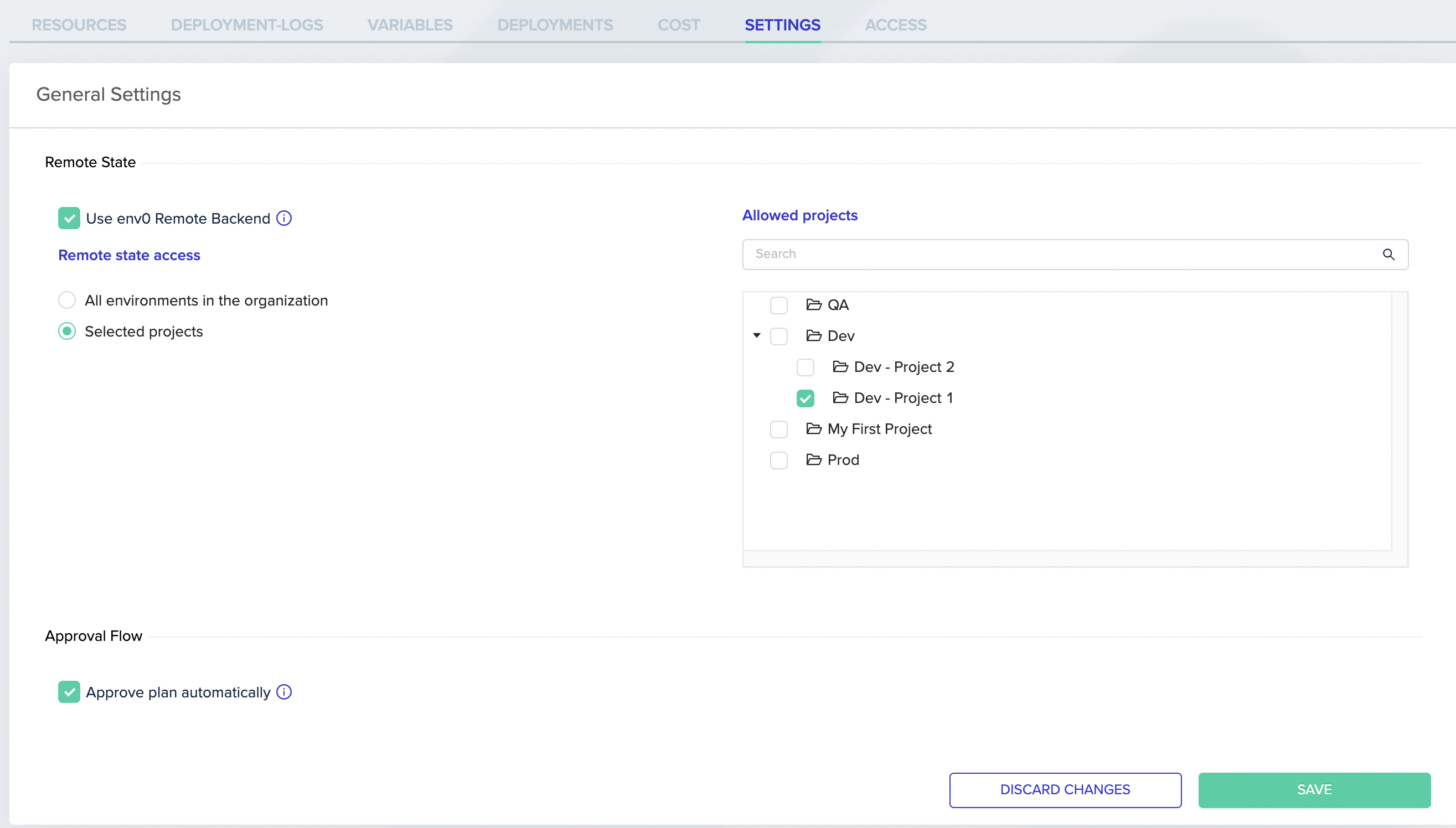
When working with Terraform, it’s common to need access to the state of a remote backend environment. However, since this state can contain sensitive information, it’s crucial to restrict access to prevent misuse. That’s where env0’s new remote state access control feature comes in. With it, you can specify who is authorized to access your environment’s state.Documentation Index
Fetch the complete documentation index at: https://docs.envzero.com/llms.txt
Use this file to discover all available pages before exploring further.
Setting Your Environment State Access
To set up access control, go to the Environment -> Settings tab and select which projects are allowed to access the environment’s state. You have the option to limit access to specific projects or their subprojects or allow access to all environments in your organization.