Using an infrastructure-as-code model, variables are used to customize certain aspects of a configuration for a specific deployment, without having to change the code. In this way, a single configuration can be used in different contexts to create different deployments. Now for an environment that already exists, you can also edit the variables settings under the environment Variables tab without the need to trigger a deployment.Documentation Index
Fetch the complete documentation index at: https://docs.envzero.com/llms.txt
Use this file to discover all available pages before exploring further.
Saving Variables
To change a variable, go to the environment page, and under theVariables tab change the relevant variables and click on the Save button.
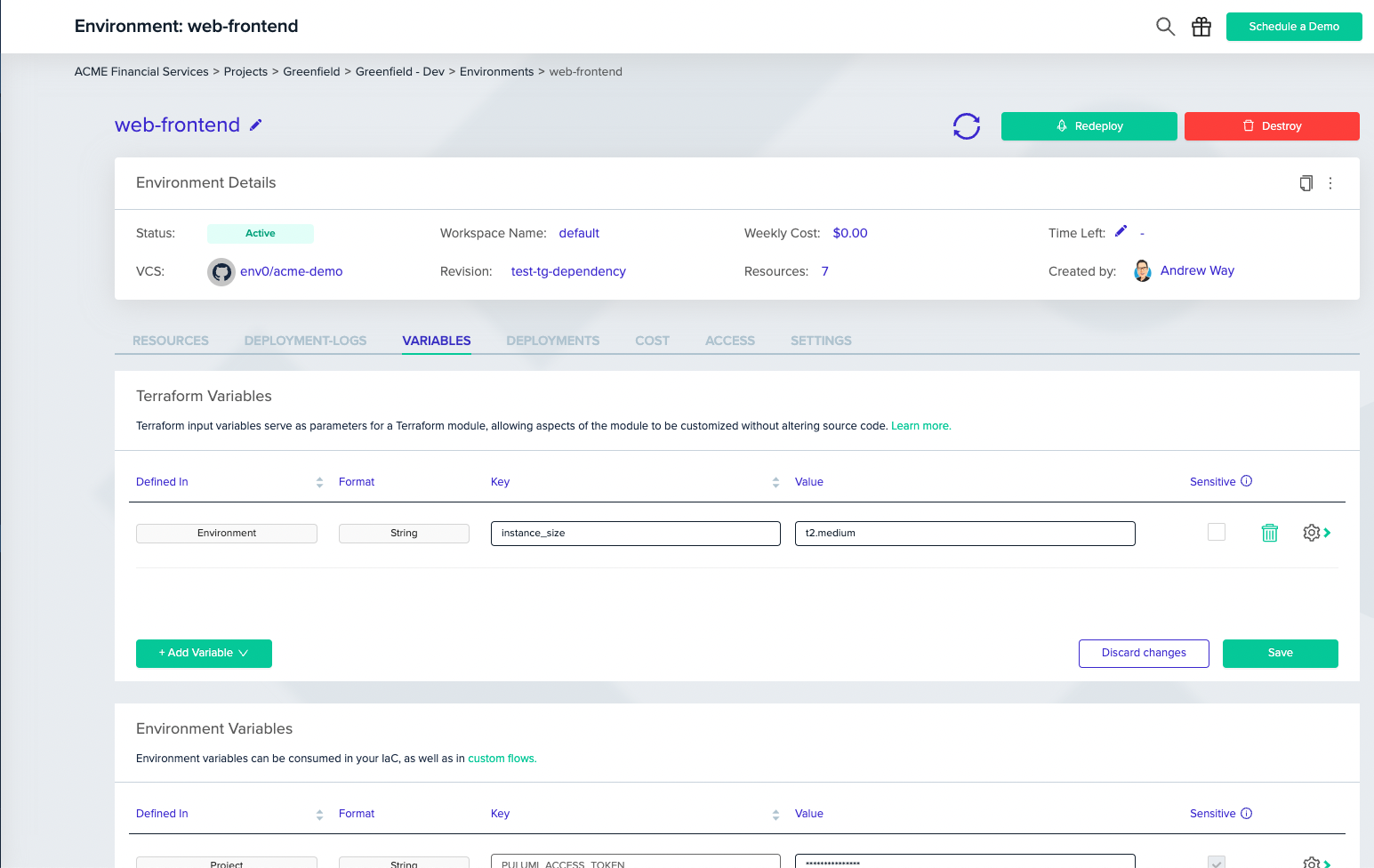
Limits Changes to variables for an existing environment will not take effect until the environment is redeployed. When env0 runs a deployment, it stores the variable names to be used in undeploy so changes for an Active environment will not affect the undeploy process.