
Documentation Index

Fetch the complete documentation index at: https://docs.envzero.com/llms.txt

Use this file to discover all available pages before exploring further.

As env0 supports various Infrastructures as code frameworks, each one has its own way of handling authentication in different ways. For Kubernetes, the authentication requires specific configuration. env zero adds native support to set up Kubernetes configuration via kubeconfig, AWS EKS, Azure AKS and GCP GKE credentials! This also means that you can control the authentication to a specific cluster based on the project settings.

Set Up Kubernetes Credentials

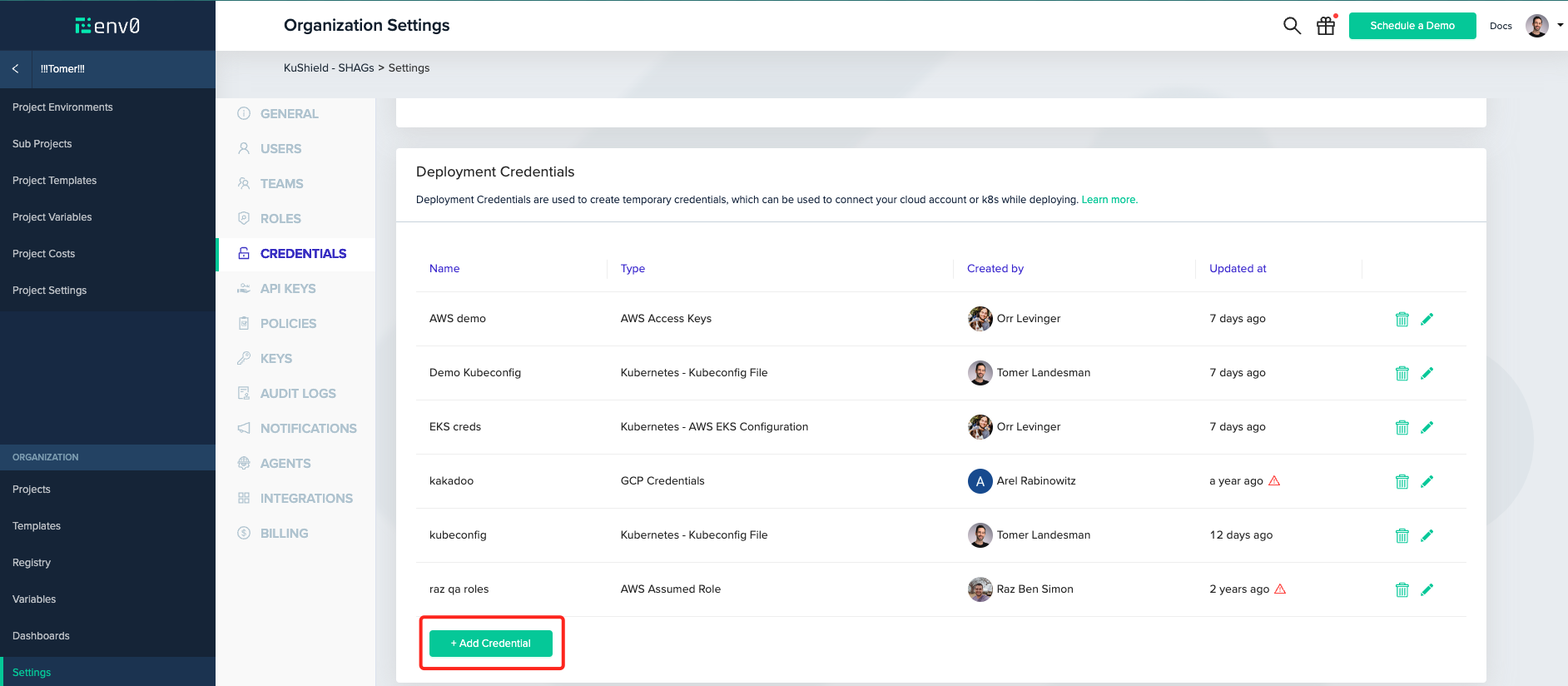
Navigate into Organization Settings > Credentials. Under Deployment Credentials, click the + Add Credential button.
Feature demonstration screenshot showing new functionality
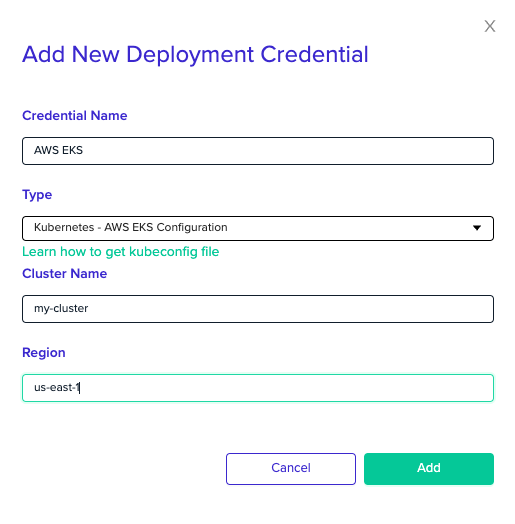
Inside the opened modal, select the desired Kubernetes Cluster authentication method you like. Select the Kubernetes - <Cluster Type / kubeconfig> credential from the Type dropdown:
Feature demonstration screenshot showing new functionality
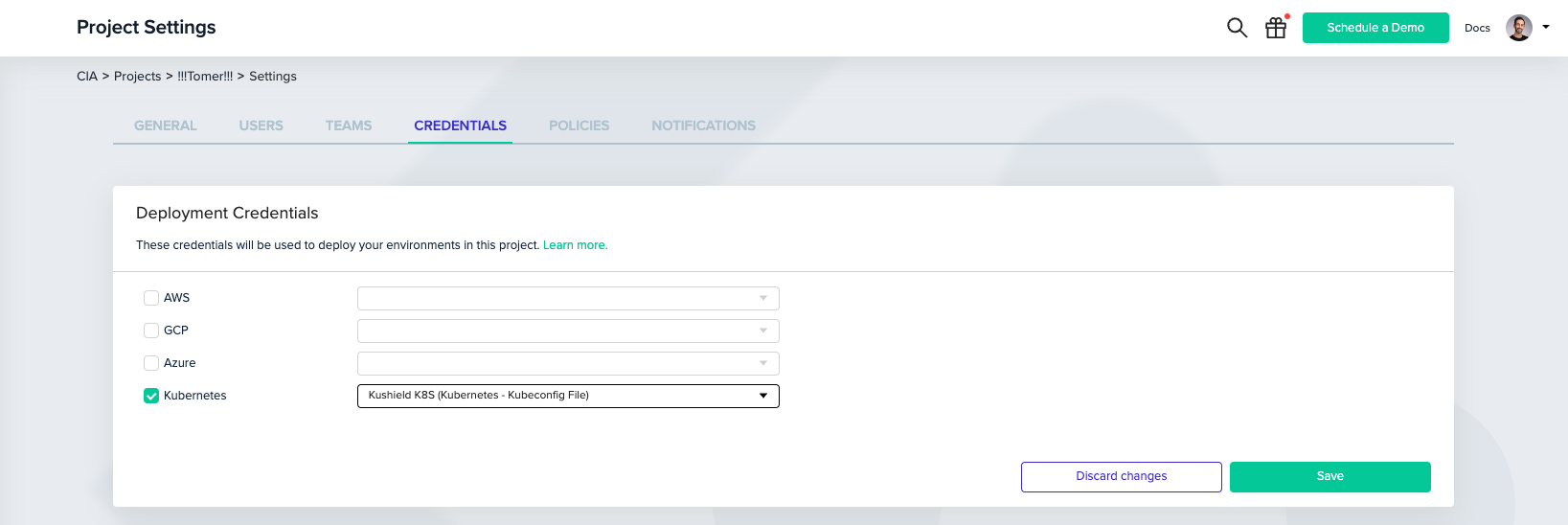
Next, You’ll need to associate the created credential with your project. In your Project Settings, click Credentials. Then, check the Kubernetes checkbox and select your created credential from the dropdown.
Feature demonstration screenshot showing new functionality
Lean more by reading our docs