Documentation Index

Fetch the complete documentation index at: https://docs.envzero.com/llms.txt

Use this file to discover all available pages before exploring further.

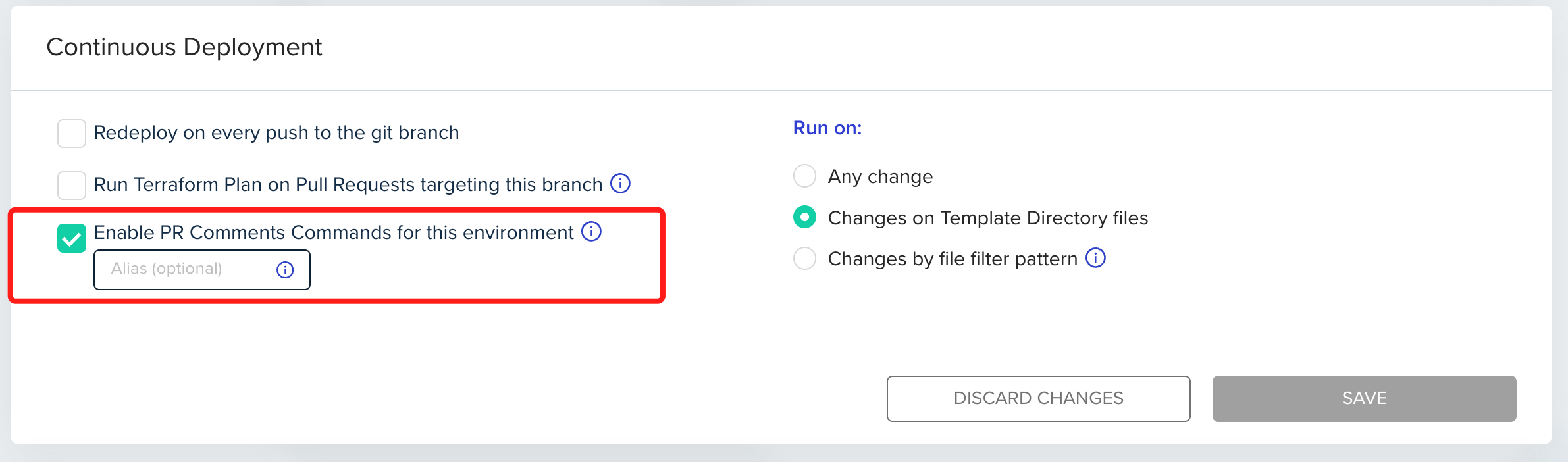
env zero now gives you more control over deploying your environments directly from the VCS with the new GitOps Apply All feature. To enable this feature, go to environment settings and click Continuous Deployment. You can also enable this feature on the project level, by going to Project Settings, clicking Policies and selecting Continuous Deployment. Your changes will be applied to every new environment created in that project. See Configuration docs for more details.
Feature demonstration screenshot showing new functionality
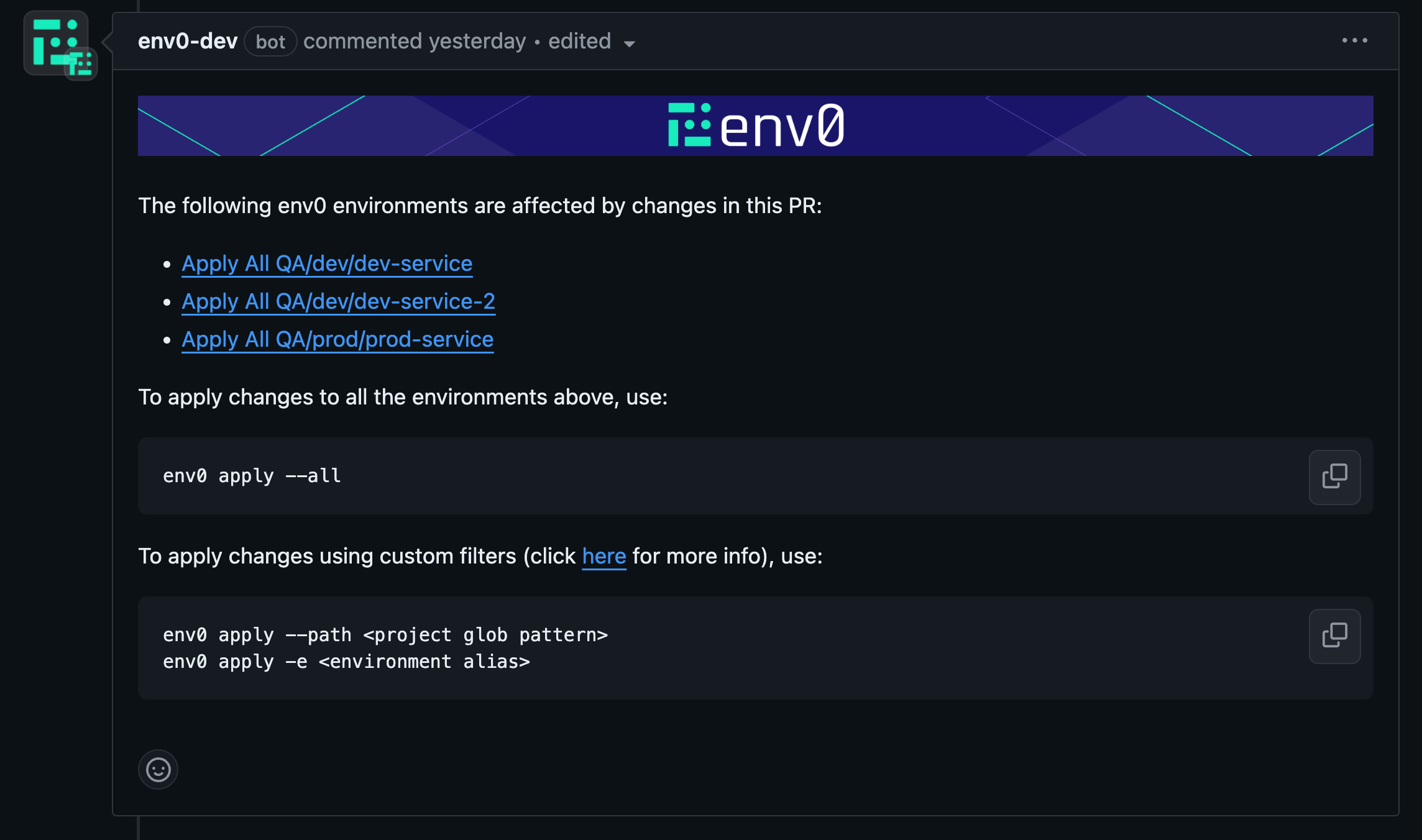
Once it is enabled, every PR commit will have a comment listing the affected environments by the latest commit to the PR:
Feature demonstration screenshot showing new functionality
The affected environments can be applied (or planned) by running one of the following PR comments:
  • env0 apply --all
  • env0 apply --path "<glob path>"
Read more about the different commands in our docs Finally, upon first deployment, a new env0/Apply commit check will be added (on top of the individual deployment commit checks). The commit check will be in progressand will be in success status once all affected environments have been deployed successfully, or failure status if one of the deployments failed.
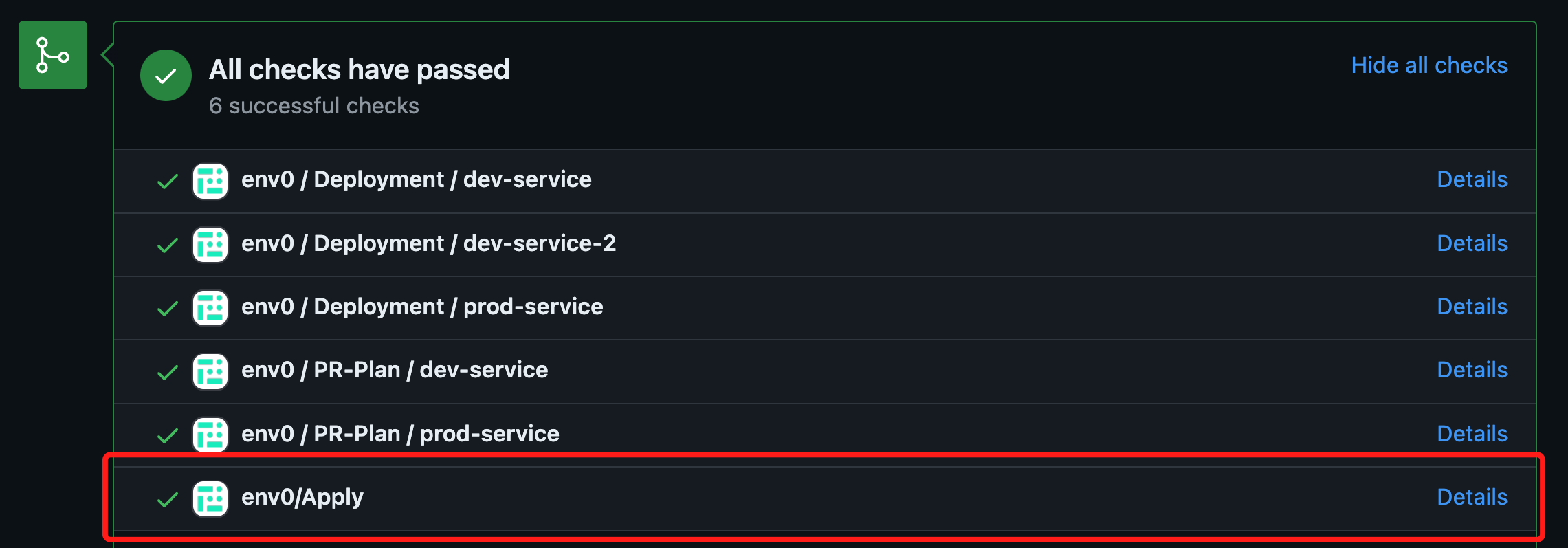
Feature demonstration screenshot showing new functionality