

Environment Deployment
- Create a Kubernetes Template
- Follow our guide to Connect Your Kubernetes Cluster
- Create an environment. env zero will label the resources for each environment separately, so no collisions will occur when using the same template several times.
Cluster AuthenticationCluster authentication varies from one provider to another. See the Connect Your Kubernetes Cluster guide for details.
Execution Steps
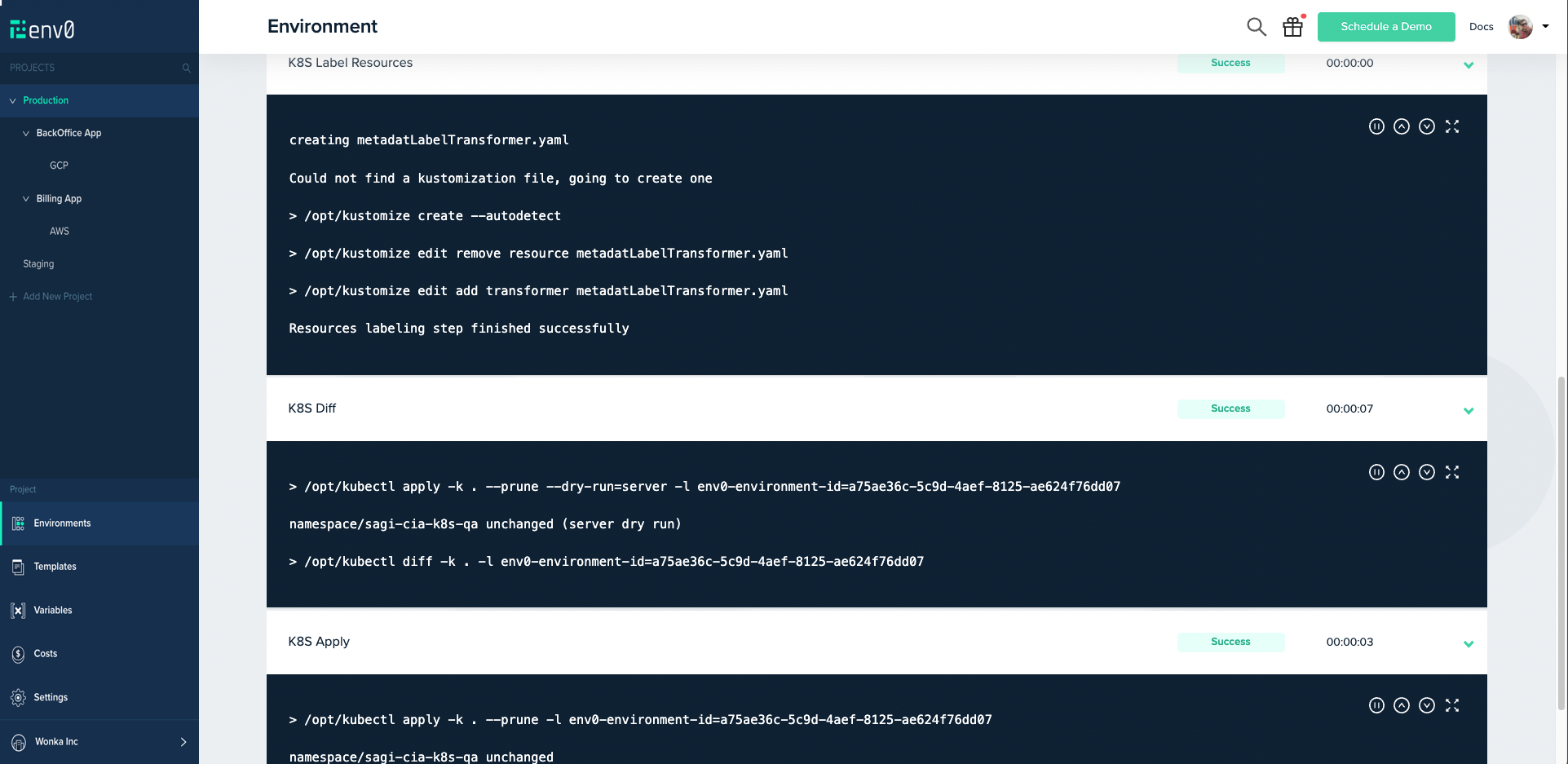
In addition to the common steps such as Clone, Loading Variables, etc., a Kubernetes environment in env zero has the following features:-
K8s Label Resources - env zero uses
Kustomizeto label resources per environment, so you do not need to change files.
kustomize create --autodetect
kustomize edit remove resource metadatLabelTransformer.yaml
kustomize edit add transformer metadatLabelTransformer.yaml -
K8s Diff -
kubectl apply -k . --prune --dry-run=server -l env0-environment-id=<environmentId>
kubectl diff -k . -l env0-environment-id=<environmentId> -
K8s Apply -
kubectl apply -k . --prune -l env0-environment-id=<environmentId> -
K8s Delete -
kubectl delete "$(kubectl api-resources --verbs=delete -o name | tr "\n" "," | sed -e 's/,$//')" --ignore-not-found -l env0-environment-id=<environmentId>
Labels descriptionThe following labels are added to each resource created by env zero:
env0-environment-id=<environmentId>. All resources created for a certain environment are labeled with the environment’s ID.app.kubernetes.io/managed-by: env0. Regardless of the environment, every resource is labeled with the recommended labelmanaged-by
Next steps
- Helm integration - Deploy applications to Kubernetes using Helm charts.
- Template overview - Learn how templates are structured and configured.
- Managing VCS - Connect a VCS provider for GitOps deployments.