

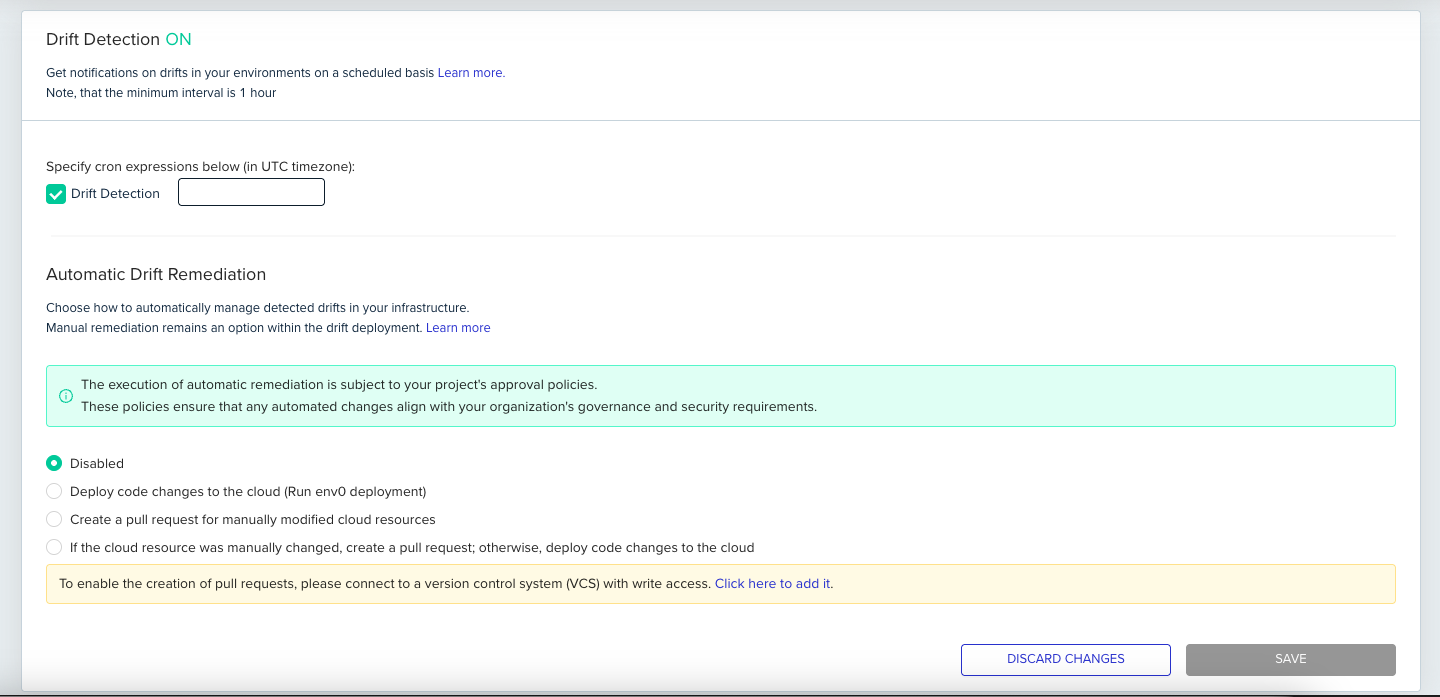
Drift detection schedulingThe minimum interval between drift detection checks is 1 hour, regardless of the cron definition you configure. Checks more frequent than once a day are only available on the Enterprise plan.
Configuring automatic drift remediation
This section controls how env zero automatically handles detected drift. Drift occurs when the actual state of your cloud resources deviates from the state defined in your IaC configuration.Understanding automatic remediation
env zero can automatically reconcile drift based on the option you select. Keep in mind:- Manual remediation: Manual remediation is always available, regardless of your automatic remediation settings.
- Approval policies: Automatic remediation is subject to your project’s approval policies.
Automatic remediation options
Choose one of the following options:- Disabled: Disables automatic drift remediation. When drift is detected, you must manually review and remediate the differences.
- Deploy code changes to the cloud: If drift is detected, env zero runs a deployment using the latest configuration from your connected VCS. This assumes the desired state is accurately reflected in your code.
- Create a pull request for manually modified cloud resources: If drift is detected and cloud resources appear to have been modified manually (outside of env zero), env zero creates a pull request in your VCS with the changes needed to bring your IaC configuration in line with the current cloud state.
- If the cloud resource was manually changed, create a pull request; otherwise, deploy code changes to the cloud: A hybrid approach. Manual cloud modifications trigger a pull request for review; other drift triggers an automatic deployment from VCS.
Manual cloud modificationsAutomatic pull request creation for manual cloud modifications is only supported for Terraform >= 1.1 or OpenTofu.
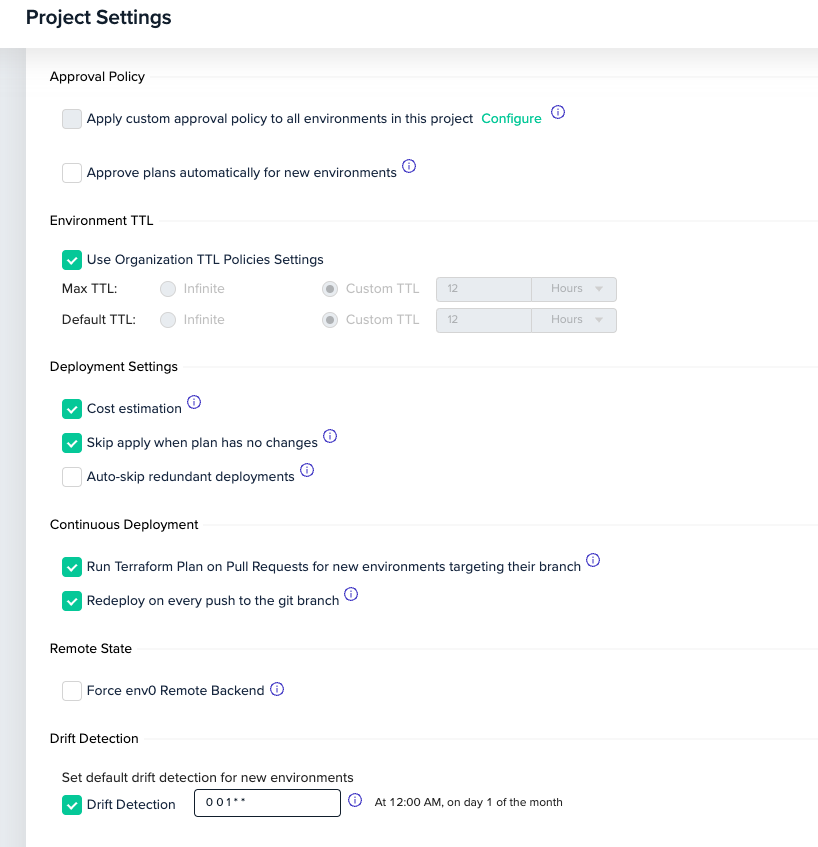
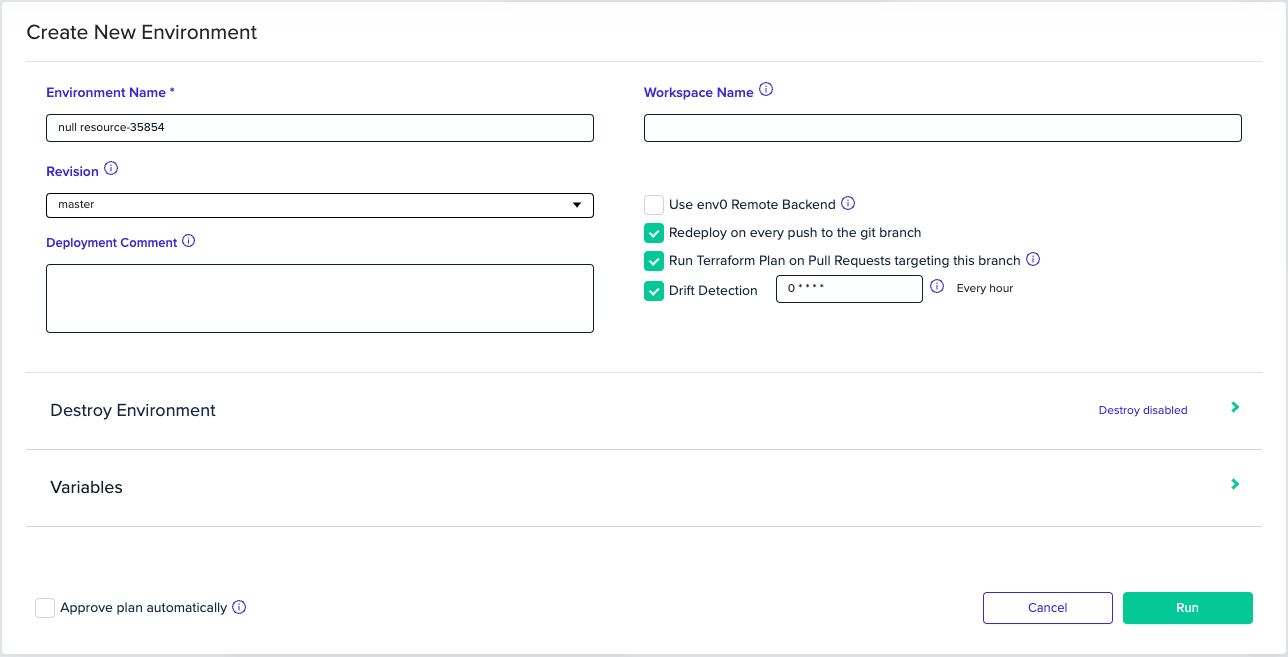
New environments will inherit the policy by default
Next steps
- Drift detection - Enable and configure drift detection on environments.
- Drift cause - Understand what triggers infrastructure drift.
- Automatic drift remediation - Auto-remediate drift by redeploying from VCS.