

Setting Variables on Sub-Environment Templates
In the workflow template wizard, under the Variables step, env zero loads the workflow file and displays the sub-environment templates. Select the sub-environment you want to configure.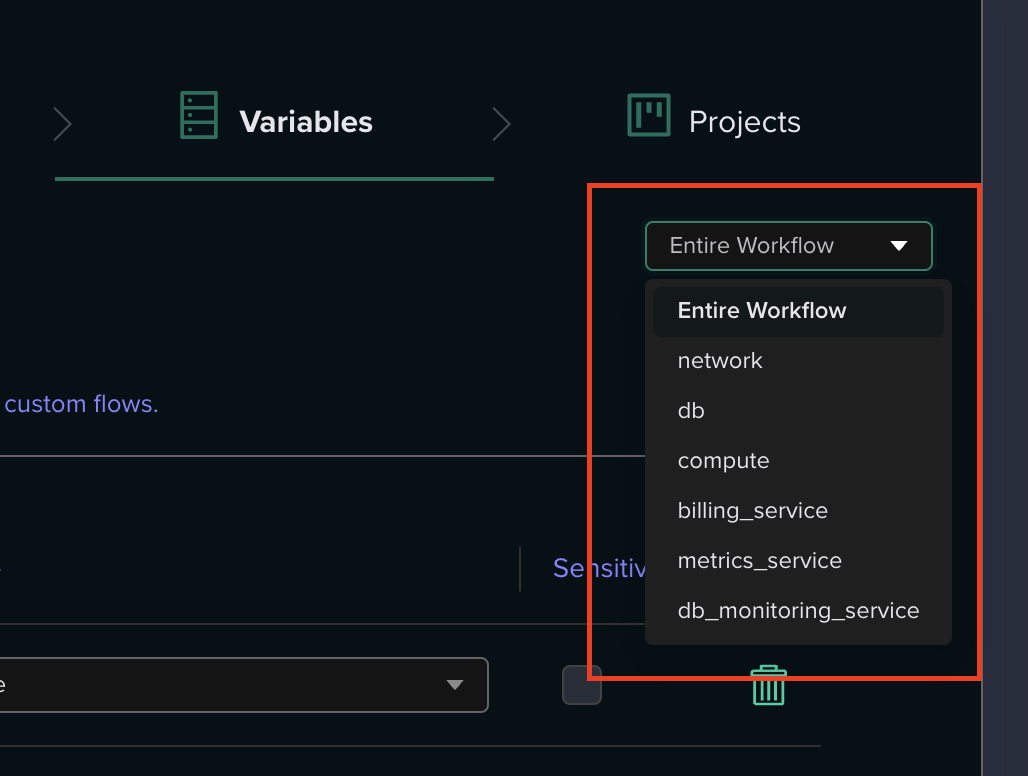

Passing Outputs Between Sub-Environments
A common pattern in workflows is passing data from one sub-environment to another. For example, a networking stack might output a VPC ID that a compute stack needs as an input variable. You can configure this at the template level using Environment Output variables, so the output-to-variable mapping is pre-configured and applied automatically on every deployment.Prerequisites
- Environment Outputs must be enabled in the project’s Policies settings.
- The source sub-environment must list the consuming sub-environment’s dependency using the
needsfield in the workflow file, ensuring correct deployment order.
1
Open the Workflow Template Wizard
Navigate to the workflow template and open the settings wizard. Go to the Variables step.
2
Select the Consuming Sub-Environment
From the sub-environment list, select the sub-environment that needs to receive the output (the one that depends on another sub-environment).
3
Add an Environment Output Variable
Click Add Variable, set the type to Environment Output, and enter the variable key (the Terraform/environment variable name you want to populate).
4
Configure the Output Source
Click the edit (pencil) button on the variable value. In the modal, you will see a Sub-Environment Aliases section listing the aliases from your workflow file. Select the alias of the sub-environment whose output you want to consume.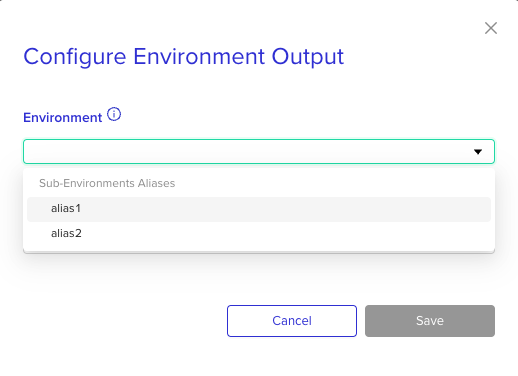
5
Select or Type the Output Name
If the source sub-environment has been deployed before, select from the dropdown of available outputs. If it has not been deployed yet, you can free-type the expected output name.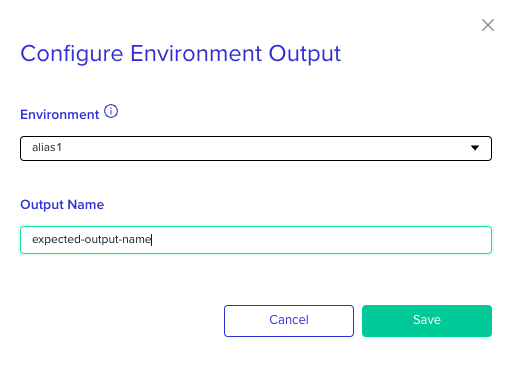
6
Save
Click Save. The variable is now configured at the template level and will be resolved automatically on each deployment.
First Deployment Considerations
Configuring at Deploy Time
You can also configure output-to-variable mappings at deploy time on the workflow deploy page. For step-by-step instructions, see Using Environment Outputs in Workflows.Cross-Environment Outputs
In addition to referencing outputs from sub-environments within the same workflow, you can reference outputs from any deployed environment in your organization. When configuring the output source, select the environment by its ID instead of a sub-environment alias. Learn more: Environment OutputsCode-Based Configuration (Import Variable Plugin)
The steps above configure output mappings through the env zero UI. For teams that prefer a code-driven / GitOps approach where variable configurations are version-controlled, the Import Variable Plugin allows you to define output-to-variable mappings inenv0.yaml custom flows using the ${env0-workflow:<alias>:<output_name>} syntax.
The
${env0-workflow:...} syntax is specific to the Import Variable Plugin and requires API key configuration. It is not part of the native Environment Outputs feature. For most users, the UI-based approach described above is recommended.You can also define Environment Output variables programmatically using the env0 Terraform Provider.Next steps
- Working with environment outputs - Enable and configure environment output sharing across stacks.
- Creating a new workflow - Set up a workflow and configure sub-environment dependencies.
- Using variable sets - Group shared variables for reuse across workflow environments.