

env zero is an IaC automation platform for deploying and managing cloud infrastructure using Terraform, OpenTofu, Pulumi, Terragrunt, Helm, and Kubernetes, with built-in governance, cost controls, and team access management.Documentation Index
Fetch the complete documentation index at: https://docs.envzero.com/llms.txt
Use this file to discover all available pages before exploring further.
Migrating from Terraform Cloud? env zero has a step-by-step migration wizard that connects to your Terraform Cloud organization, imports your workspaces, resolves variable conflicts, and lets you go live without downtime. Start the TFC migration.
Before you start
- A cloud account (AWS, GCP, or Azure) with permission to create IAM roles or service principals
- A GitHub, GitLab, Bitbucket, or Azure DevOps account with a repository to deploy from
- Admin access to your GitHub organization if using GitHub (required to install the env zero GitHub App)
How env zero runs your code
When a deployment starts, env zero provisions a container (either cloud-hosted or your own self-hosted agent), clones your VCS repository at the specified branch and folder, injects your credentials and variables, and runs the IaC tool. No code is stored by env zero. It reads your repository, executes the deploy, and writes state back to the remote backend. Credentials are used only for the duration of the deployment.Core concepts
Three objects you will use throughout env zero:- Template - A reusable configuration that points to a folder in your VCS repository and defines the IaC type, variables, and deployment settings. Multiple teams and projects can deploy from the same template.
- Environment - A live deployment of a template. Each environment has its own state, variables, and deployment history.
- Project - A container for related environments with scoped credentials and access control. env zero creates a Default Organization Project when you first sign up.
Option A: Deploy a sample
If you want to see env zero work before connecting your own infrastructure, start here.Cloud provider credentials are required to complete this path. If you haven’t set them up yet, follow Connect Your Cloud Account first.
- Fork env0/templates on GitHub. It contains ready-to-run examples for AWS, GCP, Azure, Terraform, OpenTofu, Pulumi, and more. Each example folder has a
READMEthat lists what it deploys and which variables it requires. - Log in to app.env0.com and create your organization.
- From your project, click Create New Environment and choose VCS to deploy directly from your repository.
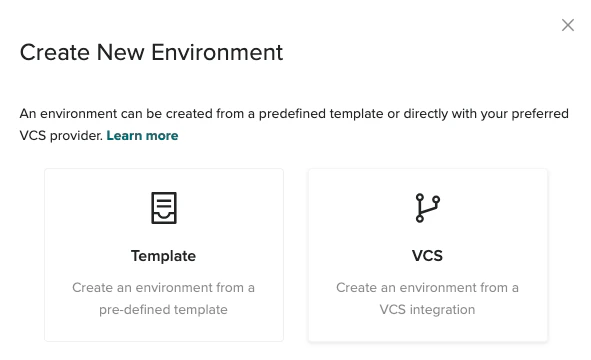
-
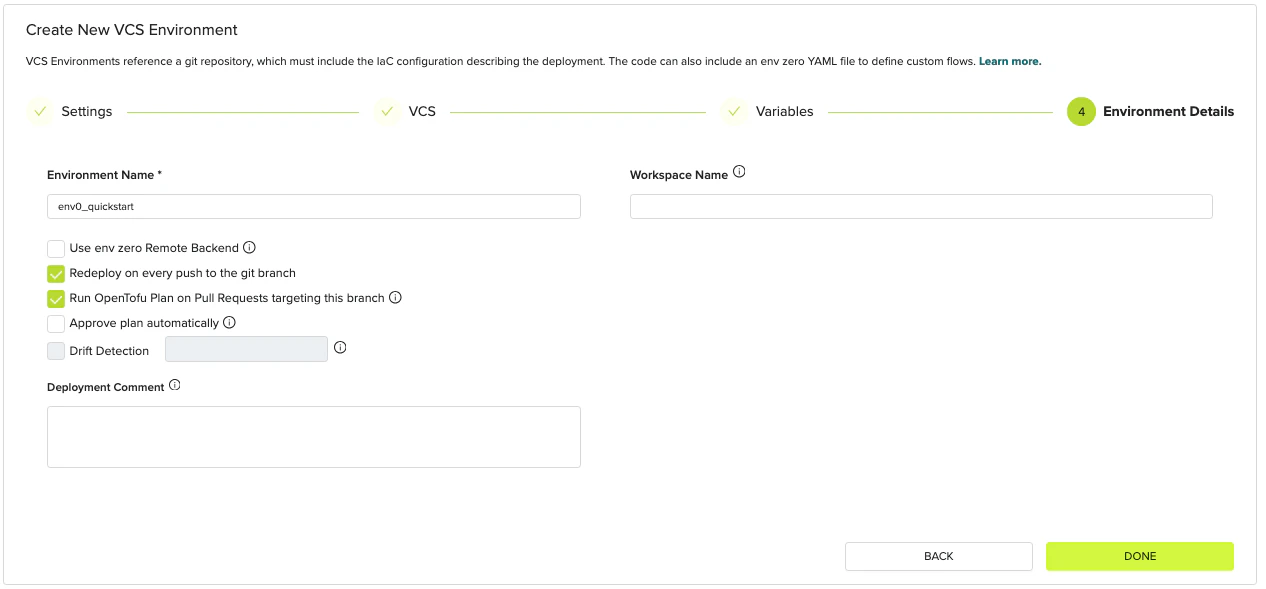
Work through the four wizard steps:
- IaC type: Select the framework that matches the example you want to run (Terraform, OpenTofu, Pulumi, etc.).
- VCS: Click GitHub.com and install the env zero GitHub App when prompted. Select your forked
templatesrepository and set the branch (usuallymaster). Set the folder path to the example you want to deploy, such asaws/simple-ec2. - Variables: Check the
READMEfor the example you chose to find required variables. Add them here. Leave optional variables blank to use the defaults. - Environment Details: Give your environment a name, leave the other settings at their defaults, and click Done.
- Watch the deployment run. The Environments page shows a live log. When the status changes to Active, the deployment succeeded. When you are done testing, open the environment and click Destroy to remove the resources.
Option B: Set up env zero for your team
If you are setting up env zero for real infrastructure, or want the full governance model with reusable templates, project structure, and access control, follow these tutorials in order. The full path takes about 30 minutes.- Create Your Organization (~2 min)
- Connect Your Git Repository (~5 min, optional for public repos)
- Connect Your Cloud Account (~15 min)
- Create Your First Template (~5 min)
- Deploy Your First Environment (~5 min)