

This step assumes you have already created your organization.
OAuth (recommended for GitHub.com, GitLab.com, and Bitbucket.org)
OAuth is the recommended way to connect cloud-hosted repositories. It requires no key management, no token rotation, and grants access to your organization’s repositories in a single authorization step. You do not set up OAuth here. It happens automatically when you create your first template. When you select GitHub.com, GitLab.com, or Bitbucket.org during template creation, env zero opens an OAuth popup and stores the connection for your organization. All future templates using the same provider reuse that connection. If you are using GitHub.com, GitLab.com, or Bitbucket.org with a private repository, skip this page and continue to Connect your cloud account. The OAuth setup happens in the Create your first template step.SSH keys (self-hosted providers and private modules)
Use SSH keys if:- Your repository is hosted on GitHub Enterprise, GitLab self-managed, or Bitbucket Server
- Your IaC code pulls private Terraform or OpenTofu modules using
ssh://URLs (an SSH key is required even if you use OAuth for the main repository)
Generate an SSH key pair and add it to your repository
This is vendor-specific. See the instructions for your provider:- GitHub - Adding a new SSH key to your GitHub account
- GitLab - Create and add your SSH key pair
- Bitbucket - Set up an SSH key
Add the SSH key to your organization
- Open Organization Settings and go to the Keys tab.
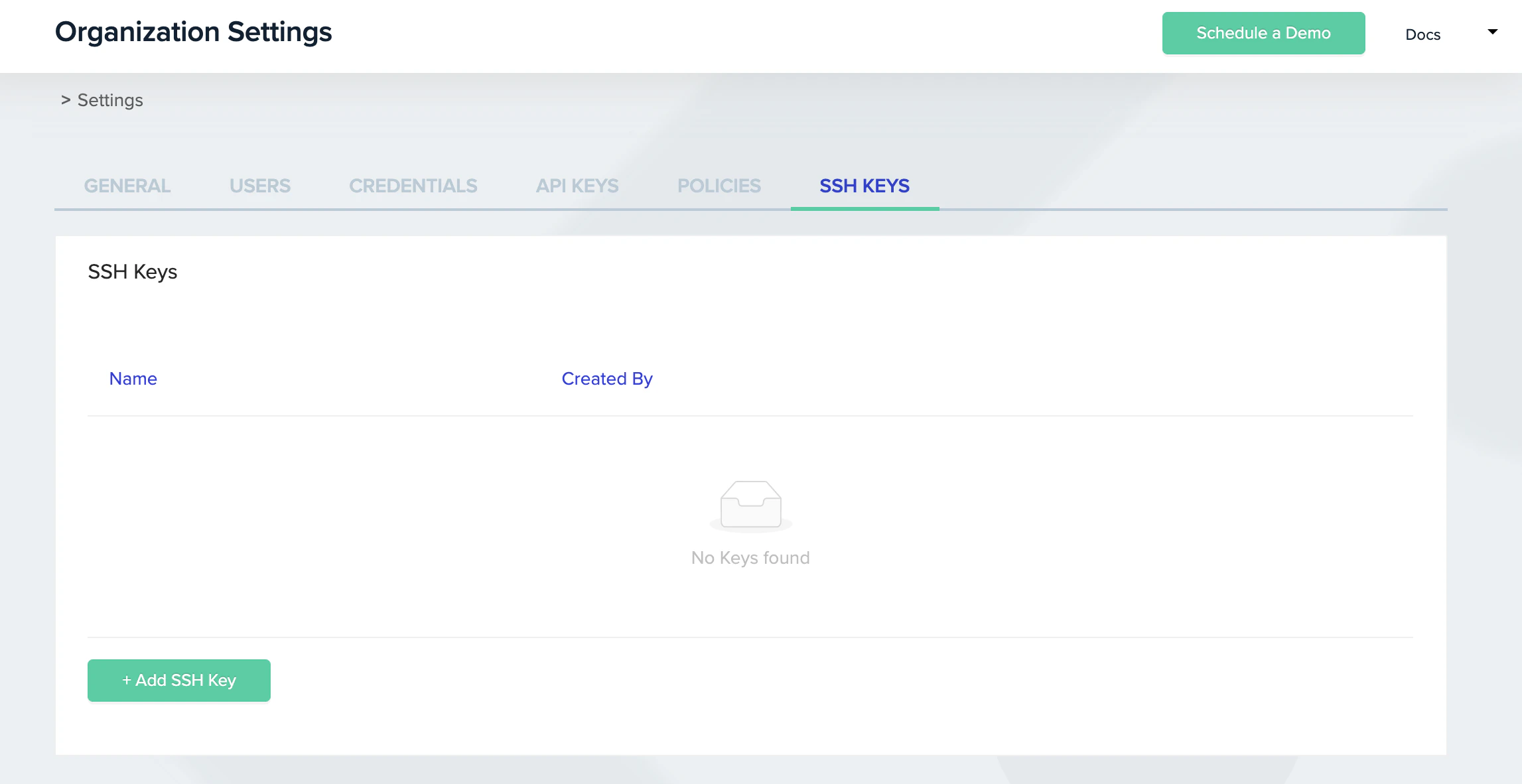
SSH Keys Screen
- Click + Add SSH Key.
- Enter a name in the
SSH Key Namebox to identify this key later. - Paste the private key you generated into the
SSH Key Valuebox. - Click Save.
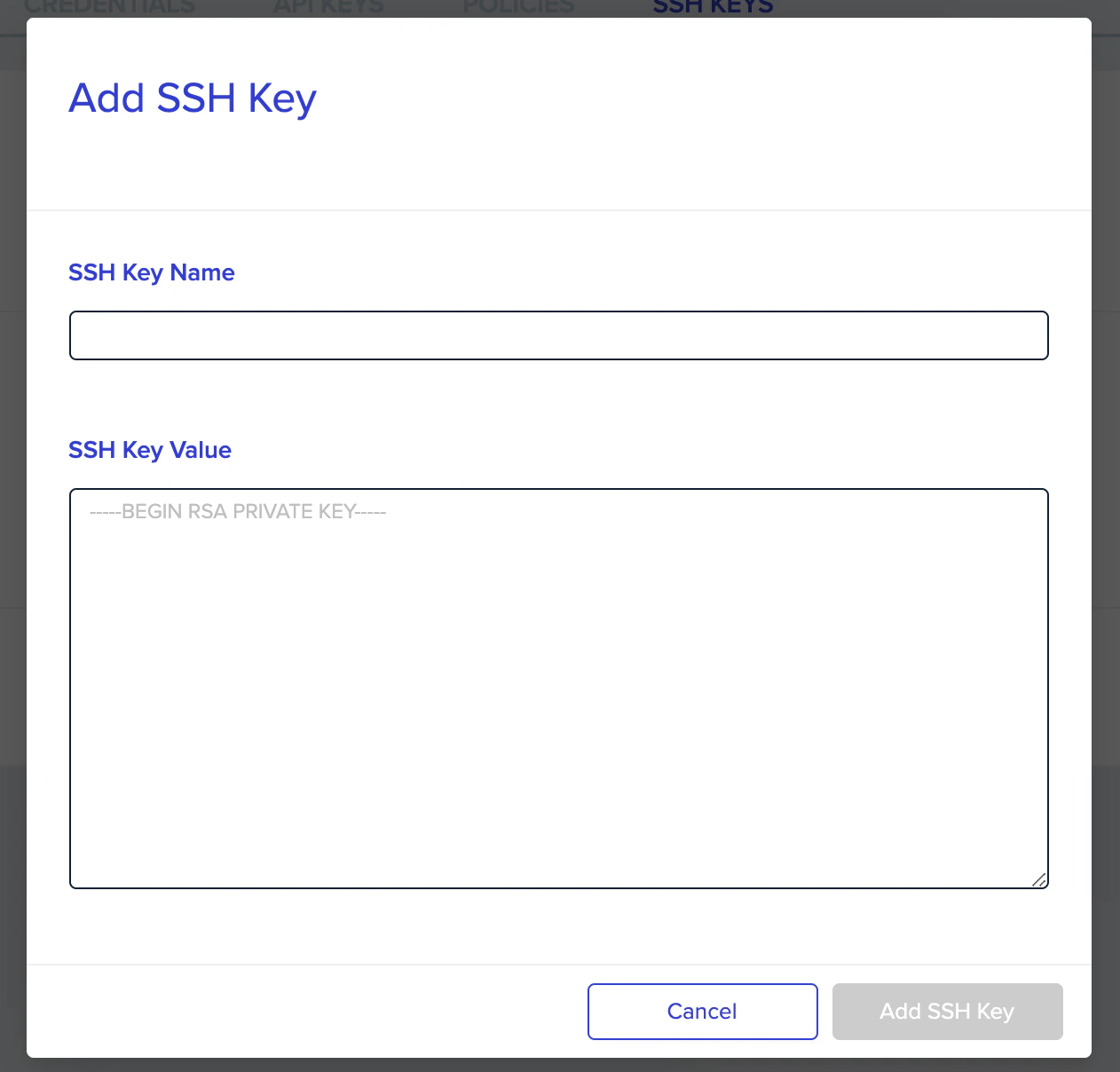
Add new SSH Key Dialog
HTTPS tokens (self-hosted providers)
Use HTTPS tokens as an alternative to SSH for repositories on GitHub Enterprise, GitLab self-managed, Azure DevOps, or Bitbucket Server. HTTPS tokens are also supported for cloud-hosted providers if your organization policy requires token-based auth instead of OAuth.Generate an access token in your repository
This is vendor-specific. See the instructions for your provider:- GitHub - Personal access tokens
- GitLab - Personal access tokens
- Bitbucket - App Passwords
- Azure DevOps - Personal access tokens
Add the token to your organization
- Open Organization Settings and go to the Credentials tab.
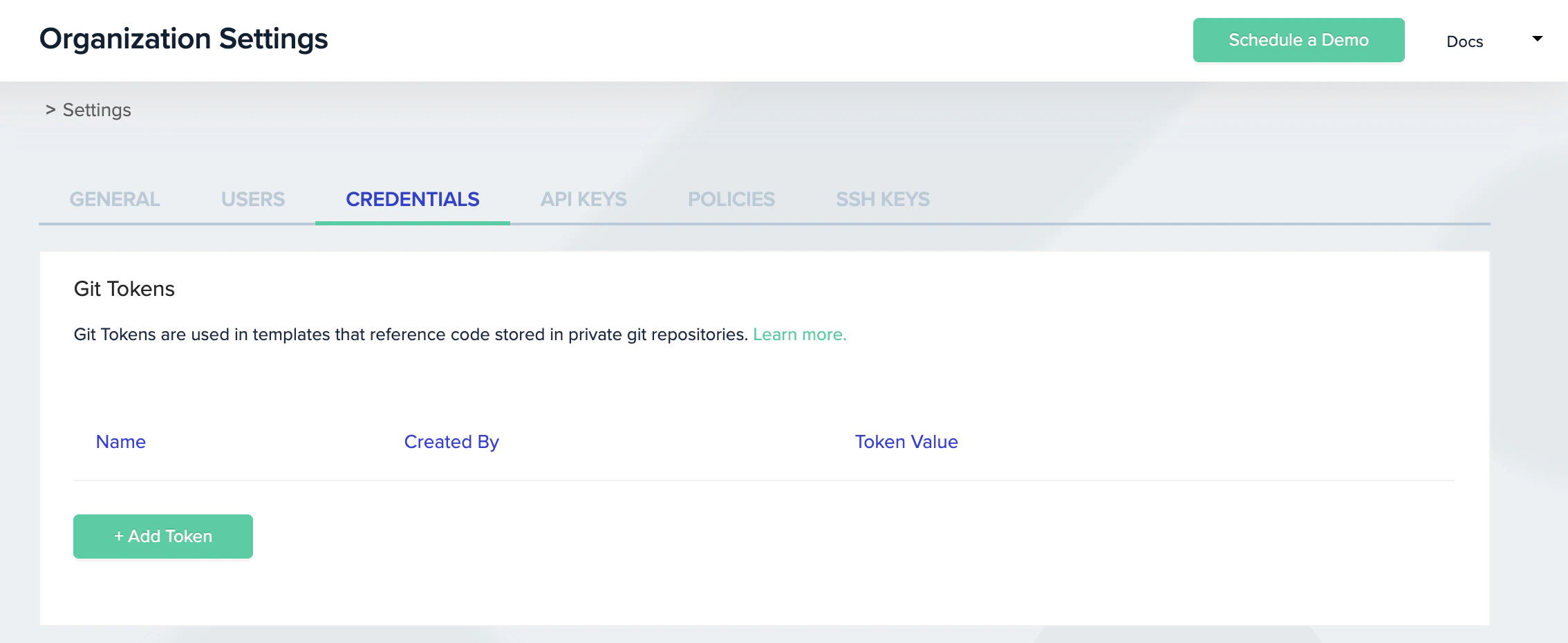
Git Tokens Screen
- In the Git Tokens section, click + Add Token.
- Enter a name in the
Namebox to identify this token later. - Enter the token value in the
Valuebox. - Click Add.

Add a new Git token
Next steps
- Connect your cloud account - Grant env zero permissions to deploy to your cloud.
- Create your first template - Use your VCS connection to create your first template.
- Supported platforms - Check which VCS providers and IaC tools are supported.