

What happens during migration
When you click Create in env zero, the wizard:- Creates env zero projects matching your TFC project structure
- Creates env zero environments for each selected workspace, in a locked state to prevent accidental deployments
- Copies variables and configuration sets to the new environments
- Locks the TFC workspace briefly, copies the Terraform state to the env zero remote backend, then unlocks the TFC workspace
- Triggers a drift detection plan to verify the imported state is valid
State migration temporarily locks each TFC workspace during the copy. The lock is released automatically once the state transfer completes. If you see a workspace locked in TFC during migration, this is expected.
Review your selection
The summary displays your selected workspaces organized by TFC project. For each workspace you can see the Terraform version, VCS repository branch, and variable count. You can uncheck individual workspaces on this screen to defer them to a later migration round before triggering the migration.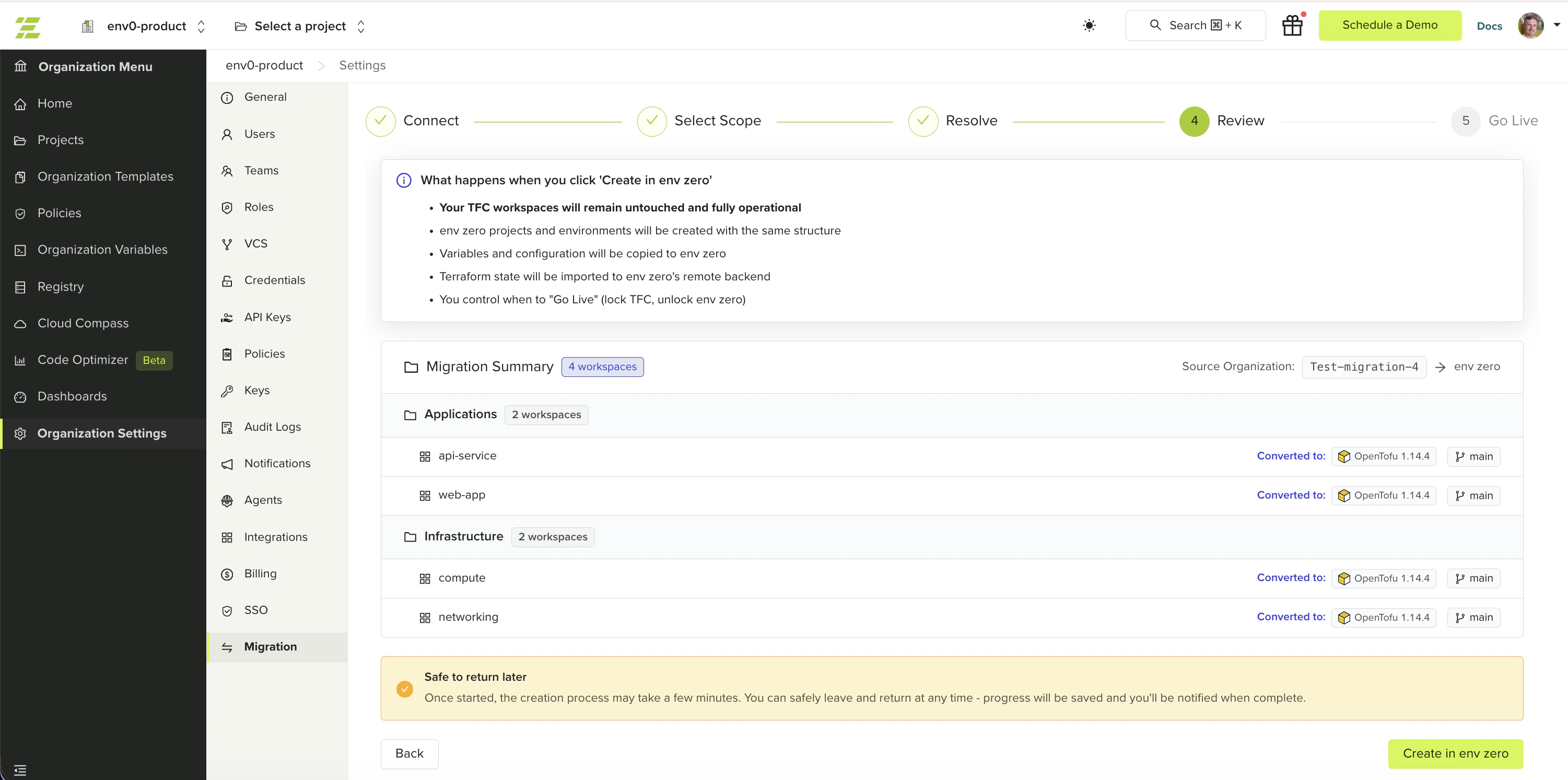
Start the migration
1
Review the workspace list
Verify the workspaces and projects listed match your expectations. Uncheck any workspaces you want to defer.
2
Click Create in env zero
The migration begins. Each workspace shows its status inline as migration progresses.
3
Wait for completion
Migration time depends on the number of workspaces and the size of their state files. You can safely leave the page and return later. Progress is saved automatically.
Migration results
When migration completes, the wizard shows a success count and a failure count with error details for any workspace that failed.- Successfully migrated workspaces are not rolled back if others fail. Partial success is a valid outcome — already-migrated workspaces are marked and cannot be re-selected in future sessions.
- Drift detection runs asynchronously after migration reports completion. The plan results appear on each environment once finished. Migration success does not mean drift detection has completed.
- If any workspaces failed, click Retry to attempt them again. Only the failed workspaces are retried.
Next steps
- Go live - Lock TFC workspaces and activate env zero environments.
- Migrate from Terraform Cloud - Return to the migration overview for the full process.
- Troubleshooting - Diagnose state migration failures and retry errors.