

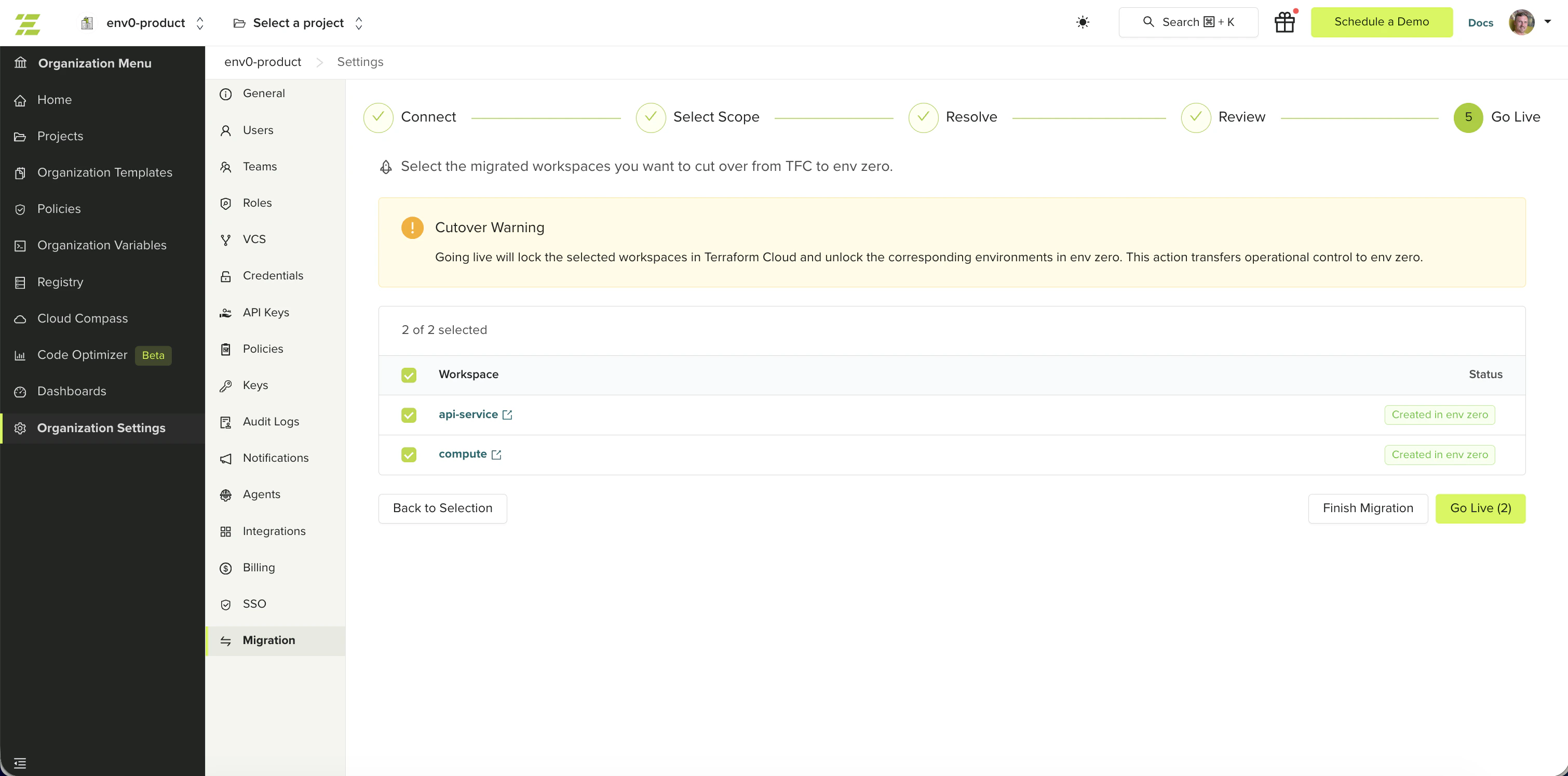
What Go Live does
For each workspace you select:- Locks the TFC workspace permanently - the lock is intentional and stays in place after go-live. The wizard does not unlock TFC.
- Unlocks the env zero environment - allows deployments from env zero
Cut over workspaces
1
Select workspaces to go live
The Go Live table lists all successfully migrated workspaces. Skipped workspaces are not shown. Each workspace displays its current status and drift detection result:
- Migrated - migrated and ready to go live
- Live - already cut over; cannot be re-selected
- Failed - migration failed; cannot be selected
2
Click Go Live
The button label shows the count of selected workspaces (for example, Go Live (5)). env zero locks the TFC workspaces and unlocks the corresponding env zero environments. If unlocking an env zero environment fails after TFC is locked, the TFC lock is automatically rolled back — no manual cleanup is needed.
3
Review results
The results screen shows the success or failure status for each workspace. Failed workspaces can be retried without affecting already-live workspaces.
Migration complete
Once all workspaces are live or skipped, the wizard shows a completion screen confirming that env zero is now your source of truth for the migrated environments. From this screen you can:- Click Done to finish the migration session
- Click Back to Home to return to the homepage
Post-migration checklist
After going live, complete the following to fully replicate your TFC setup in env zero:- Verify plan output shows no unexpected infrastructure changes for each migrated environment
- Confirm all variables (including sensitive ones) are present and scoped correctly
- Configure SSO/SAML integration in env zero to manage team access and roles via your identity provider
- Recreate any Sentinel or OPA policies as env zero custom flows or policy rules
- Configure notification integrations (Slack, email, webhooks)
- Set up workflow triggers to replace any TFC run triggers or workspace dependencies
- Re-publish private modules in the env zero module registry
- Add any SSH keys needed for private repository access
- Verify VCS webhooks and deployment triggers work as expected
- Archive or delete the migrated workspaces in TFC once you are confident the migration is complete
Finishing the session
Once all workspaces are either live or skipped, click Finish Migration to close the session. The wizard blocks finishing while any workspace is in a migrated-but-not-live state — you must either go live or skip each migrated workspace before the session can be closed. You can start a new migration session at any time to migrate remaining workspaces.Next steps
- Migrate from Terraform Cloud - Return to the migration overview or start a new session.
- Managing Environments - Explore your migrated environments and their lifecycle.
- Troubleshooting - Resolve go-live failures and post-migration drift.