

Creating a Team
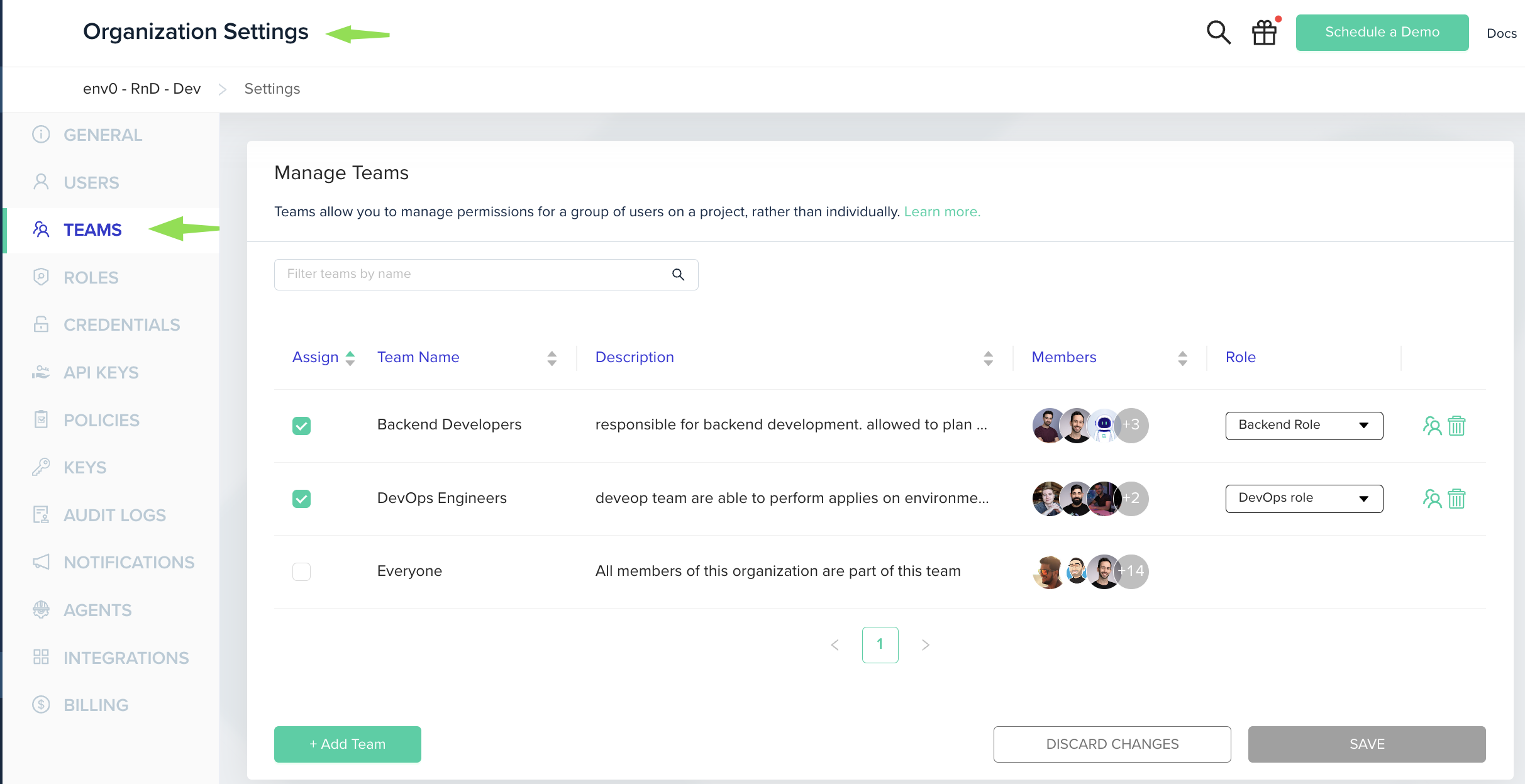
To create a team, you must be an Organization Admin.- Go to Organization Settings
- Click on the Teams tab.
- Click the Add Team button
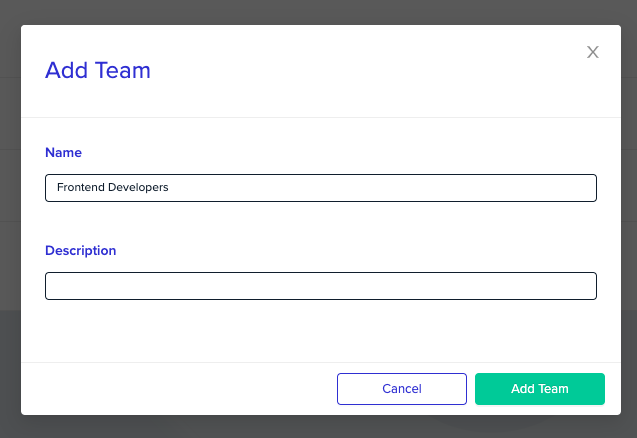
- Fill in the team’s
nameanddescription - Click Confirm to create the team.
Managing Members
To manage team’s members, go to Organization Settings, and then to Teams tab.- Click on the “Users” icon next to the team you would like to change.
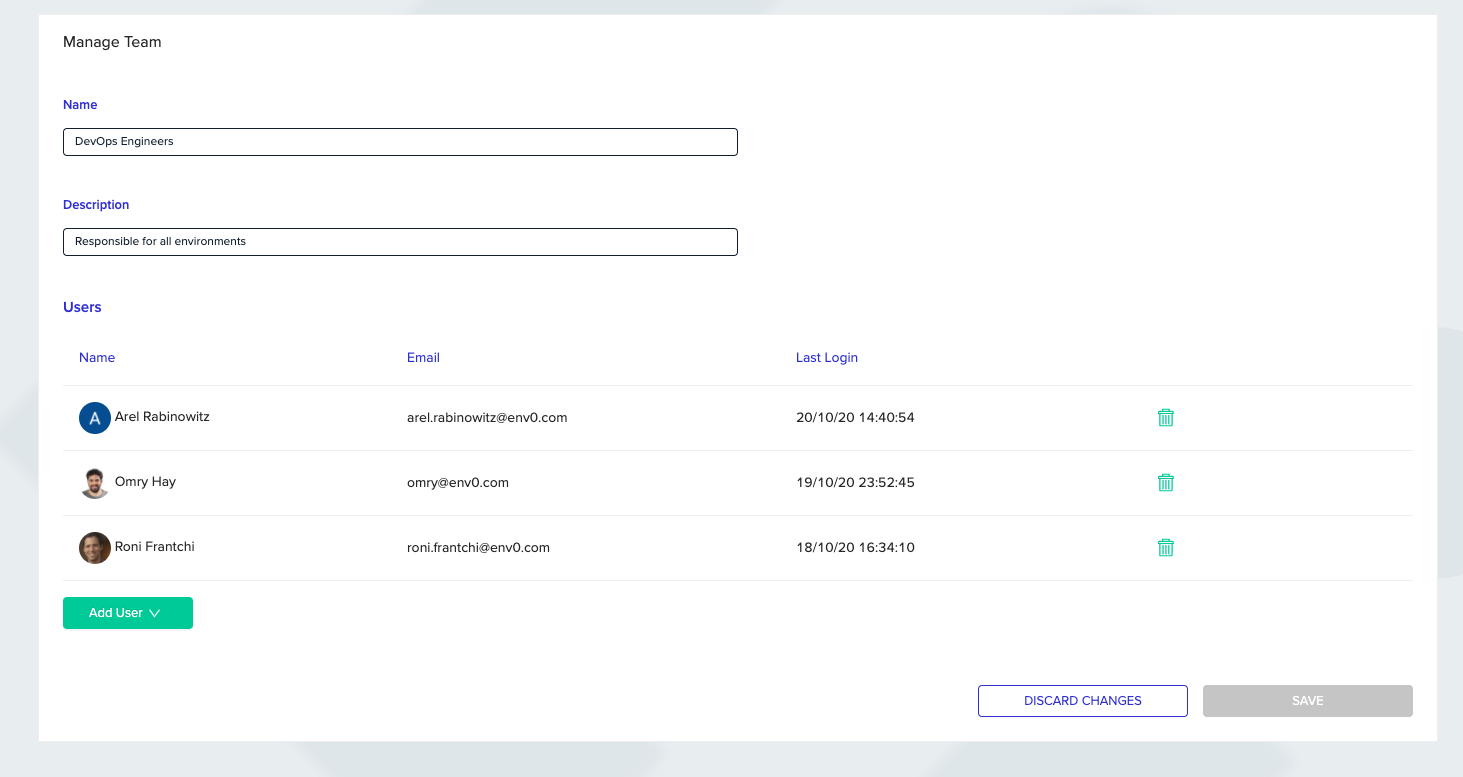
- You will now be redirected to the “Manage Team” page, which lets you edit the team’s information, and manage the members of the team.
Adding Users to a TeamOnly existing users in the Organization may be added as team members - to add new users to your organization follow the Users Management guide
Managing Team Access to a Project
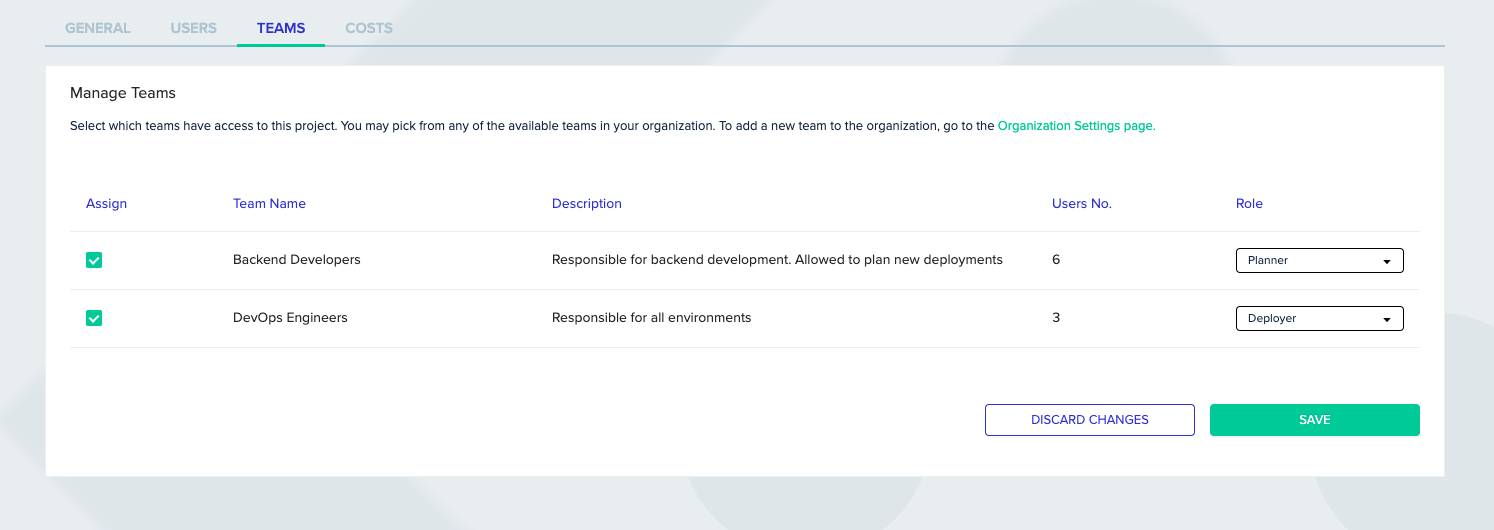
Either an Organization Admin or a Project Admin can manage the access of members, or teams, of your organization to a project. This role will cascade into every member of the team. See Users & Roles for more information on roles. To modify permissions on a project- Go to Project Settings, and then to the Teams tab.
- You will see all teams for the organization, assign your desired Teams to the project by clicking the check mark and picking a role for that team from the dropdown.
- Click on Save when you are done
Next steps
Now that you understand team management, learn how to control access with Role-Based Access Control (RBAC):Default Roles
Learn about built-in roles and their permissions at organization, project, and environment levels
Custom Roles
Create and manage custom roles with tailored permissions
Assigning Roles
Step-by-step guides for assigning roles to users and teams