

Introduction
This guide will detail the various steps required to integrate Keycloak as a SAML provider for your env zero organization. The current implementation is used for authentication only, where you define your users in your Keycloak to enable them access to your env zero organization.Self-Service Configuration Available: You can configure SAML SSO directly from your organization settings. See Self-service SSO integration for an overview, or Self-service SAML setup for step-by-step instructions.
Steps
- Login to your Keycloak account as an Administrator
- In the left-side menu click on the
Clientstab - Click on the
Createbutton - In the Client ID enter
urn:auth0:env0:YOUR_ENV0_ORG_ID
e.g.,urn:auth0:env0:aaaaaaaa-bbbb-cccc-dddd-eeeeeeeeeeee - In the Client Protocol dropdown Select
saml - Click on the
Savebutton - Under the
Settingstab, in theNameenterenv zero - In the
Name ID Formatdropdown selectemail - in the
IDP Initiated SSO URL Nameenterenv zero - Open the
Fine Grain SAML Endpoint Configurationdropdown - In the
Assertion Consumer Service POST Binding URLand in theAssertion Consumer Service Redirect Binding URLenterhttps://login.app.env0.com/login/callback?connection=YOUR_ENV0_ORG_ID- e.g.,https://login.app.env0.com/login/callback?connection=aaaaaaaa-bbbb-cccc-dddd-eeeeeeeeeeee - Click on the
Savebutton at the bottom
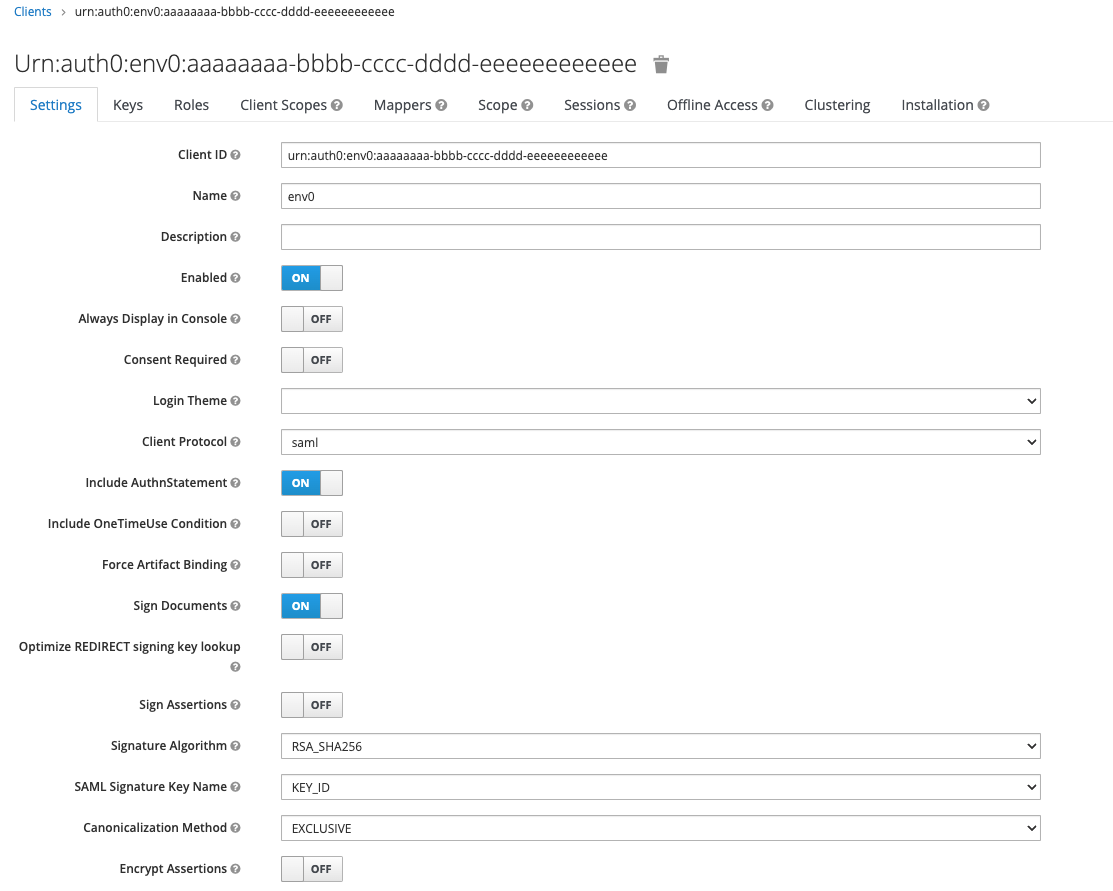
Client Configuration
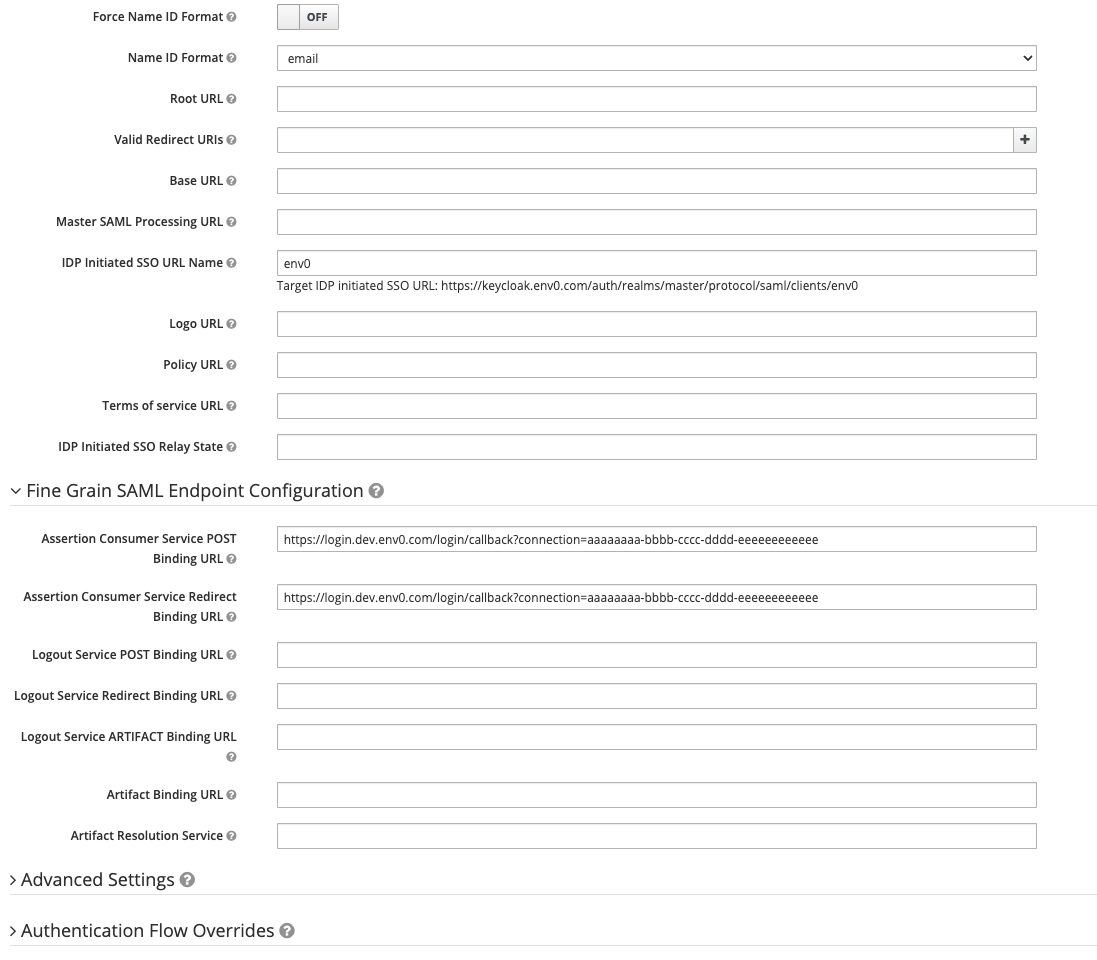
Client Configuration - Fine Grain SAML Endpoint
Mappers
- Click on the
Mapperstab - Click on the
Add Builtinbutton - Check the
X500 email,X500 givenNameandX500 surnameand click on theAdd selectedbutton - Click on the
Editbutton in theX500 givenNameand change theSAML Attribute Nameto befirstNameand click on theSavebutton - Click on the
Editbutton in theX500 emailand change theSAML Attribute Nameto beemailand click on theSavebutton - Click on the
Editbutton in theX500 surnameand change theSAML Attribute Nameto belastNameand click on theSavebutton - If you like to also sync your Keycloak groups with env zero you need to click on the
Createbutton in theMapperstab - Under
Nameentergroups - In the
Mapper Typedropdown selectGroup list - In the
Group attribute nameentergroups - In the
Friendly Nameentergroups - Leave the
SAML Attribute NameFormatunselected and Make sure theSingle Group Attributeis switched on - You can choose whether to send the full group path. If you like to get the full group path, switch it on, and the teams in env zero will include the full path of the group, e.g., if you have an
Front endgroup inside aRnDgroup the name of the team in env zero will be/Rnd/Front End - Read more about Teams syncing with env zero here
- Click on the
Savebutton

Installation
- To set your SAML inside env zero, navigate to your organization settings and go to the SSO tab
- Click on SAML to configure your connection
- In Keycloak, go to the
Installationtab - In the
Format Optiondropdown selectMod Auth Mellon Filesand click on theDownloadbutton - Extract the downloaded
keycloak-mod-auth-mellon-sp-config.zipfile - Complete the self-service form in env zero with the information from the
idp-metadata.xmlfile from the extracted folder

Download XML file
Next steps
- Self-service SAML setup - Review the general SAML configuration process.
- Sync Roles & Groups From Your IdP - Import Keycloak groups into env zero.
- Google Workspace integration - Compare with another supported identity provider.